
 Web Development
 Data Science
 Python
 SQL
SQL JavaScript
 Artificial Intelligence
 IT & Software
 IT Certifications
 Hacking
 AWS
AWS Arduino
 DevOps
 3D Modeling
 Graphic Design
 Photoshop
 Drawing
 Digital Painting
 UX Design
 Business
 Data Analysis
 Communication Skills
 Project Management
 Leadership & Management
 Human Resources
 Digital Marketing
 Social Media Marketing
 Marketing
 SEO
SEO Google Analytics
 Branding
 Excel
Excel Office Productivity
 SAP
SAP PowerPoint
 Microsoft Access
 SharePoint
 Finance & Accounting
 Trading & Investing
 Accounting
 Bitcoin
 Personal Finance
 Video Editing & Animation
 Photography
 Adobe Premier Pro
 Adobe Lightroom
 Personal Development
 Productivity
 Career Development
 Life Coaching
 Health & Fitness
 Meditation & Mindfulness
 Yoga
Yoga Music
Music Music Production
 Guitar
 Piano
Piano Singing
 Language Learning
 Teaching & Academics
 Engineering
 Math
Math Lifestyle
Unreal Engine: Open World Landscapes (Udemy.com)
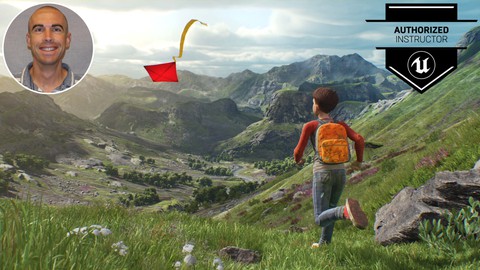
Master Unreal Engine's Landscape editing tools to create massive environments like in "Breath of the Wild"
Created by: Greg Wondra
Last updated November 2025
 What you will learn
- How to download, install, and setup a project using the Unreal Engine
- How to create new landscapes
- How to import existing (real world!) landscapes
- How to stitch together multiple landscapes to create massive open worlds
- How to sculpt mountains, valleys, plateaus, and caves
- How to paint a terrain with mud, grass, rock, or snow textures
- How to spawn different visual and audio effects based on the surface type a character is traveling upon
- How to populate a landscape with grass, flower, bush, and tree foliage
- How to populate a landscape with road, fence, and river splines
- How to create a day / night cycle
- How to add God rays and fog
- How to visually profile and debug your landscape's performance
How it compares
Against the other 70 rated Udemy courses in Unreal Engine on CourseDuck:
- Rating4.7 out of 5higher than 78% of them
- Reviews1,127#18 of 71 by number of reviews
- Length15.8 hourslonger than 78% of them
- Last updatedNovember 2025more recently than 77% of them
 Course Description
In this game design course, you will learn how to use Unreal Engine's Landscape and Foliage Editing tools so that YOU can build open world environments like seen in "Legend of Zelda: Breath of the Wild." Knowing how to use these tools is a critical skill for those aspiring to be Level Designers or Environment Artists!
This course contains over 113 fun-to-follow video lessons! You'll learn how to:
Download, install, and setup a project in the Unreal Engine
Create a new landscape
Import existing (real world!) landscapes
Stitch together multiple landscapes to create massive open worlds
Sculpt mountains, valleys, plateaus, and caves
Create a landscape material
Paint landscape surfaces with mud, grass, rock, or snow textures
Utilize Blueprint Brushes to sculpt and paint a landscape
Spawn different visual and audio effects based on the surface type a character is traveling upon
Populate a landscape with grass, flower, bush, or tree foliage
Populate a landscape with road, fence, and river splines
Use numerous Sculpting and Foliage tools within Unreal (including Procedural Foliage tools!)
Create a day / night cycle
Add fog & God rays
Stream sections of your Open World in and out
Visually profile and debug your landscape's performance
And more!
With the knowledge gained in these video lessons, you'll have the necessary skills to start building your OWN open world environments!

 Udemy Discount
The discount is applied through our link. Open the course from here and Udemy's current promotional price is applied at checkout on most courses, no code to type.
Some courses are excluded from Udemy's promotions. If the price does not drop, clear your browser cookies and use the button again.
Instructor Details

- 4.7 Rating
 1,127 Reviews
Greg Wondra
Greg Wondra is an Unreal Authorized Instructor and 12 year video game design veteran. He's worked for companies such as 2K Sports, KingsIsle Entertainment, and Nickelodeon. Working credits include:
- Wizard 101 (PC)
- Lost Planet 3 (360, PS3, PC)
- MonkeyQuest (PC)
- Sports Champions (PS3)
- Major League Baseball 2K5, 2K6, 2K7, 2K8 (various consoles)
- SpongeBob Moves In (Mobile)
- Grub Guardian (Mobile)
Working in the gaming industry has been a lifetime dream filled with rare opportunities. He's had the good fortune to have directed LeBron James and Derek Jeter in motion capture sessions in his gaming career. Additionally, Greg led the design of "Sports Champions"...the first game ever released for the PS Move hardware.
"Mr. Wondra" has worked as the Video Game Design instructor at the Regional Occupational Center in Bakersfield, CA where he teaches a full year course on game design using the Unreal Engine.
 More courses by Greg Wondra
Unreal Engine 5 - Blueprint Scripting 101 (2026)
4.6 (1,659 Reviews)
 Provider: Udemy
 Time: 20.8h
$94.99

Unreal Engine: Create an Arcade Classic! (2025)
4.7 (670 Reviews)
- Provider: Udemy
- Time: 26.4h
$64.99

More Unreal Engine courses

Unreal Engine 5: One Course Solution For Material (2026)
4.9 (1,774 Reviews)
- Provider: Udemy
- Time: 14.1h
$99.99

Unreal Engine 5 Blueprints - The Ultimate Developer Course (2026)
4.8 (4,636 Reviews)
- Provider: Udemy
- Time: 41.6h
$19.99

The Ultimate Unreal Engine 2D Game Development Course (2026)
4.8 (3,290 Reviews)
- Provider: Udemy
- Time: 12.1h
$99.99

Unreal 5 Materials - Part 1 Environments (2024)
4.8 (221 Reviews)
- Provider: Udemy
- Time: 14.4h
$79.99

Unreal Engine 5 - Gameplay Ability System - Top Down RPG (2026)
4.7 (3,529 Reviews)
- Provider: Udemy
- Time: 105.8h
$24.99
 Reviews

By Jose Rodriguez on 6/5/2023
Me ha parecido un fantastico curso de iniciación a la generacion de Paisajes, tanto en pequeñas escalas como a escalas mundiales, en el cual abordan de foma muy detallada y muy bien explicada cada uno de los conceptos que son necesarios para este tipo de Creaciones. El profesor me ha parecido excelente en cuanto a su metodo de explicación y a todos los detalles de cada ejemplo..., sabe muy bien de lo que habla...,practicamente no dejaba duda sin resolver...Lo unico que para mi personalmente penalizaria un poco este Curso, ha sido la falta de opciones de traduccion a otros idiomas como el Español..., pero esto no es motivo para desmejorar el gran esfuerzo y trabajo entregado con todo el proceso de este fantastico curso.., que recomiendo a todos aquellos que esten buscando soluciones a la hora de crear cualquier tipo de paisaje para nuestros Proyectos...
By Shannon Campelo on 9/11/2021
Just finished the course today and it covered a whole variety of topics. I’ve personally started from scratch just had the software installed in my PC and I can now say I’m capable of designing my own landscape. I’m not giving it a full 5 star mark because I would love to go in depth into some topics specially regarding the blueprints but I do understand that it would require a whole course focused in Blueprints in order to cover all of the commands. Thank you Mr. Wondra for showing me how to get started with UE4 and I will indeed continue learning.
By Yunjie on 8/22/2021
Amazing course and really helped with my understanding of landscaping, really enjoyed the World composition section and little things like day/night cycle. The Great descriptions on each individual brush is top notch as well and really helped me to understand the specifics of each tool. One thing I would add to this course has got to be a landscape height map aspect where mountians and valleys have specific materials, rock material on tops of mountains and grass on flat areas and sand in the ocean etcetc, overall great course though! :)
By Quane92 on 8/8/2021
Have you ever opened a tutorial video on youtube related to environment and just sat there completely clueless, realizing that to understand anything you must first understand something else and just got caught up in a loop?This course is perfect if you have no prior experience with landscapes, foliage and anything related to environment sculpting. Greg is a very energetic, yet slow-paced tutor. He goes through every single available tool in the Landscape tab and more, teaching basic of world creation. Just for heads up though, there is barely anything related to materials, just the basics, so that we can actually move into populating our landscapes with something in hand.
By Martina Mataija on 12/20/2020
No
By Rick James on 12/13/2020
Luv'n it!
By Robert Reese on 12/6/2020
Good course
By Said Abugattas Abusada on 12/2/2020
So, a couple of things about the course: 1.- After completing half the course, while searching for something related, I found an Unreal Engine YouTube live stream from 2017 (by the people at UE) that went through what I had seen on this course so far. This is what I'm referring to - https://www.youtube.com/watch?v=gMKjIZMPJ0Q 2.- Despite being a bit disappointed by finding that tutorial and noticing some strong similarities, the truth is that this course goes through that live stream and mostly through the UE documentation in a very organized way. In that sense, as the teacher mentioned, the course does work as a visual reference. Being more a visual person, I found the course worth it. I think it could be like some of the other courses on Udemy I have that I check every now and then when I forget stuff or for reference.
By Hrithik Bag on 11/27/2020
he give suggestive information... which is good!
By Dominique LACROIX on 11/25/2020
Trs complmentaire aux cours sur les mcaniques de jeux colle les RPG
By K K on 11/25/2020
Thouroughly presenting all the tools. Very good compared to other similar courses.
By PavelGameDev on 11/24/2020
. !
 Quality Score
No CourseDuck member has rated this course yet. Taken it? Give each part a thumbs up or down.
Overall Score : 94 / 100
- Video Duration:
 15.8h
15.8h - Price: $14.99
- Provider: Udemy
- Updated:
 November 2025
 - Level:
 Beginner
 - Language:
 English
 - Certificate:
 Yes
Yes
30-day money-back guarantee on most paid courses
Udemy Coupon Price Tracker
