
 Web Development
 Data Science
 Python
 SQL
SQL JavaScript
 Artificial Intelligence
 IT & Software
 IT Certifications
 Hacking
 AWS
AWS Arduino
 DevOps
 3D Modeling
 Graphic Design
 Photoshop
 Drawing
 Digital Painting
 UX Design
 Business
 Data Analysis
 Communication Skills
 Project Management
 Leadership & Management
 Human Resources
 Digital Marketing
 Social Media Marketing
 Marketing
 SEO
SEO Google Analytics
 Branding
 Excel
Excel Office Productivity
 SAP
SAP PowerPoint
 Microsoft Access
 SharePoint
 Finance & Accounting
 Trading & Investing
 Accounting
 Bitcoin
 Personal Finance
 Video Editing & Animation
 Photography
 Adobe Premier Pro
 Adobe Lightroom
 Personal Development
 Productivity
 Career Development
 Life Coaching
 Health & Fitness
 Meditation & Mindfulness
 Yoga
Yoga Music
Music Music Production
 Guitar
 Piano
Piano Singing
 Language Learning
 Teaching & Academics
 Engineering
 Math
Math Lifestyle
Blender Environment Artist: Create 3D Worlds in Blender 5.1 (Udemy.com)
Learn Blender 5.1. Create 3D Assets For Video Games & Make Unique Environments
Created by: GameDev.tv Team
Last updated July 2026
Our take
Based on the ratings of 4,501 students, a sample of their written reviews and the syllabus, as the course stood in July 2026. No course pays to be reviewed.
This is a project-based Blender course aimed at game environments. It was remastered for Blender 5.1 and last updated in July 2026, so the interface matches what new users will see. Across 102 lectures and about 14 hours, it moves from a modular castle and a spooky corridor to rocks, trees, sculpted details, a landscape and a final lighting and rendering pass. No 3D experience is assumed, and about 48,600 students have enrolled.
Reviewers mostly praise Grant Abbitt's teaching. They say he explains why a tool works, not just which button to press, and that he makes mistakes on purpose to show how to fix them. One self-taught reviewer says her patchy knowledge finally fit together. The complaints are narrower. One reviewer says nothing covers exporting the textured assets into a game engine, such as baking or texture atlases. Two others found the pacing and lesson order hard to follow. Of 4,501 ratings, 51 are one or two stars.
Mac users should expect to work around the missing numpad, per one reviewer. Treat this as a strong first environment course for Blender beginners, and as a modelling and lighting course more than a game-engine pipeline one. If export is what you need most, plan to look elsewhere for that step. Otherwise the 4.7 rating across thousands of reviews looks earned.
Pros
- Grant Abbitt explains why tools work and fixes his own mistakes on screen
- Projects build from a modular castle up to a landscape and final render
- Rebuilt for Blender 5.1 and updated in July 2026, so menus match
- Covers modelling, sculpting, texturing, lighting and rendering in one path
Cons
- No lesson on exporting or baking textures for game engines, per a reviewer
- Two reviewers found the pacing and lesson order confusing
- Mac users without a numpad have to find workarounds for some steps
Great course, would highly recommend to anyone! Grant is the perfect teacher, he takes his time explaining things why they work and how but also he likes to purposefully make mistakes just to show you how you can fix them.
Beginner friendly, since it starts at the interface. One returning reviewer likes the shortcuts and basics refresher.
 What you will learn
- Create 3D assets for video games and make unique environments
- Master Blender 5.1 to craft stunning 3D game environments, from interface basics to professional-level assets.
- Use textures to make objects look realistic.
- Learn different types of texturing for speed and detail.
- Learn workflow tips that will boost your productivity
- Discover different types of environment modelling for games or animations
- Learn how to use PBR materials and how to create your own.
- Find out how to use modular environment assets effectively.
- Create stunning images for your 3D Art Portfolio.
- Be part of an amazing and supportive community of people similar to you.
Course content
11 sections · 102 lectures · 14 hours of video 1 article
- 1Introduction & Setup 2 free previews8 lectures · 54 min
- 2Modular Castle 1 free preview8 lectures · 55 min
- 3Spooky Corridor 1 free preview8 lectures · 1.3 hours
- 4Rock & Trees 1 free preview12 lectures · 1.8 hours
- 5Modular Building 1 free preview7 lectures · 1.2 hours
- 6Adding Details 1 free preview11 lectures · 1.7 hours
- 7Sculpted Details 1 free preview11 lectures · 1.5 hours
- 8Completing the Modules 1 free preview11 lectures · 1.9 hours
- 9The Landscape 1 free preview16 lectures · 2.1 hours
- 10Lighting & Rendering 1 free preview9 lectures · 1.1 hours
- 11Bonus: One Last Thing...1 lecture · 1 min
Who it is for
The instructor says it suits
- Blender beginners who wants to create unique environments for their games, animations or renders.
- Folks familiar with Blender but struggling with lighting, composition and making realistic environment objects.
- Experienced Blender users who want to turn bland into beautiful.
- Environment artists looking for more experience.
What you need before you start
- Access to a computer that can run Blender 5.1
- No previous experience with 3D modelling or Blender is required.
How it compares
Against the other 100 rated Udemy courses in Blender on CourseDuck:
- Rating4.7 out of 5higher than 70% of them
- Reviews4,501#6 of 101 by number of reviews
- Length14.3 hourslonger than 68% of them
- Last updatedJuly 2026more recently than 91% of them
 Course Description
Completed remastered to Blender 5.1. Please note the whole course has been re-done in Blender 5.1.
For now both the new and original 3.1 content are in this course, but the original content will be moved to an archive course shortly which you'll also get access to.
Want to make beautiful environments, suitable for animations, games or as a stunning portfolio piece?
Maybe you’re a beginner who wants to create unique environments for your games, animations or renders? Or you’re familiar with Blender but struggling with lighting, composition and making realistic environment objects? Perhaps you’re already an environment artist and you’re looking for more experience? This is the course for you!
Created using Blender 5.1, the course starts out with the basics of the interface and goes on to build on your skills methodically. No previous experience with 3D modelling is required.
The course will show you how to create highly detailed, great looking environments for your portfolio. And how to turn your environment into an asset ready to be implemented into a video game engine like Unity or Unreal.
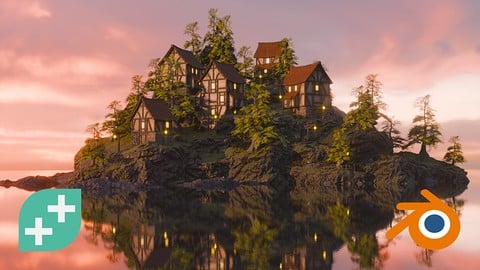
You’ll learn how to model a range of environment assets, building up to the comprehensive front cover image. We cover modelling, sculpting, texturing, lighting, rendering and many more core aspects needed for an environment artist.
The entire course is project-based, so you’ll apply your new skills immediately to real 3D models. All the project files are included, as well as additional references and resources - you'll never get stuck. We provide challenges and solutions at each step to make sure that you are learning-by-doing and not just watching someone else make art.
The assets you’ll make are game ready and modular, so you can build lots of different scenes by reusing the different pieces.
No matter what your background, your skills, or your interest, this course will give you a new set of skills that will make you a much more capable 3D Environment Artist.
You’ll get full lifetime access for a single one-off fee. The creators are qualified and experienced with modelling and coding, so are able to explain complex concepts clearly, as well as entertain along the way.
You’ll be amazed what you can achieve in just a few hours! So join us and start creating some amazing environments now!

 Udemy Discount
The discount is applied through our link. Open the course from here and Udemy's current promotional price is applied at checkout on most courses, no code to type.
Some courses are excluded from Udemy's promotions. If the price does not drop, clear your browser cookies and use the button again.
Instructor Details

- 4.7 Rating
 4,501 Reviews
GameDev.tv Team
Learn to make video games with the world’s most loved game dev school.
At GameDev tv, we help aspiring developers actually finish their dream games. Whether you're starting from scratch or levelling up your skills, our courses guide you step-by-step through real projects — all while having fun along the way.
We’ve taught over 1 million students how to design, develop, and publish their own games using Unity, Unreal, Godot, Blender, C#, C++ and more.
From total beginner to advanced indie dev, we’ve got you covered — with some of the highest-rated and best-selling game development courses on Udemy.
Our mission? Simple. Make learning game dev accessible, practical and fun!
Come join the GameDev tv community — and let’s build something awesome together.
 More courses by GameDev.tv Team
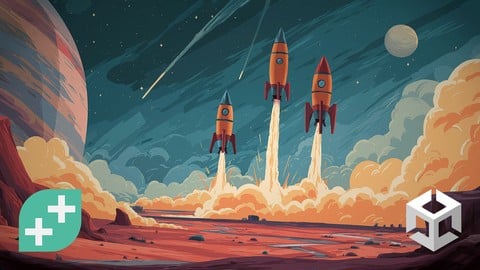
Complete C# Unity 2D Game Development (Updated To Unity 6) (2026)
4.7 (108,559 Reviews)
 Provider: Udemy
 Time: 17.3h
$174.99
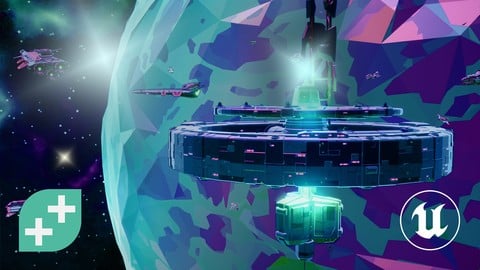
Unreal Engine 5 C++ Game Development (Fully Updated in 5.6) (2026)
4.7 (75,108 Reviews)
- Provider: Udemy
- Time: 26.3h
$174.99

Complete Blender Creator: 3D Modelling (Compatible with 4.3) (2026)
4.8 (69,132 Reviews)
- Provider: Udemy
- Time: 13.8h
$199.99

Blender Character Creator for Video Games (2026)
4.8 (9,160 Reviews)
- Provider: Udemy
- Time: 34.3h
$159.99
C++ Fundamentals: Game Programming For Beginners (2025)
4.6 (2,564 Reviews)
- Provider: Udemy
- Time: 11.2h
$109.99
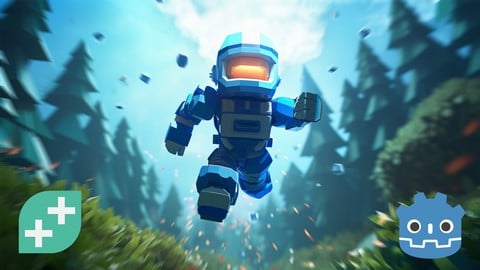
Complete Godot 3D: Develop Your Own 3D Games Using Godot 4 (2024)
4.5 (2,115 Reviews)
- Provider: Udemy
- Time: 20h
$94.99
More Blender courses

Low Poly Landscapes: Blender Bite Sized Course (2025)
4.9 (1,704 Reviews)
- Provider: Udemy
- Time: 6.2h
$99.99

Absolute Beginners 3D character in Blender course (2022)
4.9 (1,133 Reviews)
- Provider: Udemy
- Time: 14.5h
$94.99

Complete Blender Creator: 3D Modelling (Compatible with 4.3) (2026)
4.8 (69,132 Reviews)
- Provider: Udemy
- Time: 13.8h
$199.99

The Ultimate Blender 3D Sculpting Course (2026)
4.8 (3,904 Reviews)
- Provider: Udemy
- Time: 37.2h
$119.99

Blender Total! From Basic to Advanced 3D! (2025)
4.8 (2,407 Reviews)
- Provider: Udemy
- Time: 21.3h
$109.99
 Reviews

By Jeremy Mark Wilcox on 9/1/2026
I started the Youtube 5 Blender course and decided to bite the bullet and get a year sub to Udemy because I love your teaching of Blender! I have a custom Vulkan game engine and decided I'd be foolish not to invest in creating my own assets for it for my sons. Thank you all who made this course.
By Mateusz Sciesiek on 8/17/2026
There is big hole in this course. No information whatsoever about how to export this complex setup of textures into assets usable inside of game engines. Would be nice to know how to create texture atlas or at least bake all those different texture transformations, projections into one color information.
By Clara C. on 7/15/2026
Current version of the course it Blender 5.1 and oh my god, I wish I'd taken this course earlier instead of wasting time on Youtube and other courses. I'd made my own projects throughout the years and only looked up tutorials for what I needed to make the projects, but my knowledge was in bits and pieces and could never fully understand why things were the way they were. I am only 20% into the course and it answered all of the questions I had and more. This is likely going to be the only course I actually finish. The instructions are so clear and the examples are fun to follow. There is enough repetition to build muscle memory but always adding new technique as well. So so so happy with this and it is worth every penny. I'm definitely getting the course on Grease Pencil as well.
By Yusuf Amjad Khan on 6/25/2026
This course Is really helping me learn the basics of blender and its teaching me how to properly use the tools, Grant is amazing, I highly recommend this course. but be mindful if ur on MacBook because you won't have a numpad and will have to figure some things out.
By Hannah evans on 10/15/2025
Very informative course and fantastic for learning modular environment design. Some bits are a tad outdated (I'm using the latest Blender and found myself having to google a few bits) but it's nothing extreme or anything; generally a very good course :) I like how in detail the teacher goes with certain aspects of blender/methods etc.
By Francesco Sisolfi on 2/2/2024
corso eccezionale!!!, insegnante molto bravo e simpatico, lo seguo da diverso tempo su youtube, altra cosa PRO che voglio dire riguardo al corso, l' utilità dei sottotitoli tradotti automaticamente nella mia lingua l'italiano, ciò per me è stato molto importante.
By Alper Avan on 3/3/2023
Grant is the best Blender teacher. He really knows his stuff and also knows how to teach it which is a rare combo. Whenever my stuff didn't turn out, I kept watching and he already knew how it could go wrong and showed how to fix it. He doesn't get boring and has a calming attitude which helps overcoming the frustration when it gets hard and always knows how to avoid confusion. Great class. I highly recommend it. After this I bought all his classes.
By Jesse D on 2/18/2020
I just finished the course and have to say; This was exactly what I was looking for! I never felt overwhelmed to the point of giving up or drastically slowing down because of complexity thanks to the instructors fantastic teaching methods and presentation. However, that's not to say this course doesn't get complex. It definitely touches upon the more advanced aspects of texturing, UVs, Vertex grouping and far more, at least enough to give a beginner like me a strong foundation and confidence to create my own scenes and learn more as I need. Along with the gamedev community, If you are interested in blender and just getting started, OR just want to improve your environment building skills, this course is a no-brainer! Thanks Mikey for the awesome journey, looking forward to the next one!
By Timo on 12/27/2019
Thank you for this course, it's good. But in the course preview they say that the used Blender version is 2.8, but that's not the case for all videos. Only some videos are updated. EDIT: I finished the course and most of the time the differences between the versions were extremely small, thanks for the course, I learned much!
By Jonathan R. on 2/22/2019
Good course using Blender 2.8. I am familiar with 2.79 so I went through it for the material, but also to become familiar with 2.8. Was insightful, love the new 2.8 abilities. You'll get familiar with how blenders abilities materials, textures, reflectivity interact in Eevee. Would love to see more procedural world building added to once 2.8 gets more stable/released. Overall, enjoyable.
 Quality Score
No CourseDuck member has rated this course yet. Taken it? Give each part a thumbs up or down.
Overall Score : 94 / 100
- Video Duration:
 14.3h
14.3h - Price: $159.99
- Provider: Udemy
- Updated:
 July 2026
 - Level:
 Beginner
 - Language:
 English
 - Certificate:
 Yes
Yes - Lectures:102 in 11 sections
- Students:48,600
- Subtitles:3 languages
30-day money-back guarantee on most paid courses
Udemy Coupon Price Tracker
