
 Web Development
 Data Science
 Python
 SQL
SQL JavaScript
 Artificial Intelligence
 IT & Software
 IT Certifications
 Hacking
 AWS
AWS Arduino
 DevOps
 3D Modeling
 Graphic Design
 Photoshop
 Drawing
 Digital Painting
 UX Design
 Business
 Data Analysis
 Communication Skills
 Project Management
 Leadership & Management
 Human Resources
 Digital Marketing
 Social Media Marketing
 Marketing
 SEO
SEO Google Analytics
 Branding
 Excel
Excel Office Productivity
 SAP
SAP PowerPoint
 Microsoft Access
 SharePoint
 Finance & Accounting
 Trading & Investing
 Accounting
 Bitcoin
 Personal Finance
 Video Editing & Animation
 Photography
 Adobe Premier Pro
 Adobe Lightroom
 Personal Development
 Productivity
 Career Development
 Life Coaching
 Health & Fitness
 Meditation & Mindfulness
 Yoga
Yoga Music
Music Music Production
 Guitar
 Piano
Piano Singing
 Language Learning
 Teaching & Academics
 Engineering
 Math
Math Lifestyle
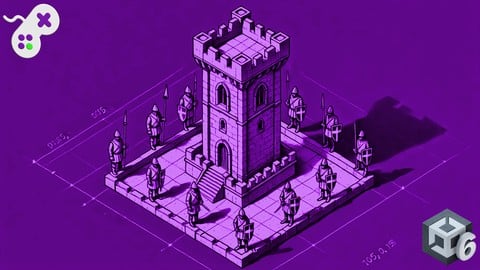
Build a Tower Defence Game with Unity 6 and Blender (Udemy.com)
Explore Tower Defence Game Mechanics through the creation of a game level by learning the programming and art creation.
Created by: Penny de Byl
Last updated February 2025
 What you will learn
- Work with pathfinding to create autonomous characters that navigate a 3D environment.
- Translate Tower Defence Game Mechanics into C# Code in Unity
- Use Blender to create modular 3D game objects for use in level design
- Design and develop moveable 3D models that can be programmatically moved with C# code in Unity
How it compares
Against the other 281 rated Udemy courses in Game Development Fundamentals on CourseDuck:
- Rating4.7 out of 5higher than 69% of them
- Reviews89#220 of 282 by number of reviews
- Length22.2 hourslonger than 89% of them
- Last updatedFebruary 2025more recently than 56% of them
 Course Description
Have you ever wanted to create your own computer game from scratch? Are you a programmer that would like to also create your own 3D art assets? Then this course is for you. In it, you will follow along learning both the coding and art side of game development giving you the necessary skills required to be an independent game developer.
Dive right into over 20 hrs of hands-on content.
This course takes a holistic view at creating a Tower Defence game level through the examination of game mechanics, coding exercises in C# with the Unity Game Engine (works in all versions of Unity including Unity 6!), and 3D art asset creation in Blender.
Through the investigation of this simple but compelling casual gaming genre, the course is broken into 2 parts that can be taken separately or together:
In Part A learn how to program and work with:
Pathfinding
Character Animation
User Interface Development and Programming
Economy systems including player lives, and money accumulation & spending
Special effects including sound effects, particle systems, and explosions
Automated enemy-sensing towers
In Part B learn how to design and work with:
Blender
Modular 3D art assets for game level design
Procedurally Generated Textures
A multipart game character with sub-meshes that can be independently controlled with code in Unity
In this course, Penny and Mike teach all the invaluable skills you will require to design, program, and model your own Tower Defence game from scratch. You will learn from their combined 40 years of knowledge about Unity and Blender through detailed descriptions and hands-on workshops.
What students are saying about Penny and Mike's other courses:
As a game developer with 3+ years experience under his belt, I would like to say that I have learned a lot, and also improved on what I knew already before the course.
This course is absolute gold! I am a Software Engineering Teacher as well as a solo game developer, and of all the courses I have taken on Udemy, this is has been the most useful and eye opening by far.
I've taken some great courses on this site, this has to be the best in terms of volume, clarity and thoroughness. In this course you will: 1) Learn several procedural generation methods 2) Learn some cool Blender functionality 3) Learn how to make a pathfinding algorithm I was only expecting number 1) but seeing how much extra stuff is here, I'm definitely coming back to go deeper and help some of the trickier stuff sink in. Can not recommend enough. Do this course now!

 Udemy Discount
The discount is applied through our link. Open the course from here and Udemy's current promotional price is applied at checkout on most courses, no code to type.
Some courses are excluded from Udemy's promotions. If the price does not drop, clear your browser cookies and use the button again.
Instructor Details

- 4.7 Rating
 89 Reviews
Penny de Byl
Hi, I'm Dr Penny de Byl. I'm a full stack developer of most things computer sciency and academic with a true passion for teaching. I've been teaching others about games development, programming, computer graphics, animation and web design for over 25 years in universities in Australia and Europe at the full professor level. I've also consulted for Unity, SAE, the Australian Institute of Entertainment and Wikitude. My best selling textbooks including Holistic Game Development with Unity are used in over 100 institutions world-wide. My graduates work at companies like Apple, Ubisoft, LinkedIn and Deloitte Digital.
I have an honours degree in computer graphics and a Ph.D. in artificial intelligence for games characters. Over the course of my career I've won numerous awards for teaching excellence at the state, national and international levels including the Australian Learning and Teaching Council's Excellence in Teaching Award and the Unity Mobile Game Curriculum Competition. My approach to teaching computer science and related fields is project-based giving you hands-on workshops you can immediately get your teeth into.
I want you to leave my virtual classroom fully armed with a toolkit of skills for life-long learning. I'm excited to now be focussing my efforts full-time on Udemy to bring my years of knowledge and experience to those eager to learn about technology.
 More courses by Penny de Byl

Shader Development from Scratch with Cg - Unity 6 Compatible (2025)
4.2 (3,521 Reviews)
 Provider: Udemy
 Time: 10.4h
$10.99

The Beginner's Guide to Games AI with Unity 6.2+ (2026)
4.6 (2,871 Reviews)
- Provider: Udemy
- Time: 30.9h
$14.99

A Beginner's Guide To Machine Learning with Unity (2023)
4.5 (2,166 Reviews)
- Provider: Udemy
- Time: 13.1h
$11.99

The Beginner's Guide to Animation (Unity 5 to 2020+)
4.6 (2,052 Reviews)
- Provider: Udemy
- Time: 11.3h
$13.99

Mathematics for Game Development - Unity 6 Compatible (2026)
4.5 (1,850 Reviews)
- Provider: Udemy
- Time: 15.3h
$11.99

Program Voxel Minecraft Worlds with C# - Unity 6 Compatible (2025)
4.2 (1,754 Reviews)
- Provider: Udemy
- Time: 18.5h
$10.99
More Game Development Fundamentals courses

The Ultimate 2D Top Down Unreal Engine Course (2026)
4.9 (1,468 Reviews)
- Provider: Udemy
- Time: 17.1h
$94.99

Blender Skill Builder: Modelling Challenges (2026)
4.9 (144 Reviews)
- Provider: Udemy
- Time: 6.5h
$19.99

Jumpstart to 2D Game Development: Godot 4 for Beginners (2026)
4.8 (4,398 Reviews)
- Provider: Udemy
- Time: 67.6h
$89.99

Create a Complete 2D Survivors Style Game in Godot 4 (2023)
4.8 (3,761 Reviews)
- Provider: Udemy
- Time: 17.2h
$59.99

Master Lua Programming and Create Amazing Games with LÖVE! (2023)
4.8 (3,199 Reviews)
- Provider: Udemy
- Time: 8.5h
$13.99

Complete Godot 2D: Develop Your Own 2D Games Using Godot 4 (2025)
4.8 (1,619 Reviews)
- Provider: Udemy
- Time: 11.3h
$94.99
 Reviews

By Stanislav Brovin on 7/22/2026
Very understareble and usability speack also no water but no overkill knolege - recomended and thanks autor!
By Ingrid Vunderink on 5/6/2025
I learned a lot from this course and it was fun to watch
By Sean Farmer on 9/17/2024
Awesome Instruction from the Professor of Game Development herself. Penny has a wonderful engaging and enthusiastic style. Penny takes you on the journey with her as she explains the fundamentals leaving you to then use your own imagination and go to the next stage. Great course with lots of quality tips and worth every dollar ten times over. Just going through Blender lectures - Michael is also excellent, very easy to understand and lectures good to review for more tricky areas.
By Cornell Coulon on 7/7/2024
It helps me explore coding and how everything works very well because I am new to coding.
By Scott Moses on 9/2/2023
This is an excellent combination of the mechanics of an intermediately complicated game in Unity (ai, hit detection and animation, drag and drop interface) along with modeling and importing procedurally shaded assets from Blender. This follows a similar pattern as with Penny's MineCraft-like creation, as well as her Procedural Cities course she also did with Mike. I look forward to their combination courses: Penny on the C#/unity side and Mike on the Blender side. Penny's C# coding is utilitarian, but breaks some best practice - lots of public variables, inconsistent style, no source control; however it works and is streamlined to make sense. Mike's blender tutorials are chock full of useful techniques of modeling, node use and organization, short cuts. He frequently breaks something, and then proceeds to fix it in unique ways I only partially grasp. The procedural texturing with nodes is interesting, but I felt this would be better with less complex and cleaner networks for teaching. The baking process covered at the end was good to learn, but painful and if there are no automated Blender baking processes, I'll stick to substance for that part. Overall, however, this is an excellent course and I highly recommend it. I really enjoy Penny and Mike's approach and I look forward to their next course.
By David Madrigal N on 7/4/2023
As a web developer trying to learn game dev this course has proven to be one of the best(from the ones I have taken oc), it has your usual explanation of the basics, but without going too deep, it continues more into the unity dev parts which is what interest me the most since I already know how to program. Also there is always a backup from each class material so you don't have to worry about losing your progress, you can always download the file and get up to speed without having to start from zero ( it happened to me).
By Daniele Brunetti on 5/18/2023
Penny is the best! I love her!!!!
By Jason Smith on 5/4/2023
Really enjoying this course. For me, the best part is the process of modeling, exporting into Unity and using that in the actual Unity part of the course. I feel like those steps are often overlooked and really setting off light bulbs for me LOL. The instruction is clear precise and very easy to follow. The content is separated out really well to go back later for reference as well as to create simple notes to make going back as quick as possible on how to do a specific task. Love it! I think by far the best Unity/Blender course on Udemy.
By Andrey Krutikov on 4/30/2023
1. Unity 2021. It is few weeks before 2022 LTS and Navifgation is working differently in 2022 and up 2. Messy project 3. Using old Input system instead of new one.
By Jason Mayer on 4/23/2023
Penny should click on new objects and show them in the inspector so that we can just copy her x/y/z coords and the size/scale of the objects, rather than have to figure out how to make it happen exactly the way her tutorial is set up
 Quality Score
No CourseDuck member has rated this course yet. Taken it? Give each part a thumbs up or down.
Overall Score : 94 / 100
- Video Duration:
 22.2h
22.2h - Price: $79.99
- Provider: Udemy
- Updated:
 February 2025
 - Level:
 Beginner
 - Language:
 English
 - Certificate:
 Yes
Yes
30-day money-back guarantee on most paid courses
Udemy Coupon Price Tracker
