
 Web Development
 Data Science
 Python
 SQL
SQL JavaScript
 Artificial Intelligence
 IT & Software
 IT Certifications
 Hacking
 AWS
AWS Arduino
 DevOps
 3D Modeling
 Graphic Design
 Photoshop
 Drawing
 Digital Painting
 UX Design
 Business
 Data Analysis
 Communication Skills
 Project Management
 Leadership & Management
 Human Resources
 Digital Marketing
 Social Media Marketing
 Marketing
 SEO
SEO Google Analytics
 Branding
 Excel
Excel Office Productivity
 SAP
SAP PowerPoint
 Microsoft Access
 SharePoint
 Finance & Accounting
 Trading & Investing
 Accounting
 Bitcoin
 Personal Finance
 Video Editing & Animation
 Photography
 Adobe Premier Pro
 Adobe Lightroom
 Personal Development
 Productivity
 Career Development
 Life Coaching
 Health & Fitness
 Meditation & Mindfulness
 Yoga
Yoga Music
Music Music Production
 Guitar
 Piano
Piano Singing
 Language Learning
 Teaching & Academics
 Engineering
 Math
Math Lifestyle
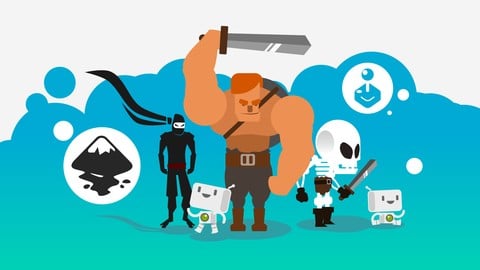
Create your own 2D game assets with Inkscape for free! (Udemy.com)
Design vector 2D game assets: animations, platforms, characters, backgrounds, buttons! 2D game design for beginners!
Created by: István Szép
Last updated November 2020
 What you will learn
- create characters, platforms, buttons and simple animations for your mobile game!
- Create quality game graphics, that can sell on online marketplaces!
- create 2d game graphics suitable for Yoyo games Game Maker, Gamesalad, unity 2d or any other program!
- use the free design tool Inkscape and create much more than just game art
How it compares
Against the other 281 rated Udemy courses in Game Development Fundamentals on CourseDuck:
- Rating4.4 out of 5higher than 31% of them
- Reviews629#63 of 282 by number of reviews
- Length4.7 hoursshorter than 72% of them
- Last updatedNovember 2020earlier than 72% of them
 Course Description
5-hour course, and learn to create scalable, highly versatile game assets usable in 2D mobile games and much more.
All the assets created in the videos are yours with the course! That means 30+ unique elements to use in games or experiment with! What will we create?
Create custom 2D game art in Inkscape w/ 4.
5 hours of contentCraft art for animations, platforms, characters & moreEnsure your assets are scalable & versatile, usable on any device & at any resolutionHave stunning graphics on hand for use in any gamesImprove your general game design skills with real life examples And remember: I am here to teach and help you! If you have any question, just ask! I will add new courses and resources time-to-time! Who this course is for:
This course is for you, if you want to create your own game and keep a low budget.
This course will help you create all 2d game graphics you might need!
This course is not about 3d and won't help you develop and build your game. But it will help you make some awesome graphics with a free program!

 Udemy Discount
The discount is applied through our link. Open the course from here and Udemy's current promotional price is applied at checkout on most courses, no code to type.
Some courses are excluded from Udemy's promotions. If the price does not drop, clear your browser cookies and use the button again.
Instructor Details

- 4.4 Rating
 629 Reviews
István Szép
I'm a graphic designer, illustrator and design teacher for more than 10 years. I create clever logos and cute illustrations, I like to inspire, share my knowledge and make people think and laugh!
I use Inkscape, an open source graphic design program in most of my design, and I was teaching this to my students too in a college in Budapest.
I am constantly sharing knowledge about design and life as a freelancer. I teach on Udemy since 2014 and work together with some of my friends now, to create better courses together by sharing my online teaching experience
Exploring new ways to create and sharing my knowledge is what I like the most - so don't be afraid to ask, I'm here to teach!.
 More courses by István Szép

Learn Inkscape now - create vector graphics for free! (2019)
4.3 (791 Reviews)
 Provider: Udemy
 Time: 4.2h
$11.99

Dynamic 2D video game character animation with free tools (2018)
4.1 (283 Reviews)
- Provider: Udemy
- Time: 3.5h
$49.99
Design your ultimate 2D game characters with Inkscape! (2019)
4.6 (184 Reviews)
- Provider: Udemy
- Time: 2.7h
$84.99

Create modular game art and tile sets faster with Inkscape! (2019)
4.5 (94 Reviews)
- Provider: Udemy
- Time: 4.1h
$39.99

More Game Development Fundamentals courses

The Ultimate 2D Top Down Unreal Engine Course (2026)
4.9 (1,468 Reviews)
- Provider: Udemy
- Time: 17.1h
$94.99

Blender Skill Builder: Modelling Challenges (2026)
4.9 (144 Reviews)
- Provider: Udemy
- Time: 6.5h
$19.99

Jumpstart to 2D Game Development: Godot 4 for Beginners (2026)
4.8 (4,398 Reviews)
- Provider: Udemy
- Time: 67.6h
$89.99

Create a Complete 2D Survivors Style Game in Godot 4 (2023)
4.8 (3,761 Reviews)
- Provider: Udemy
- Time: 17.2h
$59.99

Master Lua Programming and Create Amazing Games with LÖVE! (2023)
4.8 (3,199 Reviews)
- Provider: Udemy
- Time: 8.5h
$13.99

Complete Godot 2D: Develop Your Own 2D Games Using Godot 4 (2025)
4.8 (1,619 Reviews)
- Provider: Udemy
- Time: 11.3h
$94.99
 Reviews

By Fern Martin on 9/17/2020
I love the way he teaches. He explains things well and shows examples. He makes a difficult concept easy to understand.
By ABDUL HAMEED TP on 8/15/2020
informative....
By J H on 5/4/2020
This course is good for two kinds of people: people who don't know anything about vector art, and those who do but want to learn how to create some basic mobile game art. The software the instructor uses is completely free and he spends the first part of the course explaining how to use it. If you already use some other software like Affinity Designer or Adobe Illustrator, you can still follow along as all vector art is done the same way.
I took a star off because of the section designing and animating characters. Every other section is one where you could come in knowing nothing about drawing that type of thing, and if you followed along (or copied, pasted, and then traced what he did if you get super stuck) you could understand how what he was drawing was made, and make your own version with some modifications that you might actually want to use for something.
He can obviously draw characters, but it can't be taught in an hour unless you count the basic blob he demonstrates first. I think the section on characters should have been a section on something inorganic like drawing buildings or something. He could have just used one of his characters in the backgrounds lesson without showing how it was drawn and just referred viewers to his dedicated course on character design.
So, in summary, buy this unless characters are your big focus. But maybe buy this even still, because characters are harder to draw than hearts, trees, and mountains.
By Paul Jaroslawski on 4/24/2020
Had a good explanation for how the most relevant tools are used. Originally got Inkscape for web design purposes, but am excited to try some game programming with something other than pixel art.
By Kevin K Varughese on 2/14/2020
Seems fine so far.
By Fotios Kocheilas on 1/26/2020
Great teacher!
By Vielka Mejia on 1/15/2020
Me gust mucho, no estaba familiarizada con Inkscape, pero s me gusta el diseo, por lo tanto hasta ahora cumple con mis expectativas.
By Neville Micallef on 1/5/2020
Watching the tutorials helps a lot. I was expecting more details from the tutor like showing all possible features for a particual method. There were times which I had to use the magnifier or repeatedly re-run the part so as to follow his pointer of the mouse. Other tutors shows a glowing pointer in order to let the audience following it. So far I am still catching and carrying on with successful progression. The tutor looks experienced but I cannot judge from an expert point of view. Could be that later of the course will perform better when creating the characters, etc.
By Jonathan Alfaro on 1/4/2020
Very simple to follow... Perfect for a beginner!
By Joseph Mazola on 10/13/2019
It is just what I needed, to get me over the learning hump, (past the Inkscape tutorials.) The best part is we can set the speed of the video play back so I could follow along better. Now more than half way thru, I feel better inside Inkscape, and am getting the feel for building objects. All done now and i have a way better understanding of Inkscape, thank you.
By Margarita on 9/19/2019
Seems to be really good course for beginners. So far i understood everything.
By Zsolt Papp on 8/4/2019
Good starting point if you are interested in how to make vector based game objects. Instructor is knowledgeable. Sometimes he was too quick to follow for me as a complete beginner but this can also be considered as good example because he shows how quick you can design once you got familiar with Inkscape. I definitely recommend his lessons and I will continue learning with his other courses.
Thank you for creating this! / Ksznm szpen! :)
 Quality Score
No CourseDuck member has rated this course yet. Taken it? Give each part a thumbs up or down.
Overall Score : 88 / 100

- Video Duration:
 4.7h
4.7h - Price: $69.99
- Provider: Udemy
- Updated:
 November 2020
 - Level:
 All Levels
 - Language:
 English
 - Certificate:
 Yes
Yes
30-day money-back guarantee on most paid courses
Udemy Coupon Price Tracker
