
 Web Development
 Data Science
 Python
 SQL
SQL JavaScript
 Artificial Intelligence
 IT & Software
 IT Certifications
 Hacking
 AWS
AWS Arduino
 DevOps
 3D Modeling
 Graphic Design
 Photoshop
 Drawing
 Digital Painting
 UX Design
 Business
 Data Analysis
 Communication Skills
 Project Management
 Leadership & Management
 Human Resources
 Digital Marketing
 Social Media Marketing
 Marketing
 SEO
SEO Google Analytics
 Branding
 Excel
Excel Office Productivity
 SAP
SAP PowerPoint
 Microsoft Access
 SharePoint
 Finance & Accounting
 Trading & Investing
 Accounting
 Bitcoin
 Personal Finance
 Video Editing & Animation
 Photography
 Adobe Premier Pro
 Adobe Lightroom
 Personal Development
 Productivity
 Career Development
 Life Coaching
 Health & Fitness
 Meditation & Mindfulness
 Yoga
Yoga Music
Music Music Production
 Guitar
 Piano
Piano Singing
 Language Learning
 Teaching & Academics
 Engineering
 Math
Math Lifestyle
Dynamic 2D video game character animation with free tools (Udemy.com)
Design and animate characters for your game with Inkscape and DragonBones today!
Created by: István Szép
Last updated April 2018
 What you will learn
- You will be able to design, rig and animate your own 2D game character with free programs!
- You will have a basic character animation knowledge!
- You will be able to recreate my workflow and design and animate your own characters!
- You will create simple animations, that are ready to be used with ANY 2D game engine!
How it compares
Against the other 281 rated Udemy courses in Game Development Fundamentals on CourseDuck:
- Rating4.1 out of 5higher than 8% of them
- Reviews283#117 of 282 by number of reviews
- Length3.5 hoursshorter than 81% of them
- Last updatedApril 2018earlier than 86% of them
 Course Description
With DragonBones 5.
6 came the new Mesh tool!
Check out lecture 17 and 18 and learn to use it today!------ ------ ------Update: 2017 June 7.
Just added a lecture about the proper idle animation! New lectures coming soon!------ ------ ------In this course you will learn how to combine two amazing free programs to create smooth and flexible 2Dgame character animations!
Inkscape is a free and open-source Vector Illustration software.
With it you can create versatile, ready to use character designs in no time!
Draw anything, export in any size - Perfect for 2D game design!
There are several great courses published about Inkscape, but in this oneyou can learnhow to create a character and make it ready to animate!
DragonBones is a free 2D Skeletal Animation program.
Import your character parts, create the bone system and animate! It is reallythis easy!
The standalone version just came out at the end of 2016, so this is the first full and comprehensive English course about DragonBones! There are only a very few DragonBones tutorialonline, if you want to learn the software,this is a good place to start!
During this game animation course you will
design a simple knight character in Inkscape (feel free to design your very own character using the same method!)export the character properly to be used with DragonBonesassemble the character and build up the skeletal structurecreate and use meshes to animate soft bodies, like cape and haircreate four basic animations for the same character: idle, walk, attack, die (more will be added later!)easily modify your character to a totally new version, while keeping all the animations!
The course is mostly about DragonBones, so you will need some basic Inkscape knowledge to follow the design part at the start!
Follow the course and ask me anything as you develop your animations!
Who this course is for:
This course is made for 2D game developers, indy developers or hobby game creators.
This course is for character designers who want to learn to animate their creatures!
The course is built for developers who want to create easy game prototypes with animation for free!
This course is NOT for you if you are looking for 3D animation! Both programs are great for 2D design and animation but not 3D!
This course is about game character animation, NOT about animating a full scene or animated movie!

 Udemy Discount
The discount is applied through our link. Open the course from here and Udemy's current promotional price is applied at checkout on most courses, no code to type.
Some courses are excluded from Udemy's promotions. If the price does not drop, clear your browser cookies and use the button again.
Instructor Details

- 4.1 Rating
 283 Reviews
István Szép
I'm a graphic designer, illustrator and design teacher for more than 10 years. I create clever logos and cute illustrations, I like to inspire, share my knowledge and make people think and laugh!
I use Inkscape, an open source graphic design program in most of my design, and I was teaching this to my students too in a college in Budapest.
I am constantly sharing knowledge about design and life as a freelancer. I teach on Udemy since 2014 and work together with some of my friends now, to create better courses together by sharing my online teaching experience
Exploring new ways to create and sharing my knowledge is what I like the most - so don't be afraid to ask, I'm here to teach!.
 More courses by István Szép

Learn Inkscape now - create vector graphics for free! (2019)
4.3 (791 Reviews)
 Provider: Udemy
 Time: 4.2h
$11.99

Create your own 2D game assets with Inkscape for free! (2020)
4.4 (629 Reviews)
- Provider: Udemy
- Time: 4.7h
$69.99
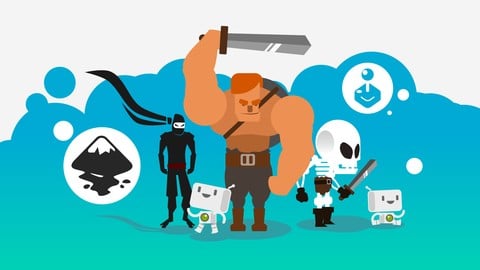
Design your ultimate 2D game characters with Inkscape! (2019)
4.6 (184 Reviews)
- Provider: Udemy
- Time: 2.7h
$84.99

Create modular game art and tile sets faster with Inkscape! (2019)
4.5 (94 Reviews)
- Provider: Udemy
- Time: 4.1h
$39.99

More Game Development Fundamentals courses

The Ultimate 2D Top Down Unreal Engine Course (2026)
4.9 (1,468 Reviews)
- Provider: Udemy
- Time: 17.1h
$94.99

Blender Skill Builder: Modelling Challenges (2026)
4.9 (144 Reviews)
- Provider: Udemy
- Time: 6.5h
$19.99

Jumpstart to 2D Game Development: Godot 4 for Beginners (2026)
4.8 (4,398 Reviews)
- Provider: Udemy
- Time: 67.6h
$89.99

Create a Complete 2D Survivors Style Game in Godot 4 (2023)
4.8 (3,761 Reviews)
- Provider: Udemy
- Time: 17.2h
$59.99

Master Lua Programming and Create Amazing Games with LÖVE! (2023)
4.8 (3,199 Reviews)
- Provider: Udemy
- Time: 8.5h
$13.99

Complete Godot 2D: Develop Your Own 2D Games Using Godot 4 (2025)
4.8 (1,619 Reviews)
- Provider: Udemy
- Time: 11.3h
$94.99
 Reviews

By Julian on 10/21/2020
I think is short, but It's a nice introduction to dragonbones, wish it have more content, I think to take this course you need to have experience in vector graphics software, any, not only inkscape. But is ok as a fast introduction, and also to have the knowdlege how to prepare your graphics for animation.
By Carlos Ortega Usobiaga on 10/1/2020
Really good! I didn't know Dragonbones and I think it's very well explained how to use it. Congrats for the course
By German Carrillo on 8/2/2020
buen curso para aprender lo basico del programa, un poco corto pero si quieres algo rapido para empezar a animar lo antes posible... este curso te ayuda
By vishal khedekar on 4/21/2020
WORST COURSE EVER , INSTRUCTOR IS ONLY DOING NOT EXPLAINING PROPERLY
By Daniela Estaregue Alves on 4/19/2020
gostei do curso, apenas preciso rever a legenda que muitas vezes no condiz com o que falado.
By G G on 1/20/2020
bicause it dint show me how to make aksakly same thing
By Roberto on 7/5/2019
Tutorials where made in a way that made sense and where easy to follow. It was much better than anything I had found before.
By Alfred on 6/15/2019
Good for people that are new to Dragonbones
By Carlo Reynolds on 5/25/2019
pretty succinct so far :)
By Maria Isabel Bastos de Barros on 5/23/2019
At aqui pude aprender bastante coisa, j posso animar movimentos bsicos de locomoo dos personagens e talvez at outros tipos de movimentos, j que aprendi como os bones funcionam! Mas talvez eu precise de mais tempo e experiencia com o inkscape, so muitas ferramentas e no acho o programa to intuitivo, mas acredito que essa aula seja mais voltada ao Dragon Bones. Estou satisfeita com o trabalho
By Alex Baker on 5/22/2019
The course could use a chapter on how to use Json files in Unity because that's why people are using Dragonbones anyway.
By Narasimha Reddy on 3/19/2019
I don't recommend the course. the narrator doesn't explain everything properly. and it is not a cup of tea for beginners.
it is not a course for beginners.at all
 Quality Score
No CourseDuck member has rated this course yet. Taken it? Give each part a thumbs up or down.
Overall Score : 82 / 100

- Video Duration:
 3.5h
3.5h - Price: $49.99
- Provider: Udemy
- Updated:
 April 2018
 - Level:
 Beginner
 - Language:
 English
 - Certificate:
 Yes
Yes
30-day money-back guarantee on most paid courses
Udemy Coupon Price Tracker
