
 Web Development
 Python
 JavaScript
 SQL
SQL Artificial Intelligence
 Data Science
 IT & Software
 Hacking
 AWS
AWS Arduino
 3D Modeling
 Graphic Design
 Photoshop
 Drawing
 UX Design
 Blender
 Business
 Data Analysis
 Shopify
 Digital Marketing
 Social Media Marketing
 Marketing
 SEO
SEO Google Analytics
 Branding
 Excel
Excel Office Productivity
 Finance & Accounting
 Bitcoin
 Video Editing & Animation
 Photography
 Adobe Premier Pro
 Adobe Lightroom
 Personal Development
 Health & Fitness
 Music
Music Guitar
 Teaching & Academics
 Language Learning
 Engineering
 Lifestyle
iOS 11 & Swift 4: From Beginner to Paid Professional™ (Udemy.com)
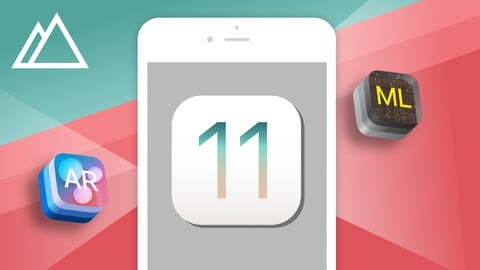
Build iOS Apps & Learn iOS 11, Swift 4, ARKit (Augmented Reality), CoreML (Machine Learning)
Created by: Mark Price
Last updated August 2018
Our take
Based on the ratings of 4,556 students, a sample of their written reviews and the syllabus, as the course stood in August 2018. No course pays to be reviewed.
Mark Price and the Devslopes team built this as a project-first bootcamp: 43 hours and 187 lectures that teach Swift 4 by building apps, including a Slack clone, a full Firebase app, a maps app, and short ARKit and CoreML sections. It says no coding experience is needed, but reviewers disagree. The pace is fast and concepts like closures, delegates, and MVC get used long before they get explained. It suits people who already know a little programming and want to ship real iOS apps quickly.
Students praise the size and realism of the projects. One five-star reviewer calls the bigger apps in depth and very professional, and published two apps to the App Store while still working through the material. The complaints are consistent, though. Three instructors teach with very different styles, and some lectures are reused from the Swift 3 version. Low-star reviews describe unanswered Q&A, projects that no longer build because Firebase changed, and a lot of typing without understanding why. The 4.1 rating across roughly 4,500 reviews reflects that split: fun to build, thin on theory.
The bigger problem is age. The last update was August 2018, so the code targets Xcode 9 and iOS 11, and a 2020 review already talks about lost hours chasing broken samples. A two-star reviewer sends people to Angela Yu's bootcamp, which sits beside this one on our list, for better programming theory. Pick this course only if the specific projects, especially the Slack clone and the Firebase section, are what you want, and expect to fix things yourself.
Pros
- Four large, realistic projects including a Slack clone with a real backend and a full Firebase app
- Wide coverage in one place: Git, Core Data, maps, in-app purchases, CoreML, and ARKit
- One reviewer reports shipping two App Store apps of his own while still working through the material
- About 43 hours and 187 lectures, so plenty of material for the price
Cons
- Last updated August 2018; Firebase steps have changed and some projects no longer build
- Concepts like closures, delegates, and MVC are used constantly but barely explained
- Three instructors with uneven styles, and reviewers say Q&A goes unanswered
I really liked creating the four bigger apps in this course. However, I'd say it is not beginner friendly.
Labeled beginner and needs only a Mac, but reviewers say true first-timers should do a gentler Swift course first.
 What you will learn
- Build iOS 11 & Swift 4 apps
- Work as an iOS contractor
- Apply to jr. iOS development jobs
- Submit iOS apps to the Apple App Store
Course content
12 sections · 187 lectures · 43 hours of video 1 quiz, 1 articles
- 1Getting Started With Xcode 9 & iOS 11 3 free previews4 lectures · 49 min
- 2Learn to Code With Swift 423 lectures · 1 quiz · 5.7 hours
- 3Version Control With Git 1 free preview10 lectures · 1.5 hours
- 4Core iOS 11: Auto Layout, Segues, and Professional Apps18 lectures · 4.6 hours
- 5iOS 11 Tables & Data6 lectures · 1.7 hours
- 6Networking, APIs, REST, and Building a Slack Clone 1 free preview33 lectures · 10 hours
- 7Maps & GPS 1 free preview17 lectures · 3.3 hours
- 8iOS 11 In App Purchases & Google Ads (Admob)7 lectures · 1.4 hours
- 9Intro to Core Data17 lectures · 3.1 hours
- 10Full Stack Development With Firebase28 lectures · 6.7 hours
- 11Intro to iOS 11 Machine Learning With CoreML 1 free preview12 lectures · 1.9 hours
- 12ARKit & SceneKit 1 free preview12 lectures · 2.3 hours
Who it is for
The instructor says it suits
- If you are an absolute beginner to coding take this course
- If you are an absolute beginner to iOS or mobile development then take this course
What you need before you start
- Must have a computer with OSX or macOS on it
 Course Description
Welcome to the world's most comprehensive course on iOS development. This course is designed like an in-person coding bootcamp to give you the most amount of content and help with the least amount of cost.
NO PRIOR CODING EXPERIENCE REQUIRED
Here are some of the things you'll be able to do after taking this course:
- Submit apps to the app store
- Understand programming & basic algorithms
- Work fluently with Swift 4 & iOS 11
- Apply to jr iOS development jobs
- Work as an iOS contractor
Who this course is for:
- People who want to build apps!
- Those who want to create their own startup
- Those looking to get a full time job as a developer
- Business owners
- Students & teenagers
- People who want to make money building apps
If you are absolutely new to programming you should start at the beginning of the course and go to the end.
I've designed this course to take you down a guided learning path. Lectures are not broken out by specific topics. You build apps and then learn a ton of principles within those apps. So don't skip around!
If you already know Swift then you can skip the Swift section since the changes between Swift 3 and Swift 4 are minor.
If you've never programmed before, make sure you DO take the Swift lessons. We'll teach you core foundational principles so you can build complex apps.
If you are a student of iOS 10: From Beginner to Paid Professional then feel free to start taking this iOS 11 course.
Keep in mind that this iOS 11 course has a bunch of new apps. So there is a HUGE benefit to ALSO go through the iOS 10 course - or you'll miss out on awesome content.
Don't forget to join the free live community where you can get free help anytime from other students.
Here are a few things you'll learn:
- Swift 4
- Xcode 9
- Interface Builder
- Firebase
- Build a Slack Clone
- Maps & GPS
- Core Data
- ARKit & Augmented Reality
CoreML & Machine Learning - Tables & Data
- APIs, HTTP, and Networking
- App Design
- Storyboards & Segues
- And a lot more...

 Udemy Discount
The discount is applied through our link. Open the course from here and Udemy's current promotional price is applied at checkout on most courses, no code to type.
Some courses are excluded from Udemy's promotions. If the price does not drop, clear your browser cookies and use the button again.
Instructor Details

- 4.1 Rating
 4,556 Reviews
Mark Price
Mark Price is the Chief Technology Officer at JOGO, a game development studio co-founded with Andre Rebelo (Typical Gamer) and Chad Mustard (MustardPlays). A passionate educator and innovator, Mark has taught thousands of people the Verse programming language and Unreal Editor for Fortnite (UEFN), empowering creators to bring their visions to life in the ever-evolving world of Fortnite.
As a leading voice in the Fortnite and UEFN community, Mark combines technical expertise with a gift for teaching, making complex concepts accessible and inspiring the next generation of developers. His educational content and hands-on mentorship have helped countless creators and engineers master cutting-edge tools, transforming ideas into immersive experiences enjoyed by players worldwide.
At JOGO, Mark continues to champion creativity, innovation, and education, bridging the gap between technology and talent while shaping the future of gaming.
 More courses by Mark Price
iOS 10 & Swift 3: From Beginner to Paid Professional™ (2017)
4.1 (13,686 Reviews)
 Provider: Udemy
 Time: 71.1h
$64.99
Beginner Full Stack Web Development: HTML, CSS, React & Node (2020)
4.5 (12,940 Reviews)
- Provider: Udemy
- Time: 31.5h
$174.99
iOS 9 and Swift 2: From Beginner to Paid Professional™ (2017)
4.2 (5,688 Reviews)
- Provider: Udemy
- Time: 51h
$49.99
Unity Game Development Build 2D & 3D Games (2018)
4.3 (5,453 Reviews)
- Provider: Udemy
- Time: 35.2h
$129.99
Android N: From Beginner to Paid Professional (2018)
4.2 (2,244 Reviews)
- Provider: Udemy
- Time: 24.9h
$59.99
Beginner API development in Node, Express, ES6, & MongoDB (2016)
4.4 (1,400 Reviews)
- Provider: Udemy
- Time: 18.4h
$64.99
More iOS Swift courses

iOS 12 Swift 4.2 - The Complete iOS App Development Bootcamp (2021)
4.9 (562 Reviews)
- Provider: Udemy
- Time: 55.4h
$109.99

Noob to App Store - iPhone Apps with Swift, SwiftUI & iOS 15 (2021)
4.9 (342 Reviews)
- Provider: Udemy
- Time: 7.8h
$69.99

Deep Dive iOS 27 & SwiftUI 6: 90-Hour Project-Based Course (2026)
4.8 (983 Reviews)
- Provider: Udemy
- Time: 88.7h
$79.99

The Swift Arcade Data Structures and Algorithms Bootcamp (2022)
4.8 (839 Reviews)
- Provider: Udemy
- Time: 7.2h
$84.99

How To Make An App For Beginners (iOS/Swift - 2019)
4.8 (658 Reviews)
- Provider: Udemy
- Time: 4.3h
Free

SwiftUI iOS13 Coffee Shop Application, Order Products Online (2020)
4.8 (158 Reviews)
- Provider: Udemy
- Time: 8.2h
$109.99
 Reviews

By Greg Lafrance on 10/15/2018
This course moves very fast, and for absolute beginners to programming, some videos may be confusing. The value of the course is solid though, so if you have the time, supplement the videos in this course with other study to firm up understanding of the programming topics. If you are an experienced programmer, you will likely love the pace. Note that the instructors speak too fast for non-native speakers, and a couple of the projects don't work well or at all due to changes with Firebase and due to not being updated by developers. Seems course creators no longer respond to Q & A, and some questions from a year ago were never even answered by instructors. So overall great value from this course, but as Xcode and Swift advance in versions, I would expect more to break with this course's code.
By Jemimah Beryl M. Sai on 9/6/2018
This course lacks some of the important details regarding Swift coding but the projects, however, are great and fun to create. You will be able to create an app from scratch but with just the basic coding style practices (Just MVC pattern and there are a lot of unexplained concepts during some of the videos). Taking up this course will help you explore some of the good features of xCode coreML and CoreData. Good course for beginners but the knowledge you will gain from this course is not exactly what you expect.
By Brenno Ribeiro on 8/29/2018
Absolutely perfect. The course starts at the very beginning and honestly covers everything one needs to know. Some of the apps built in the course are extremely in depth and very professional. Definitely build apps while going through the course, it really takes learning to a new level when troubleshooting your own app ideas and applying the concepts. I built and published two apps on the app store while taking the course. Highly recommend!!!!
By Gakkie Gakkienl on 7/22/2018
I really liked creating the four bigger apps in this course. However, I'd say it is not beginner friendly. Do some beginner course first and then this one. Things are not always fully explained, so you need to invest in looking things up yourself on the internet. A minor gripe is that there are three teachers on this course, all with very different teaching ways and skills.
By Ramin Khakzad on 5/9/2018
I found this course really really useful, full of small little things that makes you a pro and you can't find in other courses. It definitely is the best course I have had for iOS. The order of videos and instructors being changed a few times wasn't managed the best way but still it is a great course especially if you already have some experience. Thanks guys, I love this course and I am a very picky person, I almost never give more than 4 starts but this course is very practical and in depth that I git it a 5 just because you guys are awesome although I think you could do it a bit better. Don't forget to update the course for swift 4.2 and iOS12.
By Carl Gregg on 4/22/2018
Love the way this course was structured. It begins with a crash course in Swift, from variables to object oriented programming. Afterwards, they pack in real-world examples of custom apps where you can code along and experience the workflow of professional developers. During the examples, they sprinkle in explanations of new concepts that are introduced along the way. If you finish the course, you'll walk away with some pretty cool apps and the knowledge to build your own.
By Rob Fazio on 4/1/2018
Devslopes has always been my go-to place to buy iOS courses on Udemy. However, I recently came across a live vlog by Mark Price regarding how Devslopes is abandoning Udemy in favor of a different business model. Therefore, their courses will no longer be updated, nor will they add new content or courses to Udemy. Regarding this course I am fairly satisfied with the content and the level of proficiency of the instructors. Sadly they never ever reply to questions so you pretty much on your own from beginning to end. I would recommend this course to anyone who is a determined self learner since you will be on your own throughout the course. As I said, instructors no longer reply to questions on Udemy.
By Guglielmo Deletis on 3/13/2018
The course is simple and each argument is explained clearly. (Maybe I was able to understand about everything because I'm not a newbie, I'm a senior iOS programmer with few skills in Swift: this is why I've started a beginner course). The only things I'd like to report is that one of the teacher makes an annoying sound with his mouth everytime he starts to speak. That sound is really annoying to me and I had to off the volume when he speaks.
By Nenad V. on 8/25/2017
Except for being in a super-duper mood with cool apps being built - often important explanations are missing (e.g. Why do we have to implement a Delegate for text input). Auto-layout isn't explained thoroughly and is sometimes left sloppy (the red arrow is a no-go). When it comes to good app architecture and keeping code clean - there's a lot of holes in there as well (e.g. Services tightly coupled with Controllers the way they shouldn't be, misuse of closures, inadequate management of dynamically created views...). It is a cool place to start, covers everyday stuff and some more exotic parts, but in order to be able to produce high quality code - more practice using different resources (and discussion with other people) is necessary.
By Roel Mclean on 8/6/2017
I am a 15 year old developer who struggled to find comprehensive tutorials online which I could follow without getting confused because there was prior knowledge I did not know. You start from the ground up making this course useful for anyone including beginners and experienced programmers which has boosted my confidence as I know that i have built some complicated apps which shows me that I am capable of building large projects. Thanks :)
 Quality Score
No CourseDuck member has rated this course yet. Taken it? Give each part a thumbs up or down.
Overall Score : 82 / 100
- Video Duration:
 43.3h
43.3h - Price: $59.99 Track Price 11.99 Track Price
- Provider: Udemy
- Updated:
 August 2018
 - Level:
 Beginner
 - Language:
 English
 - Certificate:
 Yes
Yes - Lectures:187 in 12 sections
- Practice:1 quizzes
- Students:40,000
- Subtitles:7 languages
30-day money-back guarantee on most paid courses
Udemy Coupon Price Tracker
