
 Web Development
 Data Science
 Python
 SQL
SQL JavaScript
 Artificial Intelligence
 IT & Software
 IT Certifications
 Hacking
 AWS
AWS Arduino
 DevOps
 3D Modeling
 Graphic Design
 Photoshop
 Drawing
 Digital Painting
 UX Design
 Business
 Data Analysis
 Communication Skills
 Project Management
 Leadership & Management
 Human Resources
 Digital Marketing
 Social Media Marketing
 Marketing
 SEO
SEO Google Analytics
 Branding
 Excel
Excel Office Productivity
 SAP
SAP PowerPoint
 Microsoft Access
 SharePoint
 Finance & Accounting
 Trading & Investing
 Accounting
 Bitcoin
 Personal Finance
 Video Editing & Animation
 Photography
 Adobe Premier Pro
 Adobe Lightroom
 Personal Development
 Productivity
 Career Development
 Life Coaching
 Health & Fitness
 Meditation & Mindfulness
 Yoga
Yoga Music
Music Music Production
 Guitar
 Piano
Piano Singing
 Language Learning
 Teaching & Academics
 Engineering
 Math
Math Lifestyle
Learn Animation Production with Blender 2.9 (Udemy.com)
Learn to use Blender to create your own 3D animations.
Created by: Darrin Lile
Last updated July 2021
 What you will learn
- 3D Modeling in Blender
- Create Complex Textures in Blender
- 3D Animation
- Rig a Ship's Landing Gear
- Create a Rocket Exhaust Animation
- 3D Lighting in Blender
- Create a Planet in Blender
- Create a Star Field in Blender
How it compares
Against the other 100 rated Udemy courses in Blender on CourseDuck:
- Rating4.7 out of 5higher than 70% of them
- Reviews517#45 of 101 by number of reviews
- Length10.8 hourslonger than 59% of them
- Last updatedJuly 2021earlier than 69% of them
 Course Description
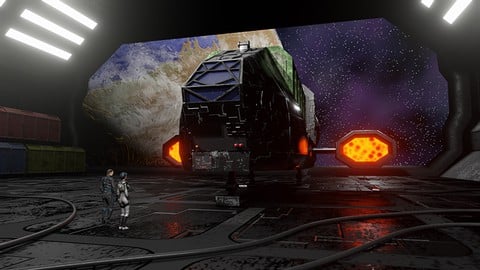
In this course we will create an animated scene solely in Blender, from the first polygon to the final render. We will begin by bringing in and setting-up reference images that will help us create the 3D models of the ship, the cargo container, and the landing bay. We will then use Blender’s Node Editor to create the materials and textures for the 3D objects. Once that is complete we will begin work on creating the star fields, as well as the planet and cloud layers.
To prepare the ship for animation, you will learn how to create the rig for the landing gear, so that we can animate the legs and control the ship's bounce when it lands. You will also learn how to use Blender’s Graph Editor as we animate the ship coming in for a landing. And we will have some fun animating a texture to create the plasma-drive engines, and create a jet exhaust animation for the rear of the ship.
You’ll learn how to import characters into the scene and how to render a final animation. We will then bring in music and sound effects and mix the audio to picture in Blender’s Video Sequence Editor. Lastly, we will render out a video clip with both picture and sound.
If you’ve ever wanted to create your own animated scenes in Blender, then this course is for you. Using only free, open-source software you can create anything you can imagine.
So join me for this complete course where you'll Learn Animation Production with Blender 2.9.

 Udemy Discount
The discount is applied through our link. Open the course from here and Udemy's current promotional price is applied at checkout on most courses, no code to type.
Some courses are excluded from Udemy's promotions. If the price does not drop, clear your browser cookies and use the button again.
Instructor Details

- 4.7 Rating
 517 Reviews
Darrin Lile
Darrin Lile is an animator, developer, and Blender Foundation Certified Trainer teaching courses in computer animation and game development. He received Bachelor’s and Master’s degrees in Film and Media Studies from the University of Kansas and has worked as an animator, a producer of educational films, a sound editor for film and television, and as a computer security analyst.
 More courses by Darrin Lile


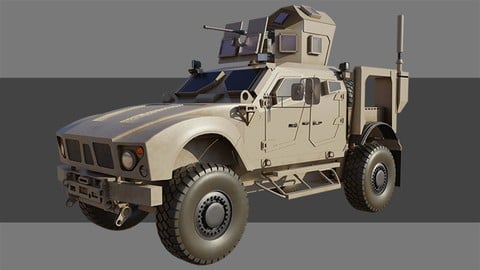

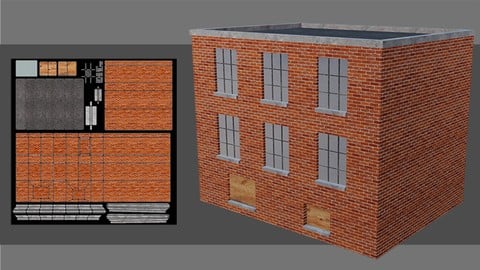
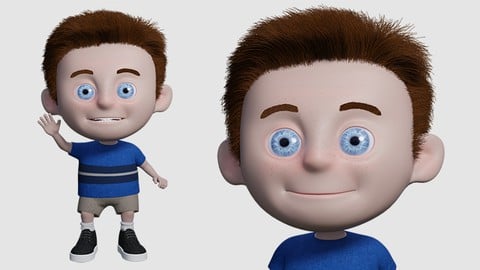
Create an Animated Character in Blender 2.9 (2022)
4.6 (458 Reviews)
 Provider: Udemy
 Time: 14.5h
$64.99
More Blender courses

Low Poly Landscapes: Blender Bite Sized Course (2025)
4.9 (1,704 Reviews)
- Provider: Udemy
- Time: 6.2h
$99.99

Absolute Beginners 3D character in Blender course (2022)
4.9 (1,133 Reviews)
- Provider: Udemy
- Time: 14.5h
$94.99


Complete Blender Creator: 3D Modelling (Compatible with 4.3) (2026)
4.8 (69,132 Reviews)
- Provider: Udemy
- Time: 13.8h
$199.99

The Ultimate Blender 3D Sculpting Course (2026)
4.8 (3,904 Reviews)
- Provider: Udemy
- Time: 37.2h
$119.99

Blender Total! From Basic to Advanced 3D! (2025)
4.8 (2,407 Reviews)
- Provider: Udemy
- Time: 21.3h
$109.99
 Reviews

By Eddie Bower on 2/28/2022
Make sure to use Blender 2.9. I'm using 3.0 and I believe/hope that they changed some of the features? I couldn't complete this course in 3.0? Got to the rigging and keystrokes and features just weren't the same? I hope to return to this course with more experience and complete it.
By Kate H on 1/23/2022
I found this to be a superb course - packed full of very clear, detailed instructions on every stage of creating an animation. I am just a hobbyist and it’s very satisfying to be able to create a whole little video from beginning to end! I have to admit, I’ve started more Blender courses than I’ve finished - but this one I was keen to see right through to the end.
By Marco Renna on 10/2/2021
Great course, well explained and easy to follow. For someone getting to know Blender this is a great starter. Only challenge .. I'm working on an iMac, the shortcut keys are very different. v-e-r-y. Also, Num-Pad does not work the same way unless you have a keyboard with the number pad, which many laptops and Macs do not. Great course though :)
By Fernando Torres on 7/24/2021
The course itself was amazing. The instructions and explanations were very clear and easy to follow. I unfortunately had trouble in the final sections due to the limitations of my hardware. However, I would definitely check out other courses by same Instructor. Thank you very much.
By Eric Love on 7/16/2021
I really like the "project approach" style of teaching. I learn a great deal about blender features, in a short period of time from example projects. Each video are the right lengths for my brain to consume the information. This is the right style of teaching for learning blender the right way.
By Kevin Madgwick on 7/4/2021
I enjoyed the course, learned a lot, and the instructor is excellent. It has a nice pace to it and gives you a great run through on what it takes to start from a blank slate and turn out a final animation with all the steps needed in between.
By Fred K Parsons on 6/18/2021
This was a good tutorial for me. The tutorial covered the modeling, texturing, lighting, rigging, animation, and rendering the animation with music and sound effects. This is all in one tutorial. Wow! Darrin is a nice man and good teacher. He has been in the Blender community for a long time. I highly recommend this Blender tutorial from Darrin Lile.
By Peter Goodman on 6/8/2021
The majority of this course is really good and I learnt a lot about the process of making an animation with music and sfx. The only criticism I would give is with the planet creation section where I felt the material node setup was excessively complex/convoluted for what it was doing and had a significant performance hit to my PC.
By Fenna van Dam on 6/6/2021
All very clear, clearly explained. Only for certain actions, such as in Nodes, it may be better to explain why you do what? For example, why choose a Voronoi and what can you do with ColorRamp and is that just to control Shiness?
By Brian Millar on 5/25/2021
Great base to build on what I have been learning on udemy but this is really what my goal. Look forward to more of your lessons. GREAT VALUE. The information has a very broad base and moves at a good pace with no disappointments. If undertaking this tutorial watch 5 then do five you don't get shocked if there is a change you did not expect. A good immersion for beginners with limited knowledge.
 Quality Score
No CourseDuck member has rated this course yet. Taken it? Give each part a thumbs up or down.
Overall Score : 94 / 100
- Video Duration:
 10.8h
10.8h - Price: $59.99
- Provider: Udemy
- Updated:
 July 2021
 - Level:
 Beginner
 - Language:
 English
 - Certificate:
 Yes
Yes
30-day money-back guarantee on most paid courses
Udemy Coupon Price Tracker
