
 Web Development
 Data Science
 Python
 SQL
SQL JavaScript
 Artificial Intelligence
 IT & Software
 IT Certifications
 Hacking
 AWS
AWS Arduino
 DevOps
 3D Modeling
 Graphic Design
 Photoshop
 Drawing
 Digital Painting
 UX Design
 Business
 Data Analysis
 Communication Skills
 Project Management
 Leadership & Management
 Human Resources
 Digital Marketing
 Social Media Marketing
 Marketing
 SEO
SEO Google Analytics
 Branding
 Excel
Excel Office Productivity
 SAP
SAP PowerPoint
 Microsoft Access
 SharePoint
 Finance & Accounting
 Trading & Investing
 Accounting
 Bitcoin
 Personal Finance
 Video Editing & Animation
 Photography
 Adobe Premier Pro
 Adobe Lightroom
 Personal Development
 Productivity
 Career Development
 Life Coaching
 Health & Fitness
 Meditation & Mindfulness
 Yoga
Yoga Music
Music Music Production
 Guitar
 Piano
Piano Singing
 Language Learning
 Teaching & Academics
 Engineering
 Math
Math Lifestyle
LittleAdventurer2D: Make a 2D Action Game with Godot 4(2026) (Udemy.com)
(2026 Updated with Godot 4.6) Make your first 2D Godot game with good-looking game assets!
Created by: Single-Minded Ryan
Last updated February 2026
 What you will learn
- Learn to make a good-looking 2D action game with Godot
- Learn how to code a 2D game in GDScript
- Learn how to control the player's 2D movement
- Learn how to use the AutoTile system with the TileMap node
- Learn how to design a 2D game level by painting the tiles
- Learn how to create the 2D parallax background layers
- Learn how to control 2D animations with the animatedSprite2D node
- Learn how to create the attack & health system
- Learn how to create a 2D bullet system
- Learn how to create the patrol behavior for the enemy
- Learn how to create a coin-collecting system
- Learn how to create the 2D one-way platform
- Learn how to control 2D VFX
- Learn how to handle the 2D physics layers and physics detection
- Learn how to create game UI in Godot, like the health bar UI & the restart button
How it compares
Against the other 281 rated Udemy courses in Game Development Fundamentals on CourseDuck:
- Rating4.6 out of 5higher than 57% of them
- Reviews268#121 of 282 by number of reviews
- Length7.7 hourslonger than 50% of them
- Last updatedFebruary 2026more recently than 81% of them
 Course Description
Hello, I’m Single-minded Ryan, a game developer and digital artist.
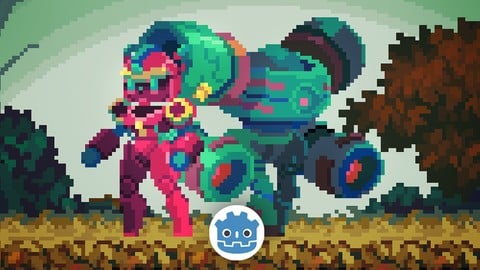
In this course, we are going to create a classic 2D platformer game, with high-quality game assets.
In the game you will control Andie, our little adventurer, to explore an ancient 2D world. You’ll need to defeat the enemies and reach the portal at the end of the level to finish the game.
My goal is to create a visual-oriented course to make you feel like you are making a real 2D game from scratch.
This course comes with a high-quality game asset package, including the player and enemy animations, VFX files, parallax backgrounds (some are animated), and a level TileMap.
(sound & music not included at the moment)
Along this course, you'll learn everything you need to start your 2D platformer. From how to design the level using the AutoTile feature, how to control the 2D animations with the animatedSprite2D node, how to code the movement and the enemy patrol behavior, how to create the close-range attack and projectile systems, how to create the pick-up item and the VFX, how to create and control the game UI, all the way to how to export the game project into executable files.
I'll try to focus on every detail, but at the same time, it would be great if you have some basic experience with some programming language. You don't necessarily need to know anything about GDScript, but it helps if you understand some general programming ideas such as how variables and functions work.
By the end of this course, you will have a 2D platformer that you can show off to your friends.
Please enroll today, I'm looking forward to seeing you in the course.
At the end of this course, you will be able to do things like:
How to code in GDScript, which is Godot's built-in programming language
How to control the player's 2D movement
How to use the AutoTile system with the TileMap node
How to design a 2D game level by painting the tiles
How to create the 2D parallax background layers
How to create the moving platform
How to control 2D animations with the animatedSprite2D node
How to create the attack & health system
How to create a 2D bullet system
How to create the patrol behavior for the enemy
How to create a pick-up item
How to control 2D VFX
How to handle the 2D physics layers and physics detection
How to create game UI in Godot, like the health bar UI & the restart button
How to use the Autoload system to control the gameplay flow
How to reload the game scene to restart the game
How to use Godot's input system
How to customize Godot's settings for your game and your workflow
export the game project into executable files
How to update the project from Godot 4.2 to Godot 4.4
How to load the next game level scene
How to create a Main Menu
How to pause the game
How to create the material blink effect (for attack feedback)
How to create the camera shake effect (for attack feedback)
Please NOTE that this course DOES NOT contain any sound and music assets at the moment.
*All of the assets (the tile map, animation files, VFX files, background files, etc.) provided in this course are only for educational purposes, please do not use them in any commercial projects.

 Udemy Discount
The discount is applied through our link. Open the course from here and Udemy's current promotional price is applied at checkout on most courses, no code to type.
Some courses are excluded from Udemy's promotions. If the price does not drop, clear your browser cookies and use the button again.
Instructor Details

- 4.6 Rating
 268 Reviews
Single-Minded Ryan
Hi, I'm Single-Minded Ryan, a self-self-taught game developer. Before I became a programmer, I had been working as a digital artist for a really long time, so how games look really matters to me. Also, along the way I learned Unity and programming, I went through a lot of the struggles that people often face when first entering this exciting new world.
I will try my best to provide beginner-friendly tutorials with high-quality assets, so you can enjoy the experience by seeing production-level games build up in your hands from the beginning.
I can wait to help you learn all of the amazing things about game development, hope you will enjoy the journey with me!
See you soon.
Ryan.
 More courses by Single-Minded Ryan
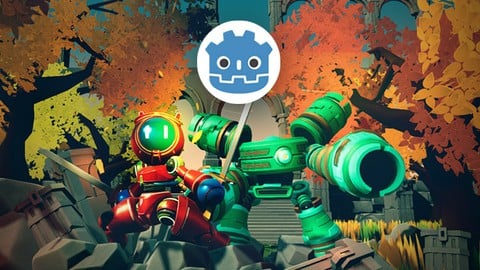
Little Adventurer: Make a 3D action game with Godot 4 (2025)
4.5 (224 Reviews)
 Provider: Udemy
 Time: 5.5h
$19.99
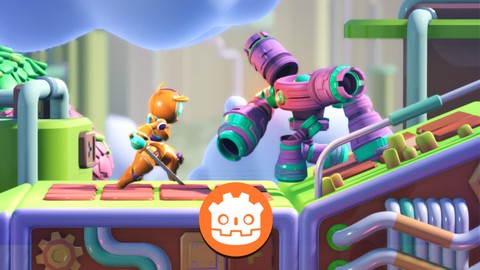
Make a 2.5D Game with Godot 4 (2025 UPDATED with Godot 4.4)
4.5 (128 Reviews)
- Provider: Udemy
- Time: 5h
$74.99
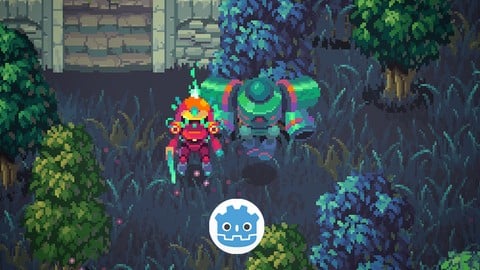
LittleAdventurerAndie:Make a 2D TOP-DOWN Game with Godot 4.6 (2026)
4.7 (94 Reviews)
- Provider: Udemy
- Time: 9.9h
$19.99
More Game Development Fundamentals courses

The Ultimate 2D Top Down Unreal Engine Course (2026)
4.9 (1,468 Reviews)
- Provider: Udemy
- Time: 17.1h
$94.99

Blender Skill Builder: Modelling Challenges (2026)
4.9 (144 Reviews)
- Provider: Udemy
- Time: 6.5h
$19.99

Jumpstart to 2D Game Development: Godot 4 for Beginners (2026)
4.8 (4,398 Reviews)
- Provider: Udemy
- Time: 67.6h
$89.99

Create a Complete 2D Survivors Style Game in Godot 4 (2023)
4.8 (3,761 Reviews)
- Provider: Udemy
- Time: 17.2h
$59.99

Master Lua Programming and Create Amazing Games with LÖVE! (2023)
4.8 (3,199 Reviews)
- Provider: Udemy
- Time: 8.5h
$13.99

Complete Godot 2D: Develop Your Own 2D Games Using Godot 4 (2025)
4.8 (1,619 Reviews)
- Provider: Udemy
- Time: 11.3h
$94.99
 Reviews

By xinexix cO_o. on 7/5/2026
I loved the assets, they gave a certain instant level of polish. The functionality came together rapidly in the beginning, which also drove my motivation. The course covers a good scope of different functionality. The instructor is clear, the pacing is excellent (when you bounce between listening and applying like me). In the very beginning the instructor has a section detailing how this course was created in an older version of Godot but has been updated since. Amazing to see; excellent communication.
By Oliver Doyle on 12/15/2025
A very good course on implementing core Godot techniques in order to get a game prototype up and running. It really helps that the course uses professional grade art assets as this gives you a better idea of what a final end product could look like. All course material is well presented and worked through at a good pace. However there is no section covering sound which is a strange omission. I would love to see this being included in a later version of the course. Overall though this is a good course that gets you started with the Godot game engine. Recommended.
By Ashwin Venkat on 11/28/2025
Awesome course, covers so many nuances of gdscript and godot features. Recommendations: 1. We go straight into the course and game creation process, we fail to see bigger picture, can you please start with a high level diagram of different components of what’s needed and then follow as usual to your videos but perhaps share where we are?
By Julien S on 4/13/2025
Good Course, I wish it covered sfx and music so the game had more feeling to it. otherwise pretty good starter tutorial. Some small things bothered me like the suggested naming conventions it felt really unorganized and made project structure a bit messy. the lecturer even fixes some of these issue later but its more of a personal preference than anything else.
By Mike Leask on 12/5/2024
This has been the best Godot course I have taken so far. You made learning and building this platformer simple and not complicated. I will use what I learned in this course to make my own games successful. I look forward to your next 2D courses (I'm also looking forward to your 3D courses), and I hope you can also teach us how to make our own tile sets and pixel characters.
By Brendan on 9/21/2024
Excellent crash course in Godot! Goes through all the basics to get started making a 2D game. The instructors cadence was great, leaving good pauses in his instruction so you could soak in what is being said. The instructions are also incredibly clean; there's no "oops do this instead" or "we made a mistake last time so lets fix it". The videos felt professionally edited. That said, if you've never opened a game engine before (and/or never programmed), this won't give you enough info to understand why you're doing what you're doing. The instructions are clear enough that you could make the game without understanding all the steps though!
By Hermes Krouskos on 8/11/2024
First of all I need to share the fact that this is the first course that I actually finish after having started countless ones either for Godot or Unity so kudos to your teaching style! While I am no veteran with the engine, I have previous experience so the course was easy to follow and it shedded some light to concepts like signals and states so now I feel better equiped for my personal projects. I watched it at 1.25 speed and finished it in two sessions while studying in between and adding some extra features. Some small additions: I went with a general point system, meaning that killing enemies also rewarded points that were displayed when reaching the door. Also, I implemented one of the most important features for any good platformer, a coyote timer when leaving the edge. Falling from a ledge counted as a game over state so instead of resetting the position, it reset the scene. All in all once you are done with the course you have a strong prototype to expand if needed. Now for some feedback. Godot seems to be pushing the snake_case casing for both the variables (see when adding onready variables) and methods (see built in methods) and in your course you hopped between camelCase and PascalCase with no consistency fot the variables. Also methods were named with PascalCase and I went with snake_case. The top of the script files were very disorganised with all kinds of variables and constants mixing with eachother. I believecode visibility and ease of use are one of the most important things so I organized mine by type (onready, signals, constants, enums and finally variables). And a final pet peeve of mine was that we did not create a character scene at first (I did, from the get-go) but that was thankfully done in the second to final lesson! All in all a great learning experience, I will definitely be buying future Godot 2D courses from you!
By Yeong Shen, Loo on 8/7/2024
I have little to no experience in video game design and the programming aspects of it, but Ryan made this course really easy to follow and understand. I would however admit that there's so much more in this journey, but upon completing this course, it helped to built my confidence in completing my own project. Thanks again, Ryan for such a great beginner online course!
By Ronaldo DeJesus on 8/2/2024
Really good tutorial and covers a lot of stuff that beginners can use and as well as people fairly familiar with Godot. I've seen a lot of people go about things the wrong way and this course really makes use of it and more importantly it sets you up for a GOOD baseline for a system, whereas a lot of others get it working, but is really hard to build upon. My only complaint is theres some inconsistencies with the naming convention. For example, naming objects in the scene are sometimes "Type_CustomName" and others are "CustomName_Type" but 95% of the time its consistent in its naming convention. So theres is a Bullet_Sprite2D but also a RayCast2D_Forward. There might be a reason for this such as object type I don't understand, though.
By Ola Orig on 7/13/2024
Before all I have is YouTube Godot tutorials, it ends up my scripts and game file are so convoluted like a Frankenstein monster. Thank you for this course I have now a backbone template for my now and future games. Short and precise, no shortcuts, every code and actions are well explained and understood. The teacher is well prepared and not second guessing his actions and scripts writing. Hopefully he could expand the course to include more game mechanics.
 Quality Score
No CourseDuck member has rated this course yet. Taken it? Give each part a thumbs up or down.
Overall Score : 92 / 100
- Video Duration:
 7.7h
7.7h - Price: $79.99
- Provider: Udemy
- Updated:
 February 2026
 - Level:
 Beginner
 - Language:
 English
 - Certificate:
 Yes
Yes
30-day money-back guarantee on most paid courses
Udemy Coupon Price Tracker
