
 Web Development
 Data Science
 Python
 SQL
SQL JavaScript
 Artificial Intelligence
 IT & Software
 IT Certifications
 Hacking
 AWS
AWS Arduino
 DevOps
 3D Modeling
 Graphic Design
 Photoshop
 Drawing
 Digital Painting
 UX Design
 Business
 Data Analysis
 Communication Skills
 Project Management
 Leadership & Management
 Human Resources
 Digital Marketing
 Social Media Marketing
 Marketing
 SEO
SEO Google Analytics
 Branding
 Excel
Excel Office Productivity
 SAP
SAP PowerPoint
 Microsoft Access
 SharePoint
 Finance & Accounting
 Trading & Investing
 Accounting
 Bitcoin
 Personal Finance
 Video Editing & Animation
 Photography
 Adobe Premier Pro
 Adobe Lightroom
 Personal Development
 Productivity
 Career Development
 Life Coaching
 Health & Fitness
 Meditation & Mindfulness
 Yoga
Yoga Music
Music Music Production
 Guitar
 Piano
Piano Singing
 Language Learning
 Teaching & Academics
 Engineering
 Math
Math Lifestyle
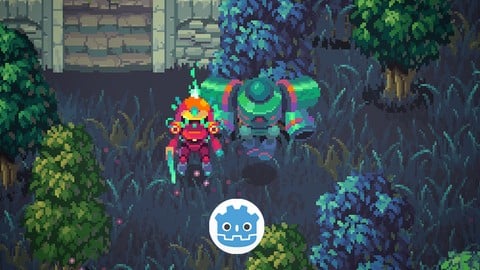
LittleAdventurerAndie:Make a 2D TOP-DOWN Game with Godot 4.6 (Udemy.com)
Create your first Godot 2D Top-Down action game with good-looking hand-crafted assets! (2026 UPDATED with Godot 4.6)
Created by: Single-Minded Ryan
Last updated March 2026
 What you will learn
- Learn to make a good-looking 2D Top-Down action game with Godot
- Learn how to code a 2D Top-Down game in GDScript
- Learn how to control the player's 2D Top-Down movement
- Learn how to use the AutoTile system with the TileMapLayer node
- Learn how to create collison shapes with the TileMapLayer node
- Learn how to design a 2D Top-Down game level by painting the tiles
- Learn how to control 2D animations with the AnimatedSprite2D node
- Learn how to use the Y-Sort feature for the 2D Top-Down game
- Learn how to use the State Machine to manage the behavior of the characters
- Learn how to create the Attack & Health system
- Learn how to use @Tool to run code in the editor to randomize the look of the trees
- Learn how to use the TileMapLayer to generate grass nodes
- Learn how to create Interactive Grass (can be cut by the player, and sways when the player passes)
How it compares
Against the other 281 rated Udemy courses in Game Development Fundamentals on CourseDuck:
- Rating4.7 out of 5higher than 69% of them
- Reviews94#218 of 282 by number of reviews
- Length9.9 hourslonger than 60% of them
- Last updatedMarch 2026more recently than 86% of them
 Course Description
Hello, I’m Single-minded Ryan, a game developer and digital artist.
In this course, we are going to create a classic 2D Top-Down action game with high-quality game assets.
First, I want to make the learning process really fun and encouraging, and that’s why I spent a lot of time hand-crafting the assets for this course. And I’m sure that these high-quality assets will make you feel like you are making a real game from the very beginning.
Then let’s talk about the course. We are going to make a classic 2D top-down action game, where the player must defeat all of the enemies in the game world with a sword. We are going to start by creating the platform with the TileMapLayer node. The TileMapLayer node helps us concentrate on the overall level layout, without thinking about what each individual tile should be. But there is a lot of setup work that needs to be done beforehand, and I’m going to guide you through with detailed explanations.
Then we will cover the movement and animation control of the player with GDScript.
After you’ve got a grasp of how GDScript works, we’ll dive into a very powerful concept called the State Machine. It helps us manage the behaviors of the characters as the code grows more and more complicated, and you can’t really make a complicated game without it.
AI Pathfinding is also an essential idea for top-down games, and I walk you through the Navigation system to create the AI of the enemy.
The amount of work required to make a game is overwhelming, so it is important to build your own tools to speed up the process. I’m going to show you how to auto-generate using the grid data of the TileMapLayer node and how to randomize the look of the trees for the boundary of the world.
You really need to pay attention to the details of the game if you want it to shine. I’m going to demonstrate this idea with the interactive grass. Not only will the grass react when the player is passing through, but you can even cut the grass with the sword.
Many times you’ll need to customize your own material shaders for some visual effect. For this part, I’ll show you how to create the blink and invincible effects using the shader graph.
Bugs are inevitable when you are making games. After showing you how to solve some common bugs, I’m going to focus on helping you understand how to debug the game with visuals.
If you are eager to improve your programming skills, this course also has a lot to offer.
I'll talk about many core ideas of GDScript .
like how to use annotations and how to communicate between scripts using signals
There are many more things you’ll learn in this course, like the VFX, the UI system, the collision layers, and more. The point is, I’ll keep working on this course to add more content, and I really hope I can help you start your game development journey.
At the end of this course, you will be able to do things like:
Learn to make a good-looking 2D Top-Down action game with Godot
Learn how to code a 2D Top-Down game in GDScript
Learn how to control the player's 2D Top-Down movement
Learn how to use the AutoTile system with the TileMapLayer node
Learn how to create Collison Shapes with the TileMapLayer node
Learn how to design a 2D Top-Down game level by painting the tiles
Learn how to control 2D animations with the AnimatedSprite2D node
Learn how to use the Y-Sort feature for the 2D Top-Down game
Learn how to use the State Machine to manage the behavior of the characters
Learn how to create the attack & health system
Learn how to use @Tool to run code in the editor to randomize the look of the trees
Learn how to use the TileMapLayer to generate grass nodes
Learn how to create Interactive Grass (can by cut be the player, and sways when the player passes)
Learn how to use the Navigation System for the Enemy AI
Learn how to control 2D VFX
Learn how to handle the 2D physics layers and physics detection
Learn how create shaders for the blink effect and invincible effect
Learn how to use Godot's input system
Learn how to create game UI in Godot to create the health bar UI & the restart button
Learn how to use some GDScript unique features like the annotations, the setter and the signal system
Learn how to use the Autoload system to create the game manager
Learn how to export the game project into executable files
Learn how to use the Godot 2D physics engine
Learn how to debug the game with visual elements
Learn how to instantiate new nodes in the game scene
Learn how to create a pickup item (Coin)
*This course does not contain any sound and music assets at the moment.
*All of the assets (the tile map, animation files, VFX files, background files, etc.) provided in this course are only for educational purposes, please do not use them in any commercial projects.

 Udemy Discount
The discount is applied through our link. Open the course from here and Udemy's current promotional price is applied at checkout on most courses, no code to type.
Some courses are excluded from Udemy's promotions. If the price does not drop, clear your browser cookies and use the button again.
Instructor Details

- 4.7 Rating
 94 Reviews
Single-Minded Ryan
Hi, I'm Single-Minded Ryan, a self-self-taught game developer. Before I became a programmer, I had been working as a digital artist for a really long time, so how games look really matters to me. Also, along the way I learned Unity and programming, I went through a lot of the struggles that people often face when first entering this exciting new world.
I will try my best to provide beginner-friendly tutorials with high-quality assets, so you can enjoy the experience by seeing production-level games build up in your hands from the beginning.
I can wait to help you learn all of the amazing things about game development, hope you will enjoy the journey with me!
See you soon.
Ryan.
 More courses by Single-Minded Ryan
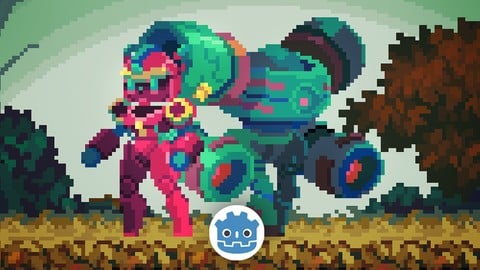
LittleAdventurer2D: Make a 2D Action Game with Godot 4(2026)
4.6 (268 Reviews)
 Provider: Udemy
 Time: 7.7h
$79.99
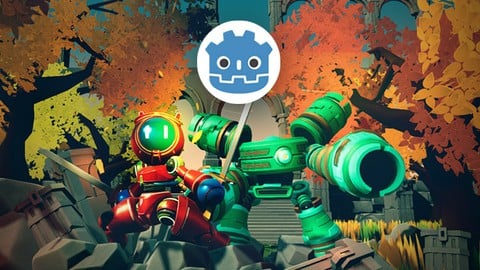
Little Adventurer: Make a 3D action game with Godot 4 (2025)
4.5 (224 Reviews)
- Provider: Udemy
- Time: 5.5h
$19.99
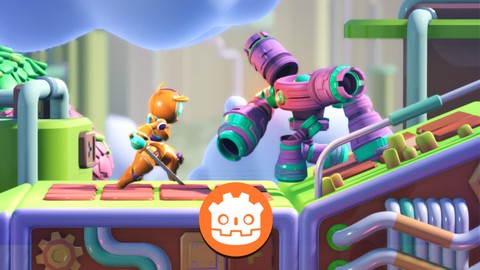
Make a 2.5D Game with Godot 4 (2025 UPDATED with Godot 4.4)
4.5 (128 Reviews)
- Provider: Udemy
- Time: 5h
$74.99
More Game Development Fundamentals courses

The Ultimate 2D Top Down Unreal Engine Course (2026)
4.9 (1,468 Reviews)
- Provider: Udemy
- Time: 17.1h
$94.99

Blender Skill Builder: Modelling Challenges (2026)
4.9 (144 Reviews)
- Provider: Udemy
- Time: 6.5h
$19.99

Jumpstart to 2D Game Development: Godot 4 for Beginners (2026)
4.8 (4,398 Reviews)
- Provider: Udemy
- Time: 67.6h
$89.99

Create a Complete 2D Survivors Style Game in Godot 4 (2023)
4.8 (3,761 Reviews)
- Provider: Udemy
- Time: 17.2h
$59.99

Master Lua Programming and Create Amazing Games with LÖVE! (2023)
4.8 (3,199 Reviews)
- Provider: Udemy
- Time: 8.5h
$13.99

Complete Godot 2D: Develop Your Own 2D Games Using Godot 4 (2025)
4.8 (1,619 Reviews)
- Provider: Udemy
- Time: 11.3h
$94.99
 Reviews

By Marian on 9/4/2026
Great, well-paced course with clear explanations. I particularly liked that it had some specific tricks I haven't seen in other general introductory courses (the tween-animated, interactable grass was my favourite). I would recommend this as a perfect follow-up for anyone who has already learned the absolute basics and is ready to review their knowledge and go a little further.
By Benjamin Heke on 7/28/2026
Thank you for your time and effort Single Minded Ryan!. An overall excellent run through of Godot, somewhat entertaining and a great asset pack. Took awhile to complete but for me it was worth it.
By xinexix cO_o. on 7/19/2026
This course was engaging and fun. The custom, cohesive assets are great. Platform and character setup came together quickly, which made the start of the project feel rewardingly rapid. My favorite learnings from this course were the grass (with its tilemap placement, randomization, and player reactions), the shaders (hurt & invincibility blinks, wind particles, tree sway), the proximity pull of coins, and the nav mesh tutorial. The overview of `@tool` was a pleasant surprise, and I appreciate the placement randomness demonstrated. The visual profiler rundown was also valuable, albeit brief.
By Filipe N. on 6/13/2026
I had high expectations and they were met as the instructor explains everything straightforward. I am thankful I found this course. Maybe it is just not the best for begginners, but it is perfect for intermediate level programmers who want to get to know godot quickly.
By Ang Jacobsen on 5/6/2026
I think some of the sections move too fast with lots of changes that makes Godot crash. There could be a whole section on how to troubleshoot lag, what hiccups to expect and how to optimize the gameplay, but all told the course is very good and you end up with a complete game. I will say the wind trail VFX may actually mess up your game completely and that part needs to be revisited. It definitely broke my game.
By Trenton Phillips on 4/20/2026
Very thorough and easy to follow along. He does a great job of breaking the lectures down in to easy bite size pieces. I'm very new and I've watched several different tutorials from different creators and his has been the best and most helpful so far.
By Theglaicerr on 4/15/2026
The most in depth 2d godot guide on the internet hands down, really appreciate teaching us how to make something high quality instead of using a bunch of crappy assets like everyone else does. One suggestion, I would attempt to make the next guides more beginner friendly, especially to people like me with zero technical background. I like brackey's approach to teaching beginners using a lot of visual illustrations and simple metaphors to help understand complexity.
By Varga Vilmos on 1/13/2026
I did learn a lot, and it’s actually quite good for a beginner in terms of learning how to use Godot. However, when it came to coding I ran into several issues where things worked perfectly in the video, but not for me. There was something wrong with the grass if I remember correctly — it couldn’t be deleted — then something started looping, and the most recent issue I still clearly remember is the last error that freezes the game: func set_currentHealth(value: int): currentHealth = clampi(value, 0, maxHealth) if currentHealth == 0: isDead = true area_2d_body.set_deferred("monitoring", false) area_2d_body.set_deferred("monitorable", false) --- This should have been here; I don’t know why it doesn’t freeze for you. if is_instance_valid(area_2d_body): area_2d_body.set_deferred("monitoring", false) area_2d_body.set_deferred("monitorable", false)
By Troy Nall on 1/1/2026
Goes into great Detail on how to setup a State machine as well as how to check it is working properly. Also how to write your own Tilemap Layer Random dispersion node. Basically how to make a 1 of X tile maps appear of a certain X by Y area on the Game field. If you couple this with Custom Data Layer, you can easily populate you level with Traps, Pickup, Enemies, etc... The instructor really takes the time to set things up and doesnt rush things. So if your new or intermediate beginner, this is your course.
By Kyle Gillette on 12/19/2025
Great beginner course. I really liked learning the concepts of using a State Machine and a Game Manage. Much easier to understand the flow of scripts than other courses. I would love to see this course expanded or have a follow on course that includes more features and more intermediate concepts. Would like to learn how to add things like: new levels, experience system, leveling / power ups, items / inventory, and spawning additional enemies.
 Quality Score
No CourseDuck member has rated this course yet. Taken it? Give each part a thumbs up or down.
Overall Score : 94 / 100
- Video Duration:
 9.9h
9.9h - Price: $19.99
- Provider: Udemy
- Updated:
 March 2026
 - Level:
 All Levels
 - Language:
 English
 - Certificate:
 Yes
Yes
30-day money-back guarantee on most paid courses
Udemy Coupon Price Tracker
