
 Web Development
 Python
 SQL
SQL Data Science
 JavaScript
 Artificial Intelligence
 IT & Software
 IT Certifications
 Hacking
 Arduino
 AWS
AWS DevOps
 3D Modeling
 Graphic Design
 Photoshop
 Drawing
 Digital Painting
 UX Design
 Business
 Data Analysis
 Communication Skills
 Leadership & Management
 Project Management
 Human Resources
 Digital Marketing
 Social Media Marketing
 Marketing
 SEO
SEO Google Analytics
 Branding
 Excel
Excel Office Productivity
 SAP
SAP PowerPoint
 Microsoft Access
 SharePoint
 Finance & Accounting
 Trading & Investing
 Accounting
 Bitcoin
 Personal Finance
 Video Editing & Animation
 Photography
 Adobe Premier Pro
 Adobe Lightroom
 Personal Development
 Productivity
 Career Development
 Life Coaching
 Health & Fitness
 Meditation & Mindfulness
 Yoga
Yoga Music
Music Music Production
 Guitar
 Piano
Piano Singing
 Language Learning
 Teaching & Academics
 Engineering
 Math
Math Lifestyle
Unity 3D 2017 - Build , program & publish Crossy Road game (Udemy.com)
Step by step video lessons to create and publish a 3D 8 bit art game like Crossy Road to the app stores. using Unity3D
Created by: Yohann Taieb
Last updated July 2019
 What you will learn
- Learn how to get your iOS developer license
- Learn how to create your own iPhone game using minimal code (C# code)
- Learn how to create your own Android game using minimal code (C# code)
- Learn basics of Unity 5 for iOS development and advance techniques to make a professional casual game
- Learn how to program animations
- Learn how to dynamically create game content
- Learn how to make a game menu
- learn how to keep player's score
- Learn how to publish your very own iPhone game to the iTunes app store in one afternoon
- Learn how to use 3D pixel art in the game
 Course Description
Important: all software used are FREE to download and use on PC and MAC computers (no need to pay, cheers!)
In this course you will learn how to design and program a 3D pixel art video game just like Crossy Road using Unity3D and publish it in the app stores (iOS and Android).
Why would you want to learn how to make a game like crossy road? Because it's the most efficient way to create a good looking game by yourself that you can publish in the app store, without having the need of a team of multiple people.
This course can be taken by anyone even if you've got no programming skills or very little
This course is meant for non-artists, meaning you don't have to be an artist to be able to use 3D pixel art graphics.
You will learn how to use free tools to make an amazing game from scratch as I will show you every single line of programming and how to use Unity 3D to be able to make professional games all by yourself quickly and without having to spend money.
You will learn how to download and install unity 3D on Mac, PC or Linux.
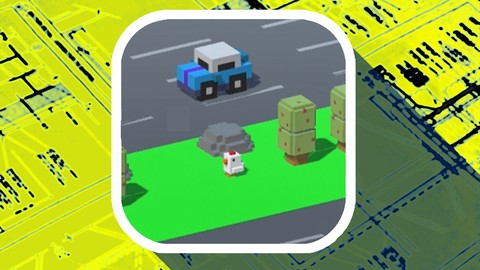
Then we will get to create a project, add levels and add graphichs such as the Crossy Road chickens, Roads, trees, rocks, cars, trucks and much more.
You will also learn how to add artificial intelligence to these objects to make them come to life.
Also, you will learn how to make game menus, game over screens, and how to keep score.
Once we've got a working game, we will go through the whole process to publish the game to the iTunes app store.
Then you will learn how to add all these objects in the game engine called Unity 3d to make amazing 3d games, just like crossy road.
Now, this course is meant to make things this super easy for you. All the steps are shown to you in the video lectures, so you cant possibly miss a step.
And by the way as a bonus, this course includes free downloads of the finished 3D models, Unity projects and levels as well.
The skills you will learn in this course can be applied to so many more projects as they are the core foundations of any professional video games. Invest in yourself by joining this course now
What is 3D Pixel Art?
3D Pixel art is a form of digital art, created through the use of 2D-like raster graphics software, where images are edited on the pixel level in the form of blocks. Graphics in most old (or relatively limited) computer, console, graphing calculator and mobile phone video games are mostly 2D pixel art, and now we use the new technologies t have the retro-cool style with the amazing functionality that 3d technology provides.

 Udemy Discount
The discount is applied through our link. Open the course from here and Udemy's current promotional price is applied at checkout on most courses, no code to type.
Some courses are excluded from Udemy's promotions. If the price does not drop, clear your browser cookies and use the button again.
Instructor Details

- 4.2 Rating
 170 Reviews
Yohann Taieb
Yohann holds a Bachelor of Science Degree in Computer Science from FIU University. He has been a College instructor for over 15 years, teaching iPhone Development, iOS 15, Apple Watch development, Swift 5, Unity 3D, Pixel Art, Photoshop for programmers, Android and blockchain development. Yohann also has plenty of ideas which naturally turned him into an entrepreneur, where he owns over 100 mobile apps and games in both the Apple app store and the Android store.
Yohann is one of the leading experts in mobile game programming, app flipping and reskinning. His teaching style is unique, hands on and very detailed. Yohann has enabled more than 250000 students to publish their own apps and reach the top spots in iTunes App Stores, which has been picked up by blogs and medias like WIRED magazine, Yahoo News, and Forbes Online. Thanks to him, thousands of students now make a living using iOS 15, Swift 4, Objective C ( ObjC ), Machine Learning, Augmented Reality / VIrtual Reality, Android, Apple Watch ( watchOS ), Apple TV ( TVOS ), Unity 3D, and Pixel art animation
 More courses by Yohann Taieb
Introduction to Game Development with Unity (2016)
4.2 (5,823 Reviews)
 Provider: Udemy
 Time: 1.8h
Free


Complete iOS Machine Learning Masterclass (2018)
4.3 (306 Reviews)
- Provider: Udemy
- Time: 7.6h
$54.99
3D Pixel Art for non artist. Crossy Road Modeling. Unity 3D (2019)
4.1 (167 Reviews)
- Provider: Udemy
- Time: 2.5h
$39.99
3D Pixel Characters Modeling & Animations for all. Unity 3D (2019)
4.2 (119 Reviews)
- Provider: Udemy
- Time: 4.2h
$19.99

More Unity courses

Learn to make an Awesome Builder-Defender game in Unity! (2021)
4.9 (1,909 Reviews)
- Provider: Udemy
- Time: 10.1h
$79.99


RPG Core Combat Creator: Learn Intermediate Unity C# Coding (2025)
4.8 (11,337 Reviews)
- Provider: Udemy
- Time: 27.6h
$149.99

Learn To Code By Making a 2D Platformer in Unity (2017)
4.8 (2,597 Reviews)
- Provider: Udemy
- Time: 13.1h
$13.99

Learn Blender 3D Modeling for Unity Video Game Development (2026)
4.8 (2,152 Reviews)
- Provider: Udemy
- Time: 11.7h
$149.99

Learn To Create A Roguelike Game In Unity (2020)
4.8 (1,234 Reviews)
- Provider: Udemy
- Time: 19.4h
$16.99
 Reviews

By Kevin LeGris on 3/28/2018
Course has been very informative so far. But there have been a number of errors made that were corrected in the video, but they caused me to pause and spend a lot of time troubleshooting what I did wrong before I decided that they were error was yours and continued the video only to find you correct them a few moments later. I'd like to see the video edited to include something as simple as a text box overlay that says "oops, I will correct this in a moment"
By Hasan Odom on 3/8/2018
I'm halfway through and its been great. Some of the exercises jump around as if they were edited incorrectly but with what I've learned, I was able to keep up or work through any issues. I'm actually using Bolt, a new visual scripting tool for unity, so following along has been a breeze. Even though I'm inexperienced, it did feel strange to plug most of the code into 1 script with tons of variables. Would have been nice to learn how to separate code and access functions from other script. Not a deal breaker but I've learned that a pretty important thing to learn, even for beginners to not get overwhelmed digging through 1 script with a ton of code. Again, I'm using a visual scripting tool but even that got a bit messy with everything in one flow graph. With all that said, great tutorial, easy to follow along and I can't wait for the advanced segment.
By Helena Franczak on 2/1/2018
If you follow instructions you will encounter a problem in section 3 ( there are 9 sections in total ) no one will help you to fix it. It makes no sense to continue with the course without overcoming the problem in section 3. I tried to find a solution and I asked many questions. The instructor is ignoring me after saying he run out of ideas how to fix it.
By Yakov Kemer on 8/12/2017
Because there is not enough materials. Every additional unity should be downloaded from final project link. Description is very poor. Author does not speak about many important themes(For example how to make new strips not to look ugly, when they are created programmaticaly). Some steps are missing. For example you create 14 stips and after some time you already see 17 of them. So please give more attention to chronology. Last section was mind blowing. Really awesome. This is why i am giving this course 4 stars rating instead of 2.
By Eric Lam on 2/16/2017
This course is great for beginners (like me) to learn about game development using Unity 3D. I really appreciated that it covered everything from importing assets to app submission. The course helped me to create my first game “Yian’s Day Out”. Here's the link to my game. Apple Store : https://itunes.apple.com/gb/app/yians-day-out/id1204719571?mt=8 Google Play Store : https://play.google.com/store/apps/details?id=com.ericlam.yiansdayout
By Warren D on 9/25/2016
This was a decent course for beginners. However for those of us that have been following this instructor a while, and are a little more advanced, it would be nice to see less of the shortcuts and more advanced stuff. For example, the tiling setup was too basic, the initial tiles should be system generated and there should be a least a mention of maybe pooling for the tiles and vehicles. Overall though, good beginner course and I definitely learned something.
By Murat on 8/27/2016
I have learned too much with this course and i have created my very first game "Fast and Blocky". Before this course i have no experience about gaming and I know i am not a professional and i still need to learn too much. But with this course you can learn the basics of Unity and you can make simple games like me :) Here's the link to my game. Googleplay : https://play.google.com/store/apps/details?id=com.icatstudios.fastandblocky Itunes : https://itunes.apple.com/us/app/fast-and-blocky/id1165989435?ls=1&mt=8
By Glenn Green on 3/16/2016
This course is superb! The lessons are clear and easy to follow. The course gives an excellent example but also shows how to extend and improve on the example. I had no prior experience but was able to learn Unity programming. I completed an app building on crossy road and published it on the play store under the name "Traffic1". Instead of a chicken crossing you have to merge a car through traffic to the other side of the road. Thank you Yohann for your wonderful course.
By Gerard Harrison on 2/27/2016
I think that this course is very well done and very informative. Yahann is and excellent teacher and this course is actually really comprehensive. He takes you all the way into publishing it on two of the major platforms that I'm the most interested in. Yahann and Fahir from Awesome tuts have the best tutorials on Udemy. I highly recommend both teachers as I've never felt disappointed with the money that I've spent on any of their tutorials. Looking forward to more from Yohann
By Rob George on 2/2/2016
Unity 5 course, with the most current Unity updates too! This is so important to me. So many Unity courses here have been recorded and coded in Unity4, using outdated methods, the instructor has taken the time to use Unity5 and use the latest UI. I've picked up numerous courses on Udemy (they're just released in 2016 yet I find that they're working on Unity 4.x and not even the latest version of 4 either). I don't even understand why such classes are allowed - but in this case - student need not worry. Not particularly sure this class is for absolute beginners because there is quite a lot to get under your belt to feel comfortable with Unity, but if you follow the course carefully you should have a pretty enjoyable basic Crossy Road clone when you are done. The Crossy Road clone you will build is a one level, fairly basic version and with the experience the instructor provides and either picking up some basic assets or possibly following the Yohann's other course (I did not) you could probably add on and be spawning additional areas & characters & enemies in no time. There are numerous things mentioned by the instructor throughout the course which all come at the end in an advanced section - beginner advanced - I'm thrilled they were there because even though they're small add-ons, they really add to your game, make you smile that you've programmed them, shows how relativity easy these extras are but they really add to the game and make it much more interesting and complete. - Coins, I was excited to think I would learn how to create a Coin pick up system, though rather than increase the score I'd much rather see the coins be used for purchasing additional character skins. - Additional characters, I was excited to think that I would create a system where a player could earn additional, even though this has yet to be implemented into the course, Yohann has been following up with numerous extras, so again, I'm anxiously awaiting this reveal. How will the player earn new character skins or characters and how will the player actually change characters. I find this exciting because I can see Yohann laying the foundation for students to create other skins/characters and put them in their game. - River & logs assets are provided but are not implemented, not overly difficult after going thru the course, but still would be nice to have a way of finishing this one level and how to start a second (again, maybe choosing new character too). The road/grass spawning system implemented never truly overlays the road pieces correctly - there's always the dotted white road stripe (which is and feels misplaced & odd) I'd still like to see that revisited/refined. The A.I. in this game is very basic, yet Yohann gives ideas on ways to possibly expand - maybe making way for an additional enemy when creating the river/water level. More polish to this clone could make this a big selling course or at least pave the way for other games. With the additional advanced features added to the course I can easily see myself taking other Unity Game building courses taught by Yohann.
 Quality Score
No CourseDuck member has rated this course yet. Taken it? Give each part a thumbs up or down.
Overall Score : 84 / 100
- Video Duration:
 6.2h
6.2h - Price: $59.99
- Provider: Udemy
- Updated:
 July 2019
 - Level:
 All Levels
 - Language:
 English
 - Certificate:
 Yes
Yes
30-day money-back guarantee on most paid courses
Udemy Coupon Price Tracker
