
 Web Development
 Data Science
 Python
 SQL
SQL JavaScript
 Artificial Intelligence
 IT & Software
 IT Certifications
 Hacking
 AWS
AWS Arduino
 DevOps
 3D Modeling
 Graphic Design
 Photoshop
 Drawing
 Digital Painting
 UX Design
 Business
 Data Analysis
 Communication Skills
 Project Management
 Leadership & Management
 Human Resources
 Digital Marketing
 Social Media Marketing
 Marketing
 SEO
SEO Google Analytics
 Branding
 Excel
Excel Office Productivity
 SAP
SAP PowerPoint
 Microsoft Access
 SharePoint
 Finance & Accounting
 Trading & Investing
 Accounting
 Bitcoin
 Personal Finance
 Video Editing & Animation
 Photography
 Adobe Premier Pro
 Adobe Lightroom
 Personal Development
 Productivity
 Career Development
 Life Coaching
 Health & Fitness
 Meditation & Mindfulness
 Yoga
Yoga Music
Music Music Production
 Guitar
 Piano
Piano Singing
 Language Learning
 Teaching & Academics
 Engineering
 Math
Math Lifestyle
Introduction to Game Development with Unity (Udemy.com)
Quick and simple video guide to get you up and running with Unity game development
Created by: Yohann Taieb
Last updated December 2016
Our take
Based on the ratings of 5,823 students, a sample of their written reviews and the syllabus, as the course stood in December 2016. No course pays to be reviewed.
This is a free, 1.8 hour tour of the Unity editor from Yohann Taieb, recorded in 2016 and not touched since. Across 18 short lectures it covers installing Unity, the interface, dropping cubes and spheres into a scene, lights, cameras, materials and a bit of physics. The syllabus lists no C# and no finished game. It suits someone who has never opened Unity and wants to stop being lost in the panels before starting a longer paid course. About 144,000 people have enrolled, so it has clearly filled that role for a lot of them.
Reviewers like the teaching. He is described as clear, detailed and easy to follow, and one reviewer says the short lectures suit slow-paced learners. The complaints are just as consistent. The course is old, and even the five-star reviews ask for a refresh; one student notes that the newest Unity looks different in places, though the concepts still hold. Low-star reviews call the content shallow and say it feels like a lead-in to the instructor's paid courses. One student reported the Q&A had gone unanswered. One mentions the accent, and two say he talks fast.
It costs nothing, so the bar is low. Next to the full C# Unity courses it is listed beside, this is a warm-up, not a substitute. Watch it in an evening to learn the editor, then move on. If you already know your way around the panels, skip straight to one of the bigger courses.
Pros
- Free and under two hours, so it costs nothing but an evening
- Reviewers call the explanations clear and detailed; one says the short lectures suit slow-paced learners
- Covers the parts that trip up newcomers: the interface, adding objects, lights, cameras and materials
- 144,000 enrolled and a 4.2 rating from over 5,800 reviews
Cons
- Last updated in 2016; menus and some steps differ from current Unity
- Syllabus lists no C# and no finished game; low-star reviewers call the content shallow
- One review reports the instructor no longer answers questions in the Q&A
Even though the course is from 2016 it was easy to follow even in the 2025 with the newest Unity (currently 6.2). Even though some things are different, main concepts are still the same and it is really helpful.
Beginner label is accurate: the only requirement is a computer, and the audience list runs from art students to engineers.
 What you will learn
- Download and install Unity
- use the Unity project interface
- Open and close Unity projects and scenes
- Manipulating the scene
- understand Object control panel
- Adding 2d and 3d game objects
- Using Lightings
- working with cameras
- object colors and materials
- what to do next
Course content
6 sections · 18 lectures · 1.8 hours of video
- 1Introduction 1 free preview2 lectures · 6 min
- 2Working with the user interface6 lectures · 33 min
- 3Object creation and manipulation2 lectures · 11 min
- 4Lightings, Camera, and Physics4 lectures · 31 min
- 5Menus2 lectures · 14 min
- 6Bonus2 lectures · 13 min
Who it is for
The instructor says it suits
- tech students
- art students
- cool kids
- seasoned engineers who want to make games for fun or for profit
What you need before you start
- have a windows computer, or MAC OS, or Linux
How it compares
Against the other 281 rated Udemy courses in Game Development Fundamentals on CourseDuck:
- Rating4.2 out of 5higher than 14% of them
- Reviews5,823#2 of 282 by number of reviews
- Length1.8 hoursshorter than 92% of them
- Last updatedDecember 2016earlier than 93% of them
 Course Description
This course is the fastest way to get into making games. We will be using the Unity engine because it's powerful and free.
We'll start learning how to download and install Unity on your computer. Then we will get familiar with the user interface.
We will then go over building levels by adding 3d objects of all shapes, such as spheres, cubes and cylinders.
Then we'll go over the different lighting effects and cameras to make the game look fantastic.
Finally, we'll go over physics and materials to have the game behave like in the real world
Enough said, let's get started.
Important: This course is part of a the world's one and one series on Unity professional multiplayer games.

 Udemy Discount
The discount is applied through our link. Open the course from here and Udemy's current promotional price is applied at checkout on most courses, no code to type.
Some courses are excluded from Udemy's promotions. If the price does not drop, clear your browser cookies and use the button again.
Instructor Details

- 4.2 Rating
 5,823 Reviews
Yohann Taieb
Yohann holds a Bachelor of Science Degree in Computer Science from FIU University. He has been a College instructor for over 15 years, teaching iPhone Development, iOS 15, Apple Watch development, Swift 5, Unity 3D, Pixel Art, Photoshop for programmers, Android and blockchain development. Yohann also has plenty of ideas which naturally turned him into an entrepreneur, where he owns over 100 mobile apps and games in both the Apple app store and the Android store.
Yohann is one of the leading experts in mobile game programming, app flipping and reskinning. His teaching style is unique, hands on and very detailed. Yohann has enabled more than 250000 students to publish their own apps and reach the top spots in iTunes App Stores, which has been picked up by blogs and medias like WIRED magazine, Yahoo News, and Forbes Online. Thanks to him, thousands of students now make a living using iOS 15, Swift 4, Objective C ( ObjC ), Machine Learning, Augmented Reality / VIrtual Reality, Android, Apple Watch ( watchOS ), Apple TV ( TVOS ), Unity 3D, and Pixel art animation
 More courses by Yohann Taieb


Complete iOS Machine Learning Masterclass (2018)
4.3 (306 Reviews)
 Provider: Udemy
 Time: 7.6h
$54.99
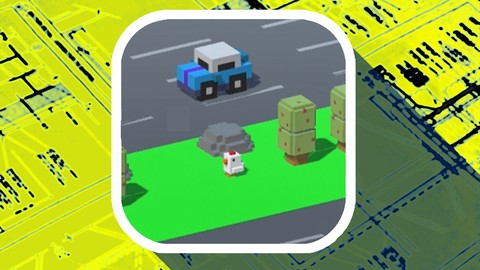
Unity 3D 2017 - Build , program & publish Crossy Road game
4.2 (170 Reviews)
- Provider: Udemy
- Time: 6.2h
$59.99
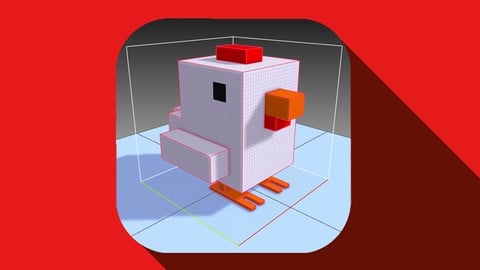
3D Pixel Art for non artist. Crossy Road Modeling. Unity 3D (2019)
4.1 (167 Reviews)
- Provider: Udemy
- Time: 2.5h
$39.99
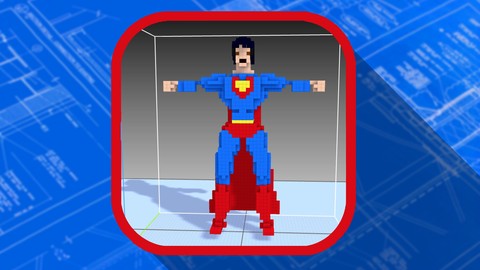
3D Pixel Characters Modeling & Animations for all. Unity 3D (2019)
4.2 (119 Reviews)
- Provider: Udemy
- Time: 4.2h
$19.99
More Game Development Fundamentals courses

The Ultimate 2D Top Down Unreal Engine Course (2026)
4.9 (1,468 Reviews)
- Provider: Udemy
- Time: 17.1h
$94.99

Blender Skill Builder: Modelling Challenges (2026)
4.9 (144 Reviews)
- Provider: Udemy
- Time: 6.5h
$19.99

Jumpstart to 2D Game Development: Godot 4 for Beginners (2026)
4.8 (4,398 Reviews)
- Provider: Udemy
- Time: 67.6h
$89.99

Create a Complete 2D Survivors Style Game in Godot 4 (2023)
4.8 (3,761 Reviews)
- Provider: Udemy
- Time: 17.2h
$59.99

Master Lua Programming and Create Amazing Games with LÖVE! (2023)
4.8 (3,199 Reviews)
- Provider: Udemy
- Time: 8.5h
$13.99

Complete Godot 2D: Develop Your Own 2D Games Using Godot 4 (2025)
4.8 (1,619 Reviews)
- Provider: Udemy
- Time: 11.3h
$94.99
 Reviews

By Dominik Ostroski on 11/15/2025
Great simple course that is easy to follow. I started learning Unity and i was stumped when i first wanted to change the color of a sprite. Going through this course is great start so you do not get stuck with simple tasks, and get lost in the UI. Even though the course is from 2016 it was easy to follow even in the 2025 with the newest Unity (currently 6.2). Even though some things are different, main concepts are still the same and it is really helpful. All riiiight!
By Anoke O on 4/5/2020
Very well done for introduction. This instructor was clear, precise, and wonderful to listen too. He does talk a bit fast but I like that. You could always use the slow down feature if he is moving too fast for you. Definitely going to continue my journey to learning Unity with this instructor.
By Maksim Eremenko on 3/18/2020
Курс для новичков) К тому же проблемы с частью программрования, так как за несколько лет похоже что-то изменилось и в любом случае нужно смотреть полноценный курс о программировании. Как обзорный курс самое то!
By Andrew Coutain on 1/23/2020
This course helped me to understand and to become acclimated to the Unity engine and it features. You can do the Unity tutorials however this one gives you the foundation you need to get started and to understand how to navigate around the some of the tools and features.
By Issam Er-Rabhi on 10/13/2019
It really gives you an inside of what to expect for working with unity and the possibility you have with it. I would have loved to get some more in-depth explanation about the coding and physics for like movable parts.
By Mathieu Phillips on 7/3/2019
Thank you Mr. Taieb for your course! 'Introduction to Game Development with Unity' is my first course with Udemy, and thanks to you I am ready to enroll in my next course. I appreciate Mr. Taieb's step-by-step instructions and filtering out the more difficult aspects of Unity to avoid overwhelming a new user to the program. The course may be a little outdated as it is almost 3 years old and I was using a newer version of Unity throughout the course. There were some instructions I tried to follow from the video that could not work properly on my end(such as menus from videos 15&16), to which I had to go back and re-watch previous videos to achieve the desired result. I was always intimidated by the idea of 3D design, and this was my first time using Unity, but with Mr. Taieb I am thoroughly satisfied with his instruction in using the program. I was confident enough to add a few more details to the objects, such as adding a bouncing effect to the sphere to make my project like a basketball court! Thank you again! Mathieu
By Anonymous - on 2/15/2019
Good headstart but all kinds of strange of different results when I follow tutorial. Instructor has disappeared and is no longer responding to many questions - other students and mine. I am very fed up with his unresponsive behaviour. I have gone to the developers of the Unity desktop app and they have given me the help I need. I'm not sure if the instructor will ever see these comments.
By Wanette Horst on 11/13/2018
An excellent introductory course. Very well laid out and easy to follow. Not too in depth and overwhelming but enough explanation to understand what's going on. There's a spot or two, particularly with the Vertical Layout Group settings in the panel menu, that seem to be outdated as there are now more options.
By Brandon Milik Hill on 2/26/2018
This introduction course for Unity was very informative and educational. At first I didn't think I would be interested in viewing, but now that I have taken and completed the course, it convinced me to learn more about Unity and continue what I liked doing the most in my younger years; Making my own games.
By Philip Varghese on 9/23/2017
I am not new to game dev but new to Unity and curious. As a game dev instructor in schools for another game engine, I find this intro course well structured and covers all the necessary to get a newbie started. The pace was comfortable and Yohann showed he is very knowledgeable. I am here to get fast and accurate knowledge in a well-guided environment and Yohann has delivered. This course has given me confidence in his commitment to teach the right stuff and I have purchased his other courses knowing I am in safe hands.
 Quality Score
No CourseDuck member has rated this course yet. Taken it? Give each part a thumbs up or down.
Overall Score : 84 / 100
- Video Duration:
 1.8h
1.8h - Price: Free
- Provider: Udemy
- Updated:
 December 2016
 - Level:
 Beginner
 - Language:
 English
 - Certificate:
 No
No - Lectures:18 in 6 sections
- Students:144,200
- Subtitles:1 language
Udemy Coupon Price Tracker
