
 Web Development
 Data Science
 Python
 SQL
SQL JavaScript
 Artificial Intelligence
 IT & Software
 IT Certifications
 Hacking
 AWS
AWS Arduino
 DevOps
 3D Modeling
 Graphic Design
 Photoshop
 Drawing
 Digital Painting
 UX Design
 Business
 Data Analysis
 Communication Skills
 Project Management
 Leadership & Management
 Human Resources
 Digital Marketing
 Social Media Marketing
 Marketing
 SEO
SEO Google Analytics
 Branding
 Excel
Excel Office Productivity
 SAP
SAP PowerPoint
 Microsoft Access
 SharePoint
 Finance & Accounting
 Trading & Investing
 Accounting
 Bitcoin
 Personal Finance
 Video Editing & Animation
 Photography
 Adobe Premier Pro
 Adobe Lightroom
 Personal Development
 Productivity
 Career Development
 Life Coaching
 Health & Fitness
 Meditation & Mindfulness
 Yoga
Yoga Music
Music Music Production
 Guitar
 Piano
Piano Singing
 Language Learning
 Teaching & Academics
 Engineering
 Math
Math Lifestyle
Animate a Character in Blender: Walk Cycle (Udemy.com)
Character animation in Blender: walk cycles as actions, cameras, Freestyle render, sound and credits in the VSE.
Created by: Thomas McDonald
Last updated August 2026
 What you will learn
- Set up a character and animate their movements throughout the scene
- Create a walk cycle for a character and easily apply it within the animation
- Create multiple scenes within blender and render out these scenes to a PNG file format
- Navigate Blenders video editor screen layout to combine rendered scenes with sound effects to bring your animation to life
- Setup and animate a camera throughout the scene
- Create an animation and render to Mp4 format
How it compares
Against the other 100 rated Udemy courses in Blender on CourseDuck:
- Rating4.5 out of 5higher than 29% of them
- Reviews67#97 of 101 by number of reviews
- Length3.8 hoursshorter than 84% of them
- Last updatedAugust 2026more recently than 93% of them
 Course Description
In thiscourse you receive a .
Blend file with a free character,scene and propscreated in the amazing and free 3D software called Blender.
The course begins by creating a character pose. This simple pose forms the basis of the characters actions. The characters pose allows for for easy animation throughout the scene. This pose involves parenting or connecting a controller object to the characters hand. The Character will be animated using this object later in the scene.
Next we create a walk cycle for our character. We add a path object to the scene and animate him walking backwards along it as he carefully guides a paint rig into the scene.
We create animations and store them as actions for both the character and the controller.
We use Blender's NLA editor and combine these actions together to form the animation.
We set up a camera to help capture the story of the scene and animate its movement from start to finish.
We will set up multiple scenes within Blender and render these scenes out in PNG format. Then we will use Blenders video editing features to quickly and easily combine those scenes with sound and render out the the short animation to view on a media player such as VLC.
Thiscourse uses the very powerful free and open source software suite Blender 2.
8.
Blender 2.
8 is anamazingprogram that enables your creative side while constantly challenging you to improve. By simply following this course you will be learning the basics of Blender and after completing this sceneyou willbe capable of beginning your own animations.
The lessons are taught withpractical examplesand aimed at walking you through each step. Learn how to work insidethis amazingly powerful 3D production suite and start designing architectural 3D models, design for 3D games, design unique 3D assets, design for 3D printed objects, or create amazing art work. Unleash your Creative sideOpen Blender and be amazed at the possibilities. Discover a newworld of creativity. Blender is free, and constantly improving to deliverindustry standard tools. Ithas a strong online community just waiting to be discovered.
More industries than ever are starting to use Blender with more and more small production houses releasing work created using this amazing and user focused software.
This will increase greatly overSound easy? You'll be surprised at the results you can achieve with a little time and effort, using this amazing and extremely powerful application that is Blender.
Who this course is for:
This course is ideal for people who wish to learn the Blender Software program.

 Udemy Discount
The discount is applied through our link. Open the course from here and Udemy's current promotional price is applied at checkout on most courses, no code to type.
Some courses are excluded from Udemy's promotions. If the price does not drop, clear your browser cookies and use the button again.
Instructor Details

- 4.5 Rating
 67 Reviews
Thomas McDonald
Thomasis a designerliving in Ireland. Hehas a passion for 3D modelling and animation and using Blenders powerful software allows his imagination come to life like never before.
Over the past 12 years hes worked on various 3D Modelling programs designing for production. Having discovered Blender a number of years ago and realized its amazing potential for creating, the future has no limits.
 More courses by Thomas McDonald

Touch Typing Mastery - Learn to type correctly (2026)
4.5 (5,144 Reviews)
 Provider: Udemy
 Time: 2.5h
$74.99

3D Printing from Zero to Hero in Blender – FDM & MSLA (2026)
4.6 (2,203 Reviews)
- Provider: Udemy
- Time: 10.3h
$149.99
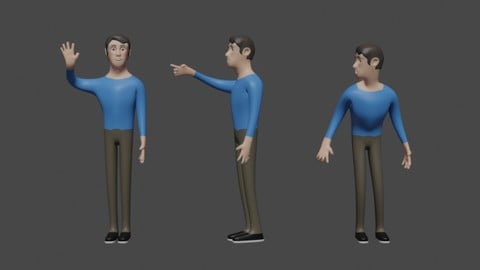

Architectural Design & Animation in Blender (2026)
4.6 (1,199 Reviews)
- Provider: Udemy
- Time: 8.2h
$19.99

Python Scripting for Blender: With Practical Projects (2026)
4.1 (774 Reviews)
- Provider: Udemy
- Time: 3.2h
$69.99
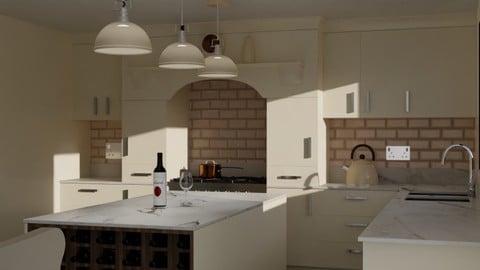
Interior 3D Modelling & Rendering - Blender 3D (2025)
4.6 (770 Reviews)
- Provider: Udemy
- Time: 13.3h
$119.99
More Blender courses

Low Poly Landscapes: Blender Bite Sized Course (2025)
4.9 (1,704 Reviews)
- Provider: Udemy
- Time: 6.2h
$99.99

Absolute Beginners 3D character in Blender course (2022)
4.9 (1,133 Reviews)
- Provider: Udemy
- Time: 14.5h
$94.99


Complete Blender Creator: 3D Modelling (Compatible with 4.3) (2026)
4.8 (69,132 Reviews)
- Provider: Udemy
- Time: 13.8h
$199.99

The Ultimate Blender 3D Sculpting Course (2026)
4.8 (3,904 Reviews)
- Provider: Udemy
- Time: 37.2h
$119.99

Blender Total! From Basic to Advanced 3D! (2025)
4.8 (2,407 Reviews)
- Provider: Udemy
- Time: 21.3h
$109.99
 Reviews

By Lara Alcantara on 11/5/2020
I miss how to rig
By Joshua Waheed on 10/4/2020
Good course. Thank you.
By Stanley Akuttey Mclaude on 8/16/2019
Fantastic course
By George Baker on 10/11/2017
The instuctions are easy to follow and the instuctor is very positive and knowledgeable. I feel that i will be able learn and grow my skills through these sections, which makes me happy. Thank you
By Oya Beklan Cetin on 2/9/2017
This course is the second part of "Create Your Own Character in Blender" course. It is a good opportunity to learn more about animation in Blender.
By Patrick Smith on 1/26/2017
The instructor was confident. He highlighted the basics of the Blender interface very quickly and clearly. I felt motivated to continue.
By Paul Kelly on 6/3/2016
Clear and easy to follow. Would highly recommend this course.
By Sagheer Ahmad Khan on 1/13/2016
cool
 Quality Score
No CourseDuck member has rated this course yet. Taken it? Give each part a thumbs up or down.
Overall Score : 90 / 100

- Video Duration:
 3.8h
3.8h - Price: $69.99
- Provider: Udemy
- Updated:
 August 2026
 - Level:
 Beginner
 - Language:
 English
 - Certificate:
 Yes
Yes
30-day money-back guarantee on most paid courses
Udemy Coupon Price Tracker
