
 Web Development
 Data Science
 Python
 SQL
SQL JavaScript
 Artificial Intelligence
 IT & Software
 IT Certifications
 Hacking
 AWS
AWS Arduino
 DevOps
 3D Modeling
 Graphic Design
 Photoshop
 Drawing
 Digital Painting
 UX Design
 Business
 Data Analysis
 Communication Skills
 Project Management
 Leadership & Management
 Human Resources
 Digital Marketing
 Social Media Marketing
 Marketing
 SEO
SEO Google Analytics
 Branding
 Excel
Excel Office Productivity
 SAP
SAP PowerPoint
 Microsoft Access
 SharePoint
 Finance & Accounting
 Trading & Investing
 Accounting
 Bitcoin
 Personal Finance
 Video Editing & Animation
 Photography
 Adobe Premier Pro
 Adobe Lightroom
 Personal Development
 Productivity
 Career Development
 Life Coaching
 Health & Fitness
 Meditation & Mindfulness
 Yoga
Yoga Music
Music Music Production
 Guitar
 Piano
Piano Singing
 Language Learning
 Teaching & Academics
 Engineering
 Math
Math Lifestyle
3D House in Blender: From CAD Plan to Render (Udemy.com)
Hands-on architectural 3D in Blender: design, model, and render a house.
Created by: Thomas McDonald
Last updated August 2026
 What you will learn
- Build a highly detailed 3D house model from the ground up
- Design accurate 2D layouts within Blender for seamless planning
- Render professional-quality camera views to showcase your work
- Gain a solid introduction to Blender 4’s essential tools and workflow
How it compares
Against the other 100 rated Udemy courses in Blender on CourseDuck:
- Rating4.6 out of 5higher than 38% of them
- Reviews365#58 of 101 by number of reviews
- Length4.6 hoursshorter than 81% of them
- Last updatedAugust 2026more recently than 93% of them
 Course Description
You want one house in Blender, modelled and rendered, without a long add-on tour. This is that project.
The course still sits on an older Blender 2.8 URL. The lessons are Blender 4. You start with 2D house layouts, bring a CAD file into 3D, and build the house at a scale you can measure. Archimesh handles doors and windows so you are not modelling every frame by hand. You model a doorway, add a drain pipe and furniture objects, then take the Garage Challenge to finish a part of the house on your own.
The add-ons are tools, not the course. The course is the house you finish. UV the model, render stills, and you leave with pictures of a house you designed, modelled, and rendered yourself, not a pile of unused menus.
Use it as a second architecture project after Architectural Design & Animation, or as a simpler first house if you do not need the construction animation yet.
What you work through
2D house layouts
3D from a CAD file
Archimesh doors and windows
Modelling the doorway
Drain pipe and furniture
Garage Challenge
UVs and rendering the house in Blender 4
Who this is for Beginners and intermediates who learn by finishing one house.
Who this is not for If you need Archimesh plus a construction animation, take Architectural Design & Animation first.

 Udemy Discount
The discount is applied through our link. Open the course from here and Udemy's current promotional price is applied at checkout on most courses, no code to type.
Some courses are excluded from Udemy's promotions. If the price does not drop, clear your browser cookies and use the button again.
Instructor Details

- 4.6 Rating
 365 Reviews
Thomas McDonald
Thomas is a 3D designer, Python automation specialist, and dedicated Udemy instructor based in Ireland, passionate about technology and empowering creativity. With expertise in 3D CAD, Blender, and Python scripting, he creates automation tools and leverages Blender Python to simplify complex design workflows. Through his engaging Udemy courses, Thomas teaches 3D software and techniques, guiding students to transform their creative ideas into stunning realities. With 12 years of experience in design and technology, he’s committed to sharing innovative tools and insights to inspire learners worldwide.
 More courses by Thomas McDonald

Touch Typing Mastery - Learn to type correctly (2026)
4.5 (5,144 Reviews)
 Provider: Udemy
 Time: 2.5h
$74.99

3D Printing from Zero to Hero in Blender – FDM & MSLA (2026)
4.6 (2,203 Reviews)
- Provider: Udemy
- Time: 10.3h
$149.99
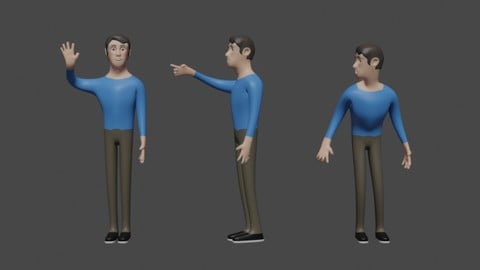

Architectural Design & Animation in Blender (2026)
4.6 (1,199 Reviews)
- Provider: Udemy
- Time: 8.2h
$19.99

Python Scripting for Blender: With Practical Projects (2026)
4.1 (774 Reviews)
- Provider: Udemy
- Time: 3.2h
$69.99
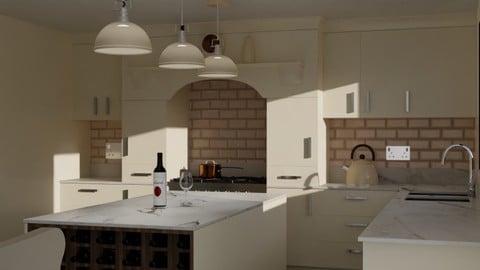
Interior 3D Modelling & Rendering - Blender 3D (2025)
4.6 (770 Reviews)
- Provider: Udemy
- Time: 13.3h
$119.99
More Blender courses

Low Poly Landscapes: Blender Bite Sized Course (2025)
4.9 (1,704 Reviews)
- Provider: Udemy
- Time: 6.2h
$99.99

Absolute Beginners 3D character in Blender course (2022)
4.9 (1,133 Reviews)
- Provider: Udemy
- Time: 14.5h
$94.99


Complete Blender Creator: 3D Modelling (Compatible with 4.3) (2026)
4.8 (69,132 Reviews)
- Provider: Udemy
- Time: 13.8h
$199.99

The Ultimate Blender 3D Sculpting Course (2026)
4.8 (3,904 Reviews)
- Provider: Udemy
- Time: 37.2h
$119.99

Blender Total! From Basic to Advanced 3D! (2025)
4.8 (2,407 Reviews)
- Provider: Udemy
- Time: 21.3h
$109.99
 Reviews

By Vladimir Pavlovic on 11/19/2025
Even when I follow the lessons step by step, sometimes things just don’t work as expected. For example, while working on the roof, I couldn’t ‘cut’ certain parts until I merged the vertices and made the mesh watertight (Shift + N). Some really minor things, such as "how to apply modifier" take a lot of time to find out that the cursor needs to be on the modifier while applying using CTRL+A, making you lose focus. Please be a bit more detailed about such important stuff. Besides that, all good!
By Benjamin Rolle on 6/29/2025
Great course when I first started the course I jump around to different sections and watched just to see what I was going to learn from this course being that I took other courses and got stuck for hours and days just because the instructor started just clicking and moving through the course like it was a YouTube tutorial this course is the opposite this course is amazing and packed with understanding the teacher knows how to teach if you want to learn this you won't regret taking this course.
By Marton Fekete on 5/12/2021
Very useful course to getting started with architectural design in Blender. Sometimes there are problems with the measures between the reference pictures and the archipack modelling tools, but aside that using these tools are really convenient and can accelerate the assembly process. Overall I can recommend this course, it helps to grasp the fundamentals for more advanced modular design projects in other future projects.
By Michael Bartlett on 9/8/2020
I'd like more explanations on what features are when you are talking about them, for example the 'Cursor' in the middle of the cube. No idea what that does, just sorta how to move it. Likewise with what is the purposes of installing ArchiPack, Wrangler & MeasureIt add-ons.
By Asaf Arazi on 5/4/2020
Great combination of practice and explanation along with consistent working method step by step you get to control the various tools and workflow. after many online courses in this field i feel that i found the correct one for me. Thanks for that and Keep up the good work.
By Tom Wallace on 12/21/2019
I had/am having a really hard time with the course. I have a model but everything takes me multiple attempts to get right or close to it. I’ve learned a great deal about keyboard shortcuts, collections and blenders pipeline. I just wish I was better at it.
By Tony Mbatia on 12/1/2019
Great intro to the process of modelling Architecture in the new blender 2.8. with the added bonus of learning the workflow from a teacher who clearly uses blender in day to day Arch Viz work. Thanks Thomas, a lot of takeaways from this course that I can apply to real world work immediately.
By Alexander Krikunov on 9/4/2019
Well i'm not that far into the course but i am pleasantly surprised, the teacher is very clear and explains every move he does, very accurate and no shortcuts, which is what i was looking for, i really like his pace, and any question that arise in my head while im watching get answered by the end of the same video so i'm not left scratching my head, very very consistent in his procedure, loving it so far!
By Walt Miller on 5/10/2019
This is one of the best Udemy courses I've taken. The lesson plans are progressive and very well thought out. The instructor is easy to understand and the lessons move at just the right pace. And importantly, the instructor is there in Q&A to answer questions. I look forward to taking more tutorials by this instructor. Thank you Thomas for this great course.
By Michele Larini on 4/17/2019
This course is great and shows how to automate the modeling process and solve all the problems faced during the work. The building created in these lessons is not an easy one, especially when it comes to the roof part, and this is the thing I have most appreciated. I think Thomas is one of the best Blender instructors here at Udemy as he is very clear, knowledgable and doesn't miss any step in the process. I hope there will be a future update or another complete course about the paid version of ArchiPACK (ArchiPACK 2) which has great features and simplifies a lot the architectural modeling process.
 Quality Score
No CourseDuck member has rated this course yet. Taken it? Give each part a thumbs up or down.
Overall Score : 92 / 100

- Video Duration:
 4.6h
4.6h - Price: $79.99
- Provider: Udemy
- Updated:
 August 2026
 - Level:
 All Levels
 - Language:
 English
 - Certificate:
 Yes
Yes
30-day money-back guarantee on most paid courses
Udemy Coupon Price Tracker
