
 Web Development
 Data Science
 Python
 SQL
SQL JavaScript
 Artificial Intelligence
 IT & Software
 IT Certifications
 Hacking
 AWS
AWS Arduino
 DevOps
 3D Modeling
 Graphic Design
 Photoshop
 Drawing
 Digital Painting
 UX Design
 Business
 Data Analysis
 Communication Skills
 Project Management
 Leadership & Management
 Human Resources
 Digital Marketing
 Social Media Marketing
 Marketing
 SEO
SEO Google Analytics
 Branding
 Excel
Excel Office Productivity
 SAP
SAP PowerPoint
 Microsoft Access
 SharePoint
 Finance & Accounting
 Trading & Investing
 Accounting
 Bitcoin
 Personal Finance
 Video Editing & Animation
 Photography
 Adobe Premier Pro
 Adobe Lightroom
 Personal Development
 Productivity
 Career Development
 Life Coaching
 Health & Fitness
 Meditation & Mindfulness
 Yoga
Yoga Music
Music Music Production
 Guitar
 Piano
Piano Singing
 Language Learning
 Teaching & Academics
 Engineering
 Math
Math Lifestyle
Bathroom Interior in Blender: Model and Render (Udemy.com)
Architectural visualization in Blender: floor plans, rooms, custom furniture, PBR materials, and lighting.
Created by: Thomas McDonald
Last updated August 2026
 What you will learn
- Develop your creative and technical skills to create photo realistic architectural scenes and beautiful 3D models
- Develop ideas and transform them from 2D into 3D environments
- Create materials for your 3D objects in Blender
- Create unique and stunning 3D models
- How to use multiple cameras types inside Blender to achieve 2D and 3D render results for your architectural projects
- Discover Blender's grease pencil and start drawing on your screen
- How to use multiple cameras inside Blender to achieve 2D and 3D results
- Manage your architectural design projects using the layer management system in Blender
- How to use environment textures to get real world lighting conditions inside Blender
- How to use the Archimesh add-on to quickly and easily add architectural elements to your 3D scene
- How to use the Measureit add-on in Blender to add dimensions and render out detailed architectural layouts
How it compares
Against the other 100 rated Udemy courses in Blender on CourseDuck:
- Rating4.6 out of 5higher than 38% of them
- Reviews481#49 of 101 by number of reviews
- Length7.2 hoursshorter than 59% of them
- Last updatedAugust 2026more recently than 93% of them
 Course Description
8. Throughout this course you'll be learning how to create a photo realistic interior bathroom scene. We also look at rendering with the new Real time render engine Eevee. This is a great skill to have especially for 3D artists creating interior architectural spaces. We begin by exploring some creative tools in blender and sketch out our designs before turning them into a 2D floor plan. The next step is to transform these designs into 3D by modelling the elements of our interior scene. Here we will discover some very useful and powerful add-ons that assists in the creation of walls, doors and windows. Next you will learn to 3D model all the objects within the bathroom to give your scene a completed look. This is the where most of the hard work is done. The next stage is lighting. This is such an important aspect of interior architectural renders so we will use a high dynamic range image to light the scene, and give us real world lighting results. This leads us to materials and textures where you will learn to use Blenders material nodes to add a realistic material to everything in the scene. This is the fun part where you finally get to see how your scene looks when we preview a render.
By the end of this course you will be able to use the methods andtechniquesdemonstrated n this course to design, model and render your own unique3D models. Learn the basic concepts, tools and processes you will needto design and 3Dmodel interior scenes.
Content and OverviewThis course isproject basedwhere wewillcoverthe process of creating2D drawing layoutsin Blender. Using these layouts we will 3D model all the architectural elements from our design. Usingreal world lightingconditions you willbring yourmodern bathroomto the final stages andrender the final result..
In this course you are going to learn the whole process of creating a photo realistic interior bathroom scene. The course uses the very powerful free and open source software suite Blender.
The course is designed for practical learning that walks you step by step through the process from laying out your ideas on screen to creating custom 3D models, right the way through to adding materials, lighting, cameras and rendering the final scene.
When you complete this course you will be able to use Blender as the complete drafting and 3D visualization package. With the latest release of Blender comes a feature packed design suite waiting to be discovered.
This course is apractical approachand will allow you to developthe skills of 3Dmodeling while also seeing the result of our progress in real time. Learn the process of manipulating Blender to get the results you require and solve any tasks quickly and easily. The course takes you step by step through the process of modeling, adding material and rendering the final result.
The lessons are taught withpractical examplesand aimed at completing the architectural design project. Learning Blender doesn't need to be difficult and you should enjoy thejourneyas you create some amazing architectural renders and 3D models. This 3D design course will take you step by step through each critical stage and help you develop your skills along the way.
Learn how to design in this amazingly powerful 3D production suite and start designing architectural 3D models, design for 3D games, design unique 3D assets, design for 3D printed objects, or create amazing art work. Architectural visualizationin Blender will allow you to impress your clients with photo realistic animations and images of their proposed designs.
Take total controlDesign floor plans with easeLearn how to quickly add rooms to the sceneLearn how to create yourdesigned custom 3D modelsAdd real world material to your sceneLearn how to add real world lighting for that added realismBy learning Blender you will have complete control of everydesign elementaddingyour own style to every project. So jump in andstart creatingtoday!
Who this course is for:
Students who want to learn a free design package for their own professional useThis course is for interior designers who want to develop their architectural design capabilities in a full free 3D design suiteThis course is for students who have little or no knowledge of Blender

 Udemy Discount
The discount is applied through our link. Open the course from here and Udemy's current promotional price is applied at checkout on most courses, no code to type.
Some courses are excluded from Udemy's promotions. If the price does not drop, clear your browser cookies and use the button again.
Instructor Details

- 4.6 Rating
 481 Reviews
Thomas McDonald
Thomasis a designerliving in Ireland. Hehas a passion for 3D modelling and animation and using Blenders powerful software allows his imagination come to life like never before.
Over the past 12 years hes worked on various 3D Modelling programs designing for production. Having discovered Blender a number of years ago and realized its amazing potential for creating, the future has no limits.
 More courses by Thomas McDonald

Touch Typing Mastery - Learn to type correctly (2026)
4.5 (5,144 Reviews)
 Provider: Udemy
 Time: 2.5h
$74.99

3D Printing from Zero to Hero in Blender – FDM & MSLA (2026)
4.6 (2,203 Reviews)
- Provider: Udemy
- Time: 10.3h
$149.99

Architectural Design & Animation in Blender (2026)
4.6 (1,199 Reviews)
- Provider: Udemy
- Time: 8.2h
$19.99

Python Scripting for Blender: With Practical Projects (2026)
4.1 (774 Reviews)
- Provider: Udemy
- Time: 3.2h
$69.99
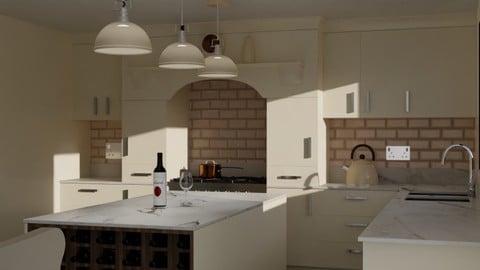
Interior 3D Modelling & Rendering - Blender 3D (2025)
4.6 (770 Reviews)
- Provider: Udemy
- Time: 13.3h
$119.99
More Blender courses

Low Poly Landscapes: Blender Bite Sized Course (2025)
4.9 (1,704 Reviews)
- Provider: Udemy
- Time: 6.2h
$99.99

Absolute Beginners 3D character in Blender course (2022)
4.9 (1,133 Reviews)
- Provider: Udemy
- Time: 14.5h
$94.99


Complete Blender Creator: 3D Modelling (Compatible with 4.3) (2026)
4.8 (69,132 Reviews)
- Provider: Udemy
- Time: 13.8h
$199.99

The Ultimate Blender 3D Sculpting Course (2026)
4.8 (3,904 Reviews)
- Provider: Udemy
- Time: 37.2h
$119.99

Blender Total! From Basic to Advanced 3D! (2025)
4.8 (2,407 Reviews)
- Provider: Udemy
- Time: 21.3h
$109.99
 Reviews

By Kris Ma on 11/14/2020
Thomas is great instructor.
In this course I learned how to model few different types of objects and incorporate them together in one scene, and I think I learned a lot. Thomas is teaching us how to use shortcuts just from the beginning, so till the end of this course I learned how to use them and speed the process of modeling. Also, I have to mention that he answered all my question in a really short time, and helped me to solved the problems. I would recommend this course.
By Wayne Myer on 10/9/2020
A written description of hotkeys and topics would be helpful.
By Greg Beams on 10/1/2020
This is more of an intermediate course for Blender as the instructor covers things quickly but very effectively. I appreciated the fact that he didn't reiterate the basics but rather covered them as he went through them, quickly moving into the more advanced features and how to effectively use them to model and shade the scene.
By Raunak Singh Matharou on 9/25/2020
very good and awesome course
By Jamelah Almaliki on 9/25/2020
I like the courser, I learn the basic very easy and I can start modeling.
By Michael Aizenshtein on 8/22/2020
Very interesting course.
Learned a lot!
Thank you!
By Christian Graham on 8/19/2020
I enjoyed the course and was able to take a few things from the modelling parts, but overall I felt that not enough of the process was explained in detail or expanded upon, especially materials and render settings for both Eevee and Cycles. The course felt rushed, and is less than half the stated length because the old course (made in an older version of blender) has been left in. I'm happy I got this at a heavy discount, otherwise I would have been upset with paying the full price for the content included.
By Ruma M on 8/12/2020
It is a very detailed course. The tutor is extremely skilled in this software and provides all the tips and short cuts, at various stages making it easy for the students. I thoroughly enjoyed the course.
Thanks a ton to the tutor and Udemy..
By Sauhardo Sengupta on 6/27/2020
it was pretty good
By Harshada Ahire on 6/19/2020
Explaining to fast
By Madina Jah on 6/16/2020
Thomas is a great instructor and he goes out of his way to answer questions when I don't know if he needs to. He tries his best in the tutorials to explain as easy as possible. I am an absolute beginner and this course was easy for me to understand. Best advice is to always research on your own first of the questions you have so you are use to finding out answers yourself. All that is left is practice and to try to remember all the steps. Thank you Thomas!
By Hiroshi Matoba on 5/23/2020
This course does not include "ArchiPack" addon which is included in his different course. I would recommend checking all of his courses before purchase. Otherwise, you could end up purchasing multiple courses which seems quite duplicated each other.
 Quality Score
No CourseDuck member has rated this course yet. Taken it? Give each part a thumbs up or down.
Overall Score : 92 / 100

- Video Duration:
 7.2h
7.2h - Price: $99.99
- Provider: Udemy
- Updated:
 August 2026
 - Level:
 All Levels
 - Language:
 English
 - Certificate:
 Yes
Yes
30-day money-back guarantee on most paid courses
Udemy Coupon Price Tracker
