
 Web Development
 Data Science
 Python
 SQL
SQL JavaScript
 Artificial Intelligence
 IT & Software
 IT Certifications
 Hacking
 AWS
AWS Arduino
 DevOps
 3D Modeling
 Graphic Design
 Photoshop
 Drawing
 Digital Painting
 UX Design
 Business
 Data Analysis
 Communication Skills
 Project Management
 Leadership & Management
 Human Resources
 Digital Marketing
 Social Media Marketing
 Marketing
 SEO
SEO Google Analytics
 Branding
 Excel
Excel Office Productivity
 SAP
SAP PowerPoint
 Microsoft Access
 SharePoint
 Finance & Accounting
 Trading & Investing
 Accounting
 Bitcoin
 Personal Finance
 Video Editing & Animation
 Photography
 Adobe Premier Pro
 Adobe Lightroom
 Personal Development
 Productivity
 Career Development
 Life Coaching
 Health & Fitness
 Meditation & Mindfulness
 Yoga
Yoga Music
Music Music Production
 Guitar
 Piano
Piano Singing
 Language Learning
 Teaching & Academics
 Engineering
 Math
Math Lifestyle
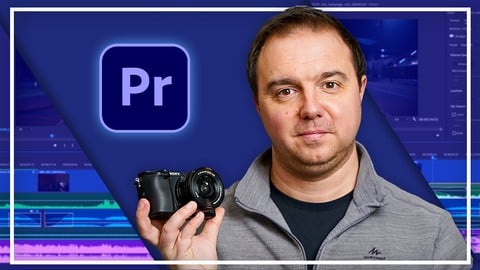
Complete Adobe Premiere Pro Megacourse: Beginner to Expert (Udemy.com)
Learn how to edit videos and produce like a pro with this step-by-step course!
Created by: Skillademia Academy
Last updated March 2026
 What you will learn
- How to use Premiere Pro and its elements
- The interface and different tools of Premiere Pro
- The principles of video editing
- Tips and best practices for interpreting media
- How to create and work with sequences
- How to manipulate media
- How to do transitions
- Different keyboard shortcuts and how to use them in the best way
- How to add and use audio in your videos
- The principles of colour correction and grading
- How to use graphics and animate
- How to use plug-ins in the most efficient way
- How to edit specific types of video (e.g., wedding, travel, vintage, etc.)
- Advanced audio techniques
- How to apply different styles and effects to your videos
How it compares
Against the other 78 rated Udemy courses in Adobe Premier Pro on CourseDuck:
- Rating4.5 out of 5higher than 46% of them
- Reviews773#16 of 79 by number of reviews
- Length50.3 hourslonger than 100% of them
- Last updatedMarch 2026more recently than 88% of them
 Course Description
Learn video editing with Adobe Premiere Pro!
Edit like a pro!
Have you ever wanted to edit your own videos? In the era of Mirrorless Cameras and smartphones, we all take hundreds of videos each year. Maybe you want to trim a video or make a montage of your child’s first years or your recent trip. Whether you’re a casual video shooter or hoping to make a career out of it, editing videos isn’t only for the pros.
In this course, you’re going to learn everything you need to know to get you started with video creation in Adobe Premiere Pro. From importing and organizing your footage in the library to trimming, transitioning, adding effects, and finally to getting your video ready to post in the best quality. You’ll even learn the best way to deal with slow-mo footage, shaky video and making the most out of that too bright or too dark video. Finally, you will learn many different styles of editing various types of videos by applying advanced techniques.
Our instructors have years of experience not only in video editing, but also in teaching, and the expertly-crafted syllabus is designed to be easy to follow and thorough. We’ve even included plenty of examples designed on-screen for you to study. That’s why this is the only Adobe Premiere Pro course you’ll ever need to edit and design videos like a pro!
Start your video editing journey today!
After taking this course you’ll be able to:
Use Adobe Premiere Pro professionally
Import, edit and export your videos
Set up Premiere Pro and organize your footage
Add audio and create professional transitions
Apply color correction and grading
Add motion, graphics, and subtitles
Edit in different styles and apply effects

 Udemy Discount
The discount is applied through our link. Open the course from here and Udemy's current promotional price is applied at checkout on most courses, no code to type.
Some courses are excluded from Udemy's promotions. If the price does not drop, clear your browser cookies and use the button again.
Instructor Details

- 4.5 Rating
 773 Reviews
Skillademia Academy
At Skillademia, we deliver hands-on, practical learning for passionate and driven learners. Our step-by-step courses cover essential creative disciplines and cutting-edge AI skills - taking you from solid foundations to advanced expertise.
Whether you’re starting your journey or aiming to take your skills to the next level, you’ll find learning experiences designed to ignite inspiration and deliver real, measurable progress. Every lesson empowers you to create, innovate, and thrive in today’s fast-paced, tech-driven world.
Learn anytime, anywhere - our courses are available 24/7, and every enrollment comes with a 30-day money-back guarantee for complete peace of mind.
Join us and master future-ready skills that open doors to new opportunities!
 More courses by Skillademia Academy

Complete Blender Megacourse: Beginner to Expert 3D Artist (2026)
4.2 (11,017 Reviews)
 Provider: Udemy
 Time: 134.3h
$109.99
Complete Figma Megacourse: UI/UX Design Beginner to Expert (2026)
4.5 (5,251 Reviews)
- Provider: Udemy
- Time: 41.4h
$99.99
Complete PowerPoint Megacourse: Beginner to Expert (2025)
4.4 (1,359 Reviews)
- Provider: Udemy
- Time: 45.7h
$54.99
Complete Adobe Photoshop Megacourse: Beginner to Expert (2026)
4.3 (923 Reviews)
- Provider: Udemy
- Time: 49.6h
$64.99
Unreal Engine 5 Megacourse: Create Games in UE5 & Blender (2025)
4.4 (885 Reviews)
- Provider: Udemy
- Time: 33h
$109.99

Complete Excel Bundle: 5-in-1 Beginner to Advanced Course (2026)
4.7 (875 Reviews)
- Provider: Udemy
- Time: 78.5h
$64.99
More Adobe Premier Pro courses

The Complete Adobe Premiere Pro Video Editing Bootcamp (2025)
4.9 (7,316 Reviews)
- Provider: Udemy
- Time: 9.7h
$139.99

Video Editing complete course | Adobe Premiere Pro CC 2021
4.8 (529 Reviews)
- Provider: Udemy
- Time: 14.4h
$22.99

Adobe Premiere Pro CC – Essentials Training Course (2025)
4.7 (11,647 Reviews)
- Provider: Udemy
- Time: 15.8h
$129.99

Adobe Premiere Pro CC – Advanced Training Course (2025)
4.7 (1,922 Reviews)
- Provider: Udemy
- Time: 16.3h
$94.99

Adobe Premiere Pro Video Editing Course Beginner to Pro (2024)
4.7 (686 Reviews)
- Provider: Udemy
- Time: 9.1h
$54.99

Learn Video Editing with Premiere Pro CC for beginners (2015)
4.7 (476 Reviews)
- Provider: Udemy
- Time: 3.9h
$64.99
 Reviews

By Ahmed Mohamed Hassan on 7/11/2026
This is one of the best Adobe Premiere Pro courses I have taken. The instructor explains everything step by step, making it easy for beginners while also covering advanced techniques. I learned video editing, motion graphics, effects, color correction, audio editing, and many practical workflows that I can apply to real client projects. The course greatly improved my editing skills and gave me the confidence to work professionally. Thank you for creating such a comprehensive and valuable course. Highly recommended!
By Elijah Githuku Kamau on 7/10/2026
A professionally designed course that delivers real value. The concepts are explained clearly, the workflow is practical, and every lesson contributes to becoming a more confident editor. Highly recommended.
By Nneka on 7/28/2025
it's very good but it is not too engaging and its mostly speaking and when u come for this kind training u expect to more hand on like more practical but its also good that he is sharing his journey in it but h makes it look like if u are going to be successful using this tool u there is a way u have to follow but if u follow any other way that u will not that successful as is u follow that way
By Arnav Raj on 6/30/2025
They explain each and every part in detail. Initial man explains everything in detail like the interface, shortcut keys that helps to complete the task in less time which is very good for beginner like me. The Woman explains very well in brief she explained each lesson in a calm way especially the color grading and transition one. Thank you so much to Creativity Unleashed Team.
By Soham Bhattacharjee on 5/21/2025
Excellent course! I really like Adam, and his way of explaining things throughout the course. Initially, some people may find the chapters slow as Adam goes through the theoretical principles (which I personally like) but as the course progresses it really does a fantastic job in explaining all the practicalities of video editing in Premiere Pro. Bear in mind that this course also includes basics of After Effects when learning Advanced Techniques of video editing in Section 20, which is absolutely ingenious of Adam to include in this course. The only reason I've given 4 stars is because lack of resource materials in the Advanced Techniques (Section 20). I really can't afford subscriptions of sites providing stock footages, and images. So, i had go through the internet to find similar free stock footages to work with them, and that's really very frustrating. Edit: Now, I'm giving this course a 3 star because in the second half of the course where the woman instructor comes in, she did not always explain 'WHY' we are adding things onto a video clip and 'HOW' certain things work. For example, she did not explain how the 'EXTRACT' effect work in the section 'Transitions' under 'Sweeping Glow' and i have to google it to understand the effect itself.
By Nazrul Hassan on 4/16/2025
I bought another course in udemy before this one, that one is good, but explanation was not this detailed.This course is great I left following that one and following this one.Tutor explanation is in-depth and it helped me understand concept better.I gave it 3.0 because course needs updation and I faced problem with font size of the video .It was small.Also in advance techniques he is teaching after effects.I highly recommend this course.I am 1/4 through the course.
By Sebinio Theunissen on 1/10/2025
Course material is outdated for Pr 2025 versions, so there is some self-searching involved to try and find similar effects and abilities to finish projects. Still A great lecturer who knows how to conduct himself and very easy to learn from! Using Ae in conjunction with Pr is such a bonus and exactly what I need to be learning to do this a career and being professional at the same time! Love it, Adam!
By Georgia Kingston on 9/16/2024
A really good course, tools were explained clearly from the beginning and the instructor even shows you how to optimize your workspace- to avoid pointless tools cluttering the screen and making the software more confusing. Highly recommend, this course is suitable for beginners.
By Adesanya Gbenga on 11/17/2022
The tutor is highly knowledgeable, and he teaches at a comfortable speed. It is clear that he intends to make every student understand Premiere Pro. I am glad I bought this course. After taking the class to a considerable level, the teacher still deserves his 5 stars. However, the introduction of After Effects (AE) and the creation of some videos on After Effects are unnecessary. The After Effects section almost threw me off balance because he did not give a thorough background in it before using various AE tools and applications. I sincerely suggest that the class should strictly stay on Premiere Pro. All the AE sections should be removed because the tutor did not provide a background class on AE before apply its tools.
By Saurav Chauhan on 9/21/2022
If you are a complete beginner and you want to learn adobe pr pro from scratch This is the right course for you. One important thing you have to be patient as the master digs deep into the fundamentals and explains every single thing that he does(that may be time-consuming if you are already familiar with the basic and intermediate levels). I love the pr pro and advance (Ae) section Editing section. Thank you so much for this wonderful amazing course.
 Quality Score
No CourseDuck member has rated this course yet. Taken it? Give each part a thumbs up or down.
Overall Score : 90 / 100
- Video Duration:
 50.3h
50.3h - Price: $59.99
- Provider: Udemy
- Updated:
 March 2026
 - Level:
 All Levels
 - Language:
 English
 - Certificate:
 Yes
Yes
30-day money-back guarantee on most paid courses
Udemy Coupon Price Tracker
