
 Web Development
 Data Science
 Python
 SQL
SQL JavaScript
 Artificial Intelligence
 IT & Software
 IT Certifications
 Hacking
 AWS
AWS Arduino
 DevOps
 3D Modeling
 Graphic Design
 Photoshop
 Drawing
 Digital Painting
 UX Design
 Business
 Data Analysis
 Communication Skills
 Project Management
 Leadership & Management
 Human Resources
 Digital Marketing
 Social Media Marketing
 Marketing
 SEO
SEO Google Analytics
 Branding
 Excel
Excel Office Productivity
 SAP
SAP PowerPoint
 Microsoft Access
 SharePoint
 Finance & Accounting
 Trading & Investing
 Accounting
 Bitcoin
 Personal Finance
 Video Editing & Animation
 Photography
 Adobe Premier Pro
 Adobe Lightroom
 Personal Development
 Productivity
 Career Development
 Life Coaching
 Health & Fitness
 Meditation & Mindfulness
 Yoga
Yoga Music
Music Music Production
 Guitar
 Piano
Piano Singing
 Language Learning
 Teaching & Academics
 Engineering
 Math
Math Lifestyle
Complete Guide to Soft Body Physics Simulation in Blender 3D (Udemy.com)
Learn all about the Soft Body Physics Simulation in Blender while Creating Satisfying Animations
Created by: Stephen Pearson
Last updated September 2025
Our take
Based on the ratings of 218 students, a sample of their written reviews and the syllabus, as the course stood in September 2025. No course pays to be reviewed.
Stephen Pearson's course is a narrow look at one Blender feature, soft body physics. It runs about 2.4 hours over 29 lectures. The opening sections walk through the settings and the effectors. Then come three builds: crushing a soda can, animating Tetris pieces, and sending a sphere through an obstacle course. It was last updated in September 2025, so it is not stale. The requirements ask for some prior Blender experience, and one reviewer calls the level basic to intermediate.
Students mostly praise the teaching. Reviewers call it clear and easy to follow, and one likes the side-by-side animations that show what each setting changes. One says the lessons are edited tightly, with no padding, and that you could finish in a day or two. Another mentions quick support. The complaints are specific. One reviewer says each lesson opens with many values already set and no base files, which makes following along hard. Another wanted more on tuning sim settings, which is the tricky part.
About 145 of the 218 ratings are five stars, and only three are one or two stars. The course is short, so the time risk is low. It suits someone who wants the logic behind the sliders. Expect to experiment on your own, since a reviewer said they had to tweak values beyond what was shown. The requirements also warn that the simulations are heavy on the CPU.
Pros
- Side-by-side animations show what each soft body setting actually changes
- Tight, edited lectures with no filler; one reviewer says it can be done in a day or two
- Three finished scenes: a soda can crush, Tetris pieces and an obstacle course
- Refreshed in September 2025, and a reviewer mentions responsive instructor support
Cons
- One reviewer says lessons start with values preset and no base files are given
- One 4-star reviewer wants more on tuning sim settings, which they call the hardest part
- English only, and the simulations can be heavy on a slower CPU
Fantastic course! Really well explained, very easy to follow. You will come away with a good understanding of soft-bodies, enough start experimenting yourself and know what all the properties/settings actually do.
Listed for all levels, but one reviewer calls it basic to intermediate and the requirements ask for some Blender experience.
 What you will learn
- The student will be able to use the soft body simulation efficiently.
- The student will know all the functions and settings in the soft body simulation.
- The student will have increased his/her skills in Blender
Course content
6 sections · 29 lectures · 2.4 hours of video 1 quiz, 1 assignment, 1 article
- 1Introduction to Soft Body Physics 2 free previews4 lectures · 25 min
- 2Soft Body Settings7 lectures · 1 quiz · 38 min
- 3Soft Body Effectors5 lectures · 1 quiz · 19 min
- 4Crushing a Soda Can4 lectures · 15 min
- 5Creating Tetris with the Soft Body Simulation3 lectures · 18 min
- 6Soft Body Obstacle Course Animation6 lectures · 30 min
Who it is for
The instructor says it suits
- Anyone who wants to improve their skills in Blender
- Anyone who wants to learn about the soft body simulation in Blender
What you need before you start
- Some prior experience with Blender is very helpful.
- This course is a little CPU intensive so some computers might have a hard time.
- A 3 button mouse will make your life so much easier.
How it compares
Against the other 100 rated Udemy courses in Blender on CourseDuck:
- Rating4.6 out of 5higher than 38% of them
- Reviews218#71 of 101 by number of reviews
- Length2.4 hoursshorter than 94% of them
- Last updatedSeptember 2025more recently than 63% of them
 Course Description
Do you find simulations to be hard to understand? Or have trouble learning them? Learning Blender simulations is quite daunting and can be very frustrating at times. That is why I created this course. In this course you will learn all about the soft body simulation in Blender! Basically, if you don't know, the soft body simulation is a way to add physics to your objects. It allows you to create flags, clothing, cushions, bouncing balls, and about anything you can think of. We will be going into detail on each setting and how it all works. In the first couple sections we discuss the different options and values and how they effect the simulation.
After that we will be creating 3 different complete scenes using the soft body simulation. The first one is a soda can getting crushed. We will first start out by modeling the soda can adding a texture to it and then using the soft body simulation we will crush it.
The second tutorial we will be creating Tetris in Blender. After modeling the pieces I will describe how to add the soft body simulation to each one and render it out.
Finally the last section we will be learning how to create an obstacle course for a sphere to go through. In this section you will learn about modeling, animating materials, hair dynamics and much more!
If you are wanting to learn more about Blender's Soft body Simulation or if you just want to improve your skills in Blender this course is for you!
Programs that are used in this course: Blender
I hope you are excited to jump into this course and create your own simulations!
Can't wait to see what you create.
Thanks
Stephen

 Udemy Discount
The discount is applied through our link. Open the course from here and Udemy's current promotional price is applied at checkout on most courses, no code to type.
Some courses are excluded from Udemy's promotions. If the price does not drop, clear your browser cookies and use the button again.
Instructor Details

- 4.6 Rating
 218 Reviews
Stephen Pearson
Hello! Thank you for stopping by and reviewing my Blender course. My goal is to help you become the graphic designer you've always dreamed of becoming AND - have a blast doing it. Working with Blender and creating amazing 3D graphics is amazing and anyone can learn it.
I really enjoy teaching others what I know. I appreciate each and every one of my students. Please let me know if I can help you perfect your Blender graphics!
 More courses by Stephen Pearson

Create & Design a Modern Architecture House in Blender 3D (2025)
4.7 (1,662 Reviews)
 Provider: Udemy
 Time: 5h
$19.99
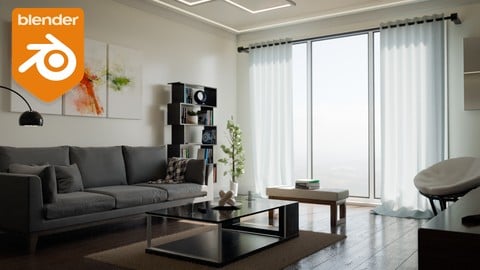
Create & Design a Modern Interior in Blender 3D (2025)
4.6 (966 Reviews)
- Provider: Udemy
- Time: 4h
$79.99

The Complete Guide to the Fluid Simulation in Blender (2024)
4.6 (711 Reviews)
- Provider: Udemy
- Time: 3.5h
$94.99
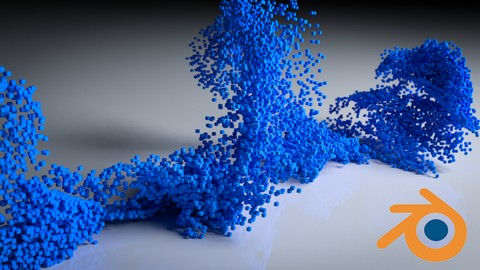
Beginners Guide to the Particle System in Blender 3D (2025)
4.7 (440 Reviews)
- Provider: Udemy
- Time: 4.8h
$74.99
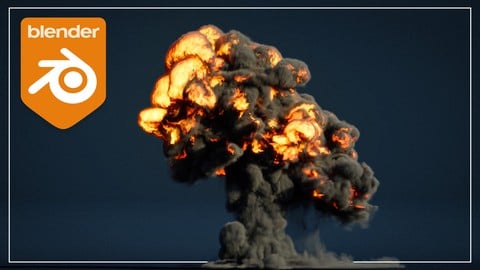
Complete Guide to the Fire & Smoke Simulation in Blender 3D (2025)
4.7 (409 Reviews)
- Provider: Udemy
- Time: 5.2h
$79.99
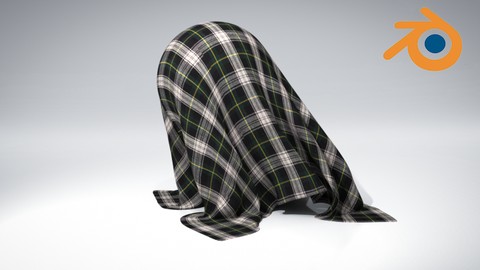
The Complete Guide to the Cloth Simulation in Blender 3D (2025)
4.6 (235 Reviews)
- Provider: Udemy
- Time: 1.8h
$11.99
More Blender courses

Low Poly Landscapes: Blender Bite Sized Course (2025)
4.9 (1,704 Reviews)
- Provider: Udemy
- Time: 6.2h
$99.99

Absolute Beginners 3D character in Blender course (2022)
4.9 (1,133 Reviews)
- Provider: Udemy
- Time: 14.5h
$94.99


Complete Blender Creator: 3D Modelling (Compatible with 4.3) (2026)
4.8 (69,132 Reviews)
- Provider: Udemy
- Time: 13.8h
$199.99

The Ultimate Blender 3D Sculpting Course (2026)
4.8 (3,904 Reviews)
- Provider: Udemy
- Time: 37.2h
$119.99

Blender Total! From Basic to Advanced 3D! (2025)
4.8 (2,407 Reviews)
- Provider: Udemy
- Time: 21.3h
$109.99
 Reviews

By Tomasz W on 10/8/2024
Kurs dobry, ale wymagał ode mnie wielu prób symulacji z różnymi ustawieniami parametrów. Często musiałem zastosować trochę inne parametry od tych w kursie dla obiektów symulowanych Soft Body. Takie rozwiązane problemy są bardzo ważne, bo wiele więcej można się nauczyć podczas rozwiązywania problemów. Dużo czasu zużyłem, ale warto zrobić taką inwestycję. Dziękuję za bardzo dobry kurs. == :-) The course is good, but it required me to try simulations with different parameter settings. I often had to use slightly different parameters than those in the course for Soft Body simulated objects. Such solved problems are very important, because you can learn a lot more while solving problems. I used up a lot of time, but it is worth making such an investment. Thank you for a very good course.
By Corey and Giselle M on 5/12/2024
These Simulation Courses are a gold mine. I bought every single one except for the Cloth one and i believe this one was my favorite so far. the next two on the list are the Particle system and Dynamic Paint :)
By Schirley Amaral on 9/1/2023
It is amazing, I loved the course, thank you very much! Very professional, easy to follow... I liked it very much!! I am glad I already bought some more of your courses and looking forward for some more learning!! ;-D
By Ricardo Vieira on 5/17/2023
O curso mostra basicamente as opções disponíveis no Blender para simulação física dos Soft Bodies. É mais descritivo, mas conta com alguns exercícios que mostram na prática o que é possível fazer. Diria que é de um nível básico pra intermediário. O professor é bom e fala claramente. As aulas são bem editadas e vão direto ao ponto, sem enrolação como muitos outros cursos. Facilmente é possível terminar o curso todo em um ou dois dias.
By Kia on 9/23/2022
Fantastic course! Really well explained, very easy to follow. You will come away with a good understanding of soft-bodies, enough start experimenting yourself and know what all the properties/settings actually do. This is illustrated throughout with helpful animations so you can see side by side results of different settings in action whilst it is being explained. I feel confident I can apply this to applications beyond the tutorial now. Well worth it, I will be enrolling on more of his courses
By Heiko Garrelfs on 6/27/2022
The first couple of episodes walk you through all parameters. He sets up different scenes that point out certain aspects. In the second part, it gets exciting: 3 examples are set up step by step: modeling, materials, and of course the simulation and rendering. This together with the responsiveness and great support makes this a must for anybody who wants to learn about soft-body physics in blender
By Rémi FAYNOT on 10/20/2021
Really good course for the ones who want to learn soft body simulation and start to play and create with it. The teacher goes through quite of all of the aspects of this kind of simulation and it gives us a really good base to continue our own exploration. Thanks a lot !
By Elkin Castro Gutierrez on 12/13/2019
buen curso, este autor tiende a ir directo a aplicar lo enseñado con ejemplos prácticos, para mejorar quizás actualizar el curso y dar la opción de usar eevee, ya que soft body consume mucho del pc. gracias
By Bryan Stone on 5/17/2019
Yes, But is it obsolete now with 2.80 coming out? Instructor is fast talking and hard to keep up with too.
By Ramteen Taheri on 7/9/2018
Everytime I do one of these simulation courses I feel myself at a new level. you are an extremely good teacher and I would recommend your material to anyone. you are quite experienced. I wish you would put more stuff up. Only request i have (not worth deducting half a star for) is if you could please explain the settings in more detail. you scroll through it too fast. It would be nice to learn how to use the interface more flexibly. if you spent more time on the settings and also created more exercises to show us how else they could be used in real applications, your courses would be 10 x better. maybe an idea for future courses. cheers and keep up the good work :)
 Quality Score
No CourseDuck member has rated this course yet. Taken it? Give each part a thumbs up or down.
Overall Score : 92 / 100
- Video Duration:
 2.4h
2.4h - Price: $10.99
- Provider: Udemy
- Updated:
 September 2025
 - Level:
 All Levels
 - Language:
 English
 - Certificate:
 Yes
Yes - Lectures:29 in 6 sections
- Practice:1 quiz
- Students:1,669
- Subtitles:1 language
30-day money-back guarantee on most paid courses
Udemy Coupon Price Tracker
