
 Web Development
 Data Science
 Python
 SQL
SQL JavaScript
 Artificial Intelligence
 IT & Software
 IT Certifications
 Hacking
 AWS
AWS Arduino
 DevOps
 3D Modeling
 Graphic Design
 Photoshop
 Drawing
 Digital Painting
 UX Design
 Business
 Data Analysis
 Communication Skills
 Project Management
 Leadership & Management
 Human Resources
 Digital Marketing
 Social Media Marketing
 Marketing
 SEO
SEO Google Analytics
 Branding
 Excel
Excel Office Productivity
 SAP
SAP PowerPoint
 Microsoft Access
 SharePoint
 Finance & Accounting
 Trading & Investing
 Accounting
 Bitcoin
 Personal Finance
 Video Editing & Animation
 Photography
 Adobe Premier Pro
 Adobe Lightroom
 Personal Development
 Productivity
 Career Development
 Life Coaching
 Health & Fitness
 Meditation & Mindfulness
 Yoga
Yoga Music
Music Music Production
 Guitar
 Piano
Piano Singing
 Language Learning
 Teaching & Academics
 Engineering
 Math
Math Lifestyle
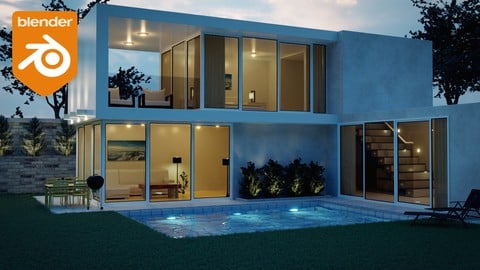
Create & Design a Modern Architecture House in Blender 3D (Udemy.com)
Learn How to Model a 3D Photo Realistic Architectural Render Using Blender! 4.2+ Compatible
Created by: Stephen Pearson
Last updated September 2025
 What you will learn
- Model a modern 3D house in Blender using reference images and precise dimensions.
- Apply realistic materials, textures, and lighting for photorealistic renders.
- Use particle systems, HDR lighting, and assets to enhance architecture scenes.
- Start a big Blender project and learn the process of how to completing it.
- Bonus: Create a tree, bed, and couch with cloth simulation and sculpting.
How it compares
Against the other 100 rated Udemy courses in Blender on CourseDuck:
- Rating4.7 out of 5higher than 70% of them
- Reviews1,662#19 of 101 by number of reviews
- Length5 hoursshorter than 76% of them
- Last updatedSeptember 2025more recently than 68% of them
 Course Description
Do you want to learn how to create stunning photorealistic 3D architectural renders in Blender? Do you want to be able to digitally recreate your own house in Blender? By the end of this course you will have made a beautiful 3D modern house. The first section of this course will be focused on modeling our modern house. Over the next couple sections we will be adding materials, textures, modeling and lighting to our scene. I will then show you how to render your image and post process it.
There are a couple bonus videos as well! The first 2 are: How to Create a Clay Version of your Render and how to use the Workbench Engine! After that we jump into the real-time render engine Eevee and learn setup our scene using this engine in Blender!
Learning Blender can be very hard when you first start that's why I built this course for all levels beginner to advanced. I will be showing you step by step on what to do and why we do it. From the basics of modeling to advanced techniques like creating grass with particle systems.
I have also included 3 bonus sections in this course. The first one is creating a realistic tree in Blender. We will go through how to create an organic looking tree, apply textures and use particle systems to create the branches.
The second bonus section is about creating a modern bed! We will learn all about the cloth simulation and how to easily create pillows using it! After that we learn about creating a procedural fabric material!
Finally the last tutorial I will show you how to create a modern couch in Blender. First thing we will do is model and sculpt it. This will add some creases to make it more realistic. Then, of course, the materials and rendering.
I will be giving away 15 professionally made models and 5 high resolution textures. You are free to use these models for other scenes but you are not allowed to sell or upload them. By enrolling in this course you agree those conditions.
What you’ll learn
Create their own architectural renders using Blender
Texture and make realistic materials for their own scenes.
Work comfortably in Blender
Are there any class requirements or prerequisites?
Students need to have Blender installed on their computer.
It is recommended that you have a computer mouse.
Prior knowledge about Blender will be useful but not required.
Who this course is for:
Anyone who wants to learn about Blender, 3d, architectural rendering, or photorealism.
We will be using the following programs in this course.
Programs Used in this Class:
Blender 3D
I hope you are excited to jump into this course! And I can't wait to see your amazing renders!
Thanks
Stephen

 Udemy Discount
The discount is applied through our link. Open the course from here and Udemy's current promotional price is applied at checkout on most courses, no code to type.
Some courses are excluded from Udemy's promotions. If the price does not drop, clear your browser cookies and use the button again.
Instructor Details

- 4.7 Rating
 1,662 Reviews
Stephen Pearson
Hello! Thank you for stopping by and reviewing my Blender course. My goal is to help you become the graphic designer you've always dreamed of becoming AND - have a blast doing it. Working with Blender and creating amazing 3D graphics is amazing and anyone can learn it.
I really enjoy teaching others what I know. I appreciate each and every one of my students. Please let me know if I can help you perfect your Blender graphics!
 More courses by Stephen Pearson
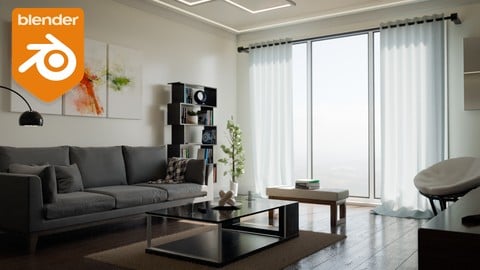
Create & Design a Modern Interior in Blender 3D (2025)
4.6 (966 Reviews)
 Provider: Udemy
 Time: 4h
$79.99

The Complete Guide to the Fluid Simulation in Blender (2024)
4.6 (711 Reviews)
- Provider: Udemy
- Time: 3.5h
$94.99

Beginners Guide to the Particle System in Blender 3D (2025)
4.7 (440 Reviews)
- Provider: Udemy
- Time: 4.8h
$74.99

Complete Guide to the Fire & Smoke Simulation in Blender 3D (2025)
4.7 (409 Reviews)
- Provider: Udemy
- Time: 5.2h
$79.99

The Complete Guide to the Cloth Simulation in Blender 3D (2025)
4.6 (235 Reviews)
- Provider: Udemy
- Time: 1.8h
$11.99

Complete Guide to Soft Body Physics Simulation in Blender 3D (2025)
4.6 (218 Reviews)
- Provider: Udemy
- Time: 2.4h
$10.99
More Blender courses

Low Poly Landscapes: Blender Bite Sized Course (2025)
4.9 (1,704 Reviews)
- Provider: Udemy
- Time: 6.2h
$99.99

Absolute Beginners 3D character in Blender course (2022)
4.9 (1,133 Reviews)
- Provider: Udemy
- Time: 14.5h
$94.99


Complete Blender Creator: 3D Modelling (Compatible with 4.3) (2026)
4.8 (69,132 Reviews)
- Provider: Udemy
- Time: 13.8h
$199.99

The Ultimate Blender 3D Sculpting Course (2026)
4.8 (3,904 Reviews)
- Provider: Udemy
- Time: 37.2h
$119.99

Blender Total! From Basic to Advanced 3D! (2025)
4.8 (2,407 Reviews)
- Provider: Udemy
- Time: 21.3h
$109.99
 Reviews

By Agus Suhanto on 12/18/2022
The course is very good for learning architectural Blender and that the instructor covers both basic and advanced techniques. I note that the instructor does not focus on precise measurement, but rather on creating a visually appealing model. However, I initially had some concerns about the lack of precision in measurement, but ultimately came to understand that this was not the focus of the course. Overall, I suggest that the course is effective in teaching students how to use Blender for architectural design using a "look and feel" approach, rather than strict precision in measurement.
By Jason Kirchner on 7/13/2021
I think the speed tree-making timelapse can be cut entirely, it doesn't really add anything to the course which is otherwise nicely curated. One other slight suggestion is just during the evee section, when playing around with the light adjustments, maybe toggle back and forth a bit so we can see what the effect of something like Blend is, as opposed to staying in solid/material mode until the very end.
By Michael Boyd on 12/5/2020
With each course I take with these Blender instructors I gain a wealth of knowledge. Haven't taken one yet that hasn't left me in Awe at what you can do with Blender. This course has topped what I have learned so far because how realistic the final result looks. I'm glad I took it and my inspiration to continue using blender has grown exponentially.
By Mark Pratt on 11/14/2020
It would me much more logical if he used precise measurements throughout instead of winging it. Especially for a topic related to architecture ...
By Tatiana Heredia on 11/14/2020
Me encanta, por ahora
By Ryszard Nowak on 11/7/2020
yes
By Steven Comstock on 11/7/2020
I like the content so far. The only concern I have, and it's my fault, is I didn't realize this course would be using Cycles. My pc is not a powerhouse so Cycles doesn't run that fast. I prefer to use Eevee and hope I can use the content here to transfer it into an Eevee-friendly context.
By Vasileios Stamoulis on 10/26/2020
Very good lesson! I strogly recomend it!
By Yotam Blinder on 10/22/2020
Very good I learnt alot
By Ricardo on 10/15/2020
bien explicado, fcil de entender.
By Ethan Newton on 10/11/2020
Very good tutorial. It would be easier to follow along with if it was just a bit slower
By Vasiliki Zioga on 10/11/2020
This course is amazing. The tutor explain everything analytically. I hope to create more courses like that!
 Quality Score
No CourseDuck member has rated this course yet. Taken it? Give each part a thumbs up or down.
Overall Score : 94 / 100
- Video Duration:
 5h
5h - Price: $19.99
- Provider: Udemy
- Updated:
 September 2025
 - Level:
 All Levels
 - Language:
 English
 - Certificate:
 Yes
Yes
30-day money-back guarantee on most paid courses
Udemy Coupon Price Tracker
