
 Web Development
 Data Science
 Python
 SQL
SQL JavaScript
 Artificial Intelligence
 IT & Software
 IT Certifications
 Hacking
 AWS
AWS Arduino
 DevOps
 3D Modeling
 Graphic Design
 Photoshop
 Drawing
 Digital Painting
 UX Design
 Business
 Data Analysis
 Communication Skills
 Project Management
 Leadership & Management
 Human Resources
 Digital Marketing
 Social Media Marketing
 Marketing
 SEO
SEO Google Analytics
 Branding
 Excel
Excel Office Productivity
 SAP
SAP PowerPoint
 Microsoft Access
 SharePoint
 Finance & Accounting
 Trading & Investing
 Accounting
 Bitcoin
 Personal Finance
 Video Editing & Animation
 Photography
 Adobe Premier Pro
 Adobe Lightroom
 Personal Development
 Productivity
 Career Development
 Life Coaching
 Health & Fitness
 Meditation & Mindfulness
 Yoga
Yoga Music
Music Music Production
 Guitar
 Piano
Piano Singing
 Language Learning
 Teaching & Academics
 Engineering
 Math
Math Lifestyle
Complete Guide to the Fire & Smoke Simulation in Blender 3D (Udemy.com)
Learn Everything About the Fire & Smoke Simulator in Blender While Creating Amazing Animations! 4.5+ Compatible!
Created by: Stephen Pearson
Last updated September 2025
 What you will learn
- Learn how to set up fire and smoke domains, sources, and emission settings for realistic results.
- Control smoke and flame behavior using settings like vorticity, turbulence, and noise.
- Animate fire and smoke interactions over time for dynamic scenes and visual effects.
- Configure shaders, lighting, and render settings to create polished, believable fire & smoke.
How it compares
Against the other 100 rated Udemy courses in Blender on CourseDuck:
- Rating4.7 out of 5higher than 70% of them
- Reviews409#56 of 101 by number of reviews
- Length5.2 hoursshorter than 74% of them
- Last updatedSeptember 2025more recently than 69% of them
 Course Description
Hello everyone and welcome to the Fire & Smoke Simulation Masterclass in Blender! This course is for anyone wanting to learn about how to create realistic fire or smoke in Blender 4.5.
It's specifically designed to take you from being a complete beginner to being able to create any type of simulation you want on your own. Starting out we'll first understand what the fire and smoke simulation is and how to use it on a basic level. From there we'll be jump into the settings and cover each one with side by side visual comparisons so it’s easy to understand. After that we’ll learn about the shading workspace and how to create smoke and fire shaders in both EEVEE and Cycles. To really help everything sink in there are 5 full tutorials in which we use the smoke and fire simulation to create some interesting animations.
The first one is all about creating mist in Blender. We’ll go through the process of changing the smoke settings to get that misty effect, add a light white material and render it out. The second tutorial is how to properly render fire in EEVEE. We’ll walk through the EEVEE render engine talking about all the settings and values to get realistic results.
The third tutorial is a campfire scene. We will first add the campfire model which is included in this course, simulate the fire and smoke, add spark particles, create materials and adjust render settings to create the most realistic campfire possible.
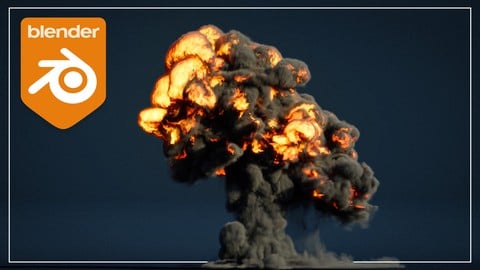
You like explosions? Well for the fourth tutorial we will be simulating a missile crashing down and exploding. Step by step we will learn about curve animation, particle systems, simulating two types of smoke and much more.
Last but not least the final tutorial is all about creating a glowing smoke effect inside a glass sphere. We'll cover simulating smoke inside objects, creating a glowing materials, and rendering in EEVEE.
If you are interested in learning everything there is to know about the smoke and fire simulation and how it works in Blender, hit that enroll button and let's get started! I look forward to see what you create!
Thanks
Stephen

 Udemy Discount
The discount is applied through our link. Open the course from here and Udemy's current promotional price is applied at checkout on most courses, no code to type.
Some courses are excluded from Udemy's promotions. If the price does not drop, clear your browser cookies and use the button again.
Instructor Details

- 4.7 Rating
 409 Reviews
Stephen Pearson
Hello! Thank you for stopping by and reviewing my Blender course. My goal is to help you become the graphic designer you've always dreamed of becoming AND - have a blast doing it. Working with Blender and creating amazing 3D graphics is amazing and anyone can learn it.
I really enjoy teaching others what I know. I appreciate each and every one of my students. Please let me know if I can help you perfect your Blender graphics!
 More courses by Stephen Pearson
Create & Design a Modern Architecture House in Blender 3D (2025)
4.7 (1,662 Reviews)
 Provider: Udemy
 Time: 5h
$19.99
Create & Design a Modern Interior in Blender 3D (2025)
4.6 (966 Reviews)
- Provider: Udemy
- Time: 4h
$79.99

The Complete Guide to the Fluid Simulation in Blender (2024)
4.6 (711 Reviews)
- Provider: Udemy
- Time: 3.5h
$94.99
Beginners Guide to the Particle System in Blender 3D (2025)
4.7 (440 Reviews)
- Provider: Udemy
- Time: 4.8h
$74.99

The Complete Guide to the Cloth Simulation in Blender 3D (2025)
4.6 (235 Reviews)
- Provider: Udemy
- Time: 1.8h
$11.99

Complete Guide to Soft Body Physics Simulation in Blender 3D (2025)
4.6 (218 Reviews)
- Provider: Udemy
- Time: 2.4h
$10.99
More Blender courses

Low Poly Landscapes: Blender Bite Sized Course (2025)
4.9 (1,704 Reviews)
- Provider: Udemy
- Time: 6.2h
$99.99

Absolute Beginners 3D character in Blender course (2022)
4.9 (1,133 Reviews)
- Provider: Udemy
- Time: 14.5h
$94.99


Complete Blender Creator: 3D Modelling (Compatible with 4.3) (2026)
4.8 (69,132 Reviews)
- Provider: Udemy
- Time: 13.8h
$199.99

The Ultimate Blender 3D Sculpting Course (2026)
4.8 (3,904 Reviews)
- Provider: Udemy
- Time: 37.2h
$119.99

Blender Total! From Basic to Advanced 3D! (2025)
4.8 (2,407 Reviews)
- Provider: Udemy
- Time: 21.3h
$109.99
 Reviews

By Luis Enrique Cabrera Gómez on 5/22/2026
Excelente curso. Me ayudó a entender de forma práctica el flujo de trabajo para crear simulaciones de explosiones y humo, desde la configuración inicial hasta lograr resultados más realistas y cinematográficos. El contenido está bien explicado, con ejemplos claros y aplicables a proyectos reales. Aprendí técnicas que puedo integrar directamente a mi trabajo en producción audiovisual y VFX. Muy recomendable para quienes buscan mejorar la calidad visual de sus proyectos y desarrollar habilidades en simulación de efectos.
By Tomasz W on 10/12/2024
Kurs podobał mi się, powiększyłem moje umiejętności, co jest celem każdego kursu. Bardzo dobrze. :-) -- I liked the course, I increased my skills, which is the goal of every course. Very good. :-)
By Corey and Giselle M on 3/20/2024
GREAT COURSE even in 2024!!! I would of gave this course a full 5 stars if it had an update talking about the guiding domain section of the course. The idea seemed so cool and i wanted to try it but it never worked. Either way i now i have a solid understanding of the fundamentals of the fire and smoke simulators. very clear instructions and greatly paced. Maybe add more tutorials for the beginning section where you describe the functionality of each parameter? i followed along so i wouldn't get to antsy and leave the course. Would definitely recommend. Now its time for the water course :)
By Klaudiusz Głogowski on 4/27/2023
Pleasant course with some tips to make simulations look better and also options of the simulations are explained and some are given a comparison. This saves time, because you get out with better understanding about what those options do, without the need to bake everything on your own to check it out.
By Darrian Pierce on 6/29/2021
This is more like it, after coming from the fluid tutorial. Still up-to-date for blender 2.9+, goes over every button and what changing the values in each section will do, and the effects it will create on the simulation. He also has great visual effects to show you what he's talking about, as he's talking about it. The first couple sections work as a lecture to help you understand what the system is (even small pointers in workflow to make more complex scenes), and the second half helps you to create cool scenes for yourself with his guide (turning the cube to a vertex and then into a screw was very smart, I was expecting just a curve). This is the course you want to take to get an great reference and understanding of the Fire /Smoke simulation in Blender. Now time for the Particle System Course!
By Toste Nilsson on 4/17/2020
Some parts were a little fast for a beginner like me. A lot of stop and rewind. Running 2.82a threw me off a little since the property names and the expected results did not match the lesson content. (Following along and trying to mimic the lessons was a bit of a pain since I could not see the same results, which lead to a lot of experimenting.) But, overall, very good.
By James DelBianco on 3/15/2020
So far I am learning a lot. I really want to know how to render smoke and fire for a project I am working on and I hope to learn this by the time this lesson ends. I'll keep you posted, though I am optimistic. Great lesson, so far so good. Getting to the Render part soon. Stephen is quite an amazing teacher. Clear, concise, and so far, it's actually working. It's a vast information cram, so it's best to go over and over it several times. Udemy allows that so... Blender onward.
By Chaumet Christophe on 4/20/2019
Bon instructeur, clair et concis. Malheureusement il y a plusieurs problèmes : la vidéo devient floue par moments alors que les sous-titres sont biren nets et les textes des sous-titres sont parfois complètements erronés. C'est génant quand notre langue maternelle n'est pas l'anglais.
By Ramteen Taheri on 7/9/2018
Everytime I do one of these simulation courses I feel myself at a new level. you are an extremely good teacher and I would recommend your material to anyone. you are quite experienced. I wish you would put more stuff up. Only request i have (not worth deducting half a star for) is if you could please explain the settings in more detail. you scroll through it too fast. It would be nice to learn how to use the interface more flexibly. if you spent more time on the settings and also created more exercises to show us how else they could be used in real applications, your courses would be 10 x better. maybe an idea for future courses. cheers and keep up the good work :) p.s. This fire course itself was a very fun and interesting course.
By Lucas Domiciano on 9/20/2017
Just amazing, rapidly paced and information packed, I feel like I learned more in a single day doing this than in some other courses that would take almost a week, it's not really a beginners course though, you gotta have some familiarity with Blender.
 Quality Score
No CourseDuck member has rated this course yet. Taken it? Give each part a thumbs up or down.
Overall Score : 94 / 100
- Video Duration:
 5.2h
5.2h - Price: $79.99
- Provider: Udemy
- Updated:
 September 2025
 - Level:
 All Levels
 - Language:
 English
 - Certificate:
 Yes
Yes
30-day money-back guarantee on most paid courses
Udemy Coupon Price Tracker
