
 Web Development
 Data Science
 Python
 SQL
SQL JavaScript
 Artificial Intelligence
 IT & Software
 IT Certifications
 Hacking
 AWS
AWS Arduino
 DevOps
 3D Modeling
 Graphic Design
 Photoshop
 Drawing
 Digital Painting
 UX Design
 Business
 Data Analysis
 Communication Skills
 Project Management
 Leadership & Management
 Human Resources
 Digital Marketing
 Social Media Marketing
 Marketing
 SEO
SEO Google Analytics
 Branding
 Excel
Excel Office Productivity
 SAP
SAP PowerPoint
 Microsoft Access
 SharePoint
 Finance & Accounting
 Trading & Investing
 Accounting
 Bitcoin
 Personal Finance
 Video Editing & Animation
 Photography
 Adobe Premier Pro
 Adobe Lightroom
 Personal Development
 Productivity
 Career Development
 Life Coaching
 Health & Fitness
 Meditation & Mindfulness
 Yoga
Yoga Music
Music Music Production
 Guitar
 Piano
Piano Singing
 Language Learning
 Teaching & Academics
 Engineering
 Math
Math Lifestyle
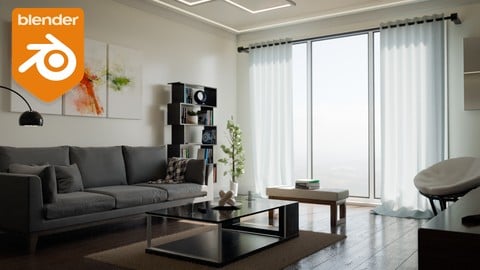
Create & Design a Modern Interior in Blender 3D (Udemy.com)
Learn How to Create Realistic Modern Architectural Interior Environment Step by Step in Blender! 4.2+ Compatible!
Created by: Stephen Pearson
Last updated September 2025
 What you will learn
- Model a modern interior room with accurate dimensions in Blender.
- Create photorealistic materials, lighting, and textures for interiors.
- Design and simulate furniture like couches and cushions with cloth sim.
- Master camera angles, composition, and post-processing for final renders.
How it compares
Against the other 100 rated Udemy courses in Blender on CourseDuck:
- Rating4.6 out of 5higher than 38% of them
- Reviews966#28 of 101 by number of reviews
- Length4 hoursshorter than 83% of them
- Last updatedSeptember 2025more recently than 63% of them
 Course Description
Are you looking to learn how to design realistic interior renders in Blender? Are you struggling on getting your materials to look real? Architecture visualization is a huge part of the 3D community and when you are just starting out it can be hard to get right. In this course we will be creating a modern interior in Blender from start to finish. I will be showing you step by step on how to model the room, texture it, add in professionally made models and more.
In the first section we discuss the basics of interior design. We talk about color schemes and why certain colors go well together. In the next section we start creating the room by modeling it and getting the dimensions just right. We will also learn about the Archimesh addon and how to easily add in a window.
After that, we move onto materials and models. You will learn how to model and texture a modern couch, use the cloth simulation to simulate the cushions and pillows, then we will be learning about the Asset Browser to import it into our scene! In this course I am giving away 17 different professionally made models in which we use to fill up our interior.
The last section we focus on the camera and getting the right position and depth of field. We'll learn about rendering multiple camera angles at once, post processing and using the compositor! What about a night time version of the render? Yup, there is also a video on that.
As a bonus section we will also render the scene using Eevee! In this section you will learn all about how Eevee works, how to bake lighting and how to render an interior the right way using this render engine. This video requires Blender version 4.2+.
If you are looking to get into architecture visualization and rendering or you just want to improve your Blender skills over all, this course is for you! I have structured it so that beginners or advanced Blender users can follow along easily. To get started Click that enroll button and jump right in!
You are free to use the models provided in this course for personal or commercial use but you are NOT allowed to sell or give the models away.
I look forward to seeing what you create!
Thanks
Stephen

 Udemy Discount
The discount is applied through our link. Open the course from here and Udemy's current promotional price is applied at checkout on most courses, no code to type.
Some courses are excluded from Udemy's promotions. If the price does not drop, clear your browser cookies and use the button again.
Instructor Details

- 4.6 Rating
 966 Reviews
Stephen Pearson
Hello! Thank you for stopping by and reviewing my Blender course. My goal is to help you become the graphic designer you've always dreamed of becoming AND - have a blast doing it. Working with Blender and creating amazing 3D graphics is amazing and anyone can learn it.
I really enjoy teaching others what I know. I appreciate each and every one of my students. Please let me know if I can help you perfect your Blender graphics!
 More courses by Stephen Pearson
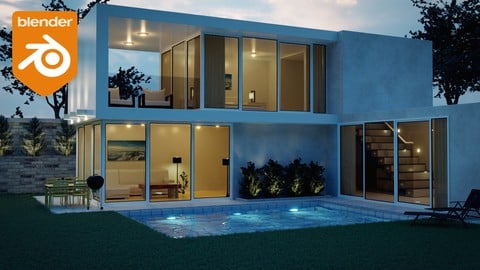
Create & Design a Modern Architecture House in Blender 3D (2025)
4.7 (1,662 Reviews)
 Provider: Udemy
 Time: 5h
$19.99

The Complete Guide to the Fluid Simulation in Blender (2024)
4.6 (711 Reviews)
- Provider: Udemy
- Time: 3.5h
$94.99

Beginners Guide to the Particle System in Blender 3D (2025)
4.7 (440 Reviews)
- Provider: Udemy
- Time: 4.8h
$74.99

Complete Guide to the Fire & Smoke Simulation in Blender 3D (2025)
4.7 (409 Reviews)
- Provider: Udemy
- Time: 5.2h
$79.99

The Complete Guide to the Cloth Simulation in Blender 3D (2025)
4.6 (235 Reviews)
- Provider: Udemy
- Time: 1.8h
$11.99

Complete Guide to Soft Body Physics Simulation in Blender 3D (2025)
4.6 (218 Reviews)
- Provider: Udemy
- Time: 2.4h
$10.99
More Blender courses

Low Poly Landscapes: Blender Bite Sized Course (2025)
4.9 (1,704 Reviews)
- Provider: Udemy
- Time: 6.2h
$99.99

Absolute Beginners 3D character in Blender course (2022)
4.9 (1,133 Reviews)
- Provider: Udemy
- Time: 14.5h
$94.99


Complete Blender Creator: 3D Modelling (Compatible with 4.3) (2026)
4.8 (69,132 Reviews)
- Provider: Udemy
- Time: 13.8h
$199.99

The Ultimate Blender 3D Sculpting Course (2026)
4.8 (3,904 Reviews)
- Provider: Udemy
- Time: 37.2h
$119.99

Blender Total! From Basic to Advanced 3D! (2025)
4.8 (2,407 Reviews)
- Provider: Udemy
- Time: 21.3h
$109.99
 Reviews

By Máté Szlabey on 1/31/2025
The first 2 sections were great. Ever since the middle of section three the pace got faster and faster, especially in section 4. It got so fast I had trouble following and had to rewind many times. Aside from that, it was very enjoyable and informative. I really loved every moment of the course.
By Zin344 on 4/6/2022
First of all, I just want to say that this course is really great. I have greatly increased my Blender skills by taking this course. I would like to thank Stephen, the instructor, from the bottom of my heart. He starts off by modeling the main furniture in this lovely room, such as the couch and the bookshelf. Here we can improve our modeling skills. We then place the furniture he has pre-prepared in the room. This reduces barriers to learning. And next comes the rendering. In this section, he teaches us the secret technique of rendering. This allows us to master the art of creating realistic images. Once that is done, he shows us how to make the other models that he has prepared for us, which we place in the room. The structure of this class is very effective. If he adds new courses, I will definitely buy them and study them diligently. Thank you so much Stephen for all your help!
By Ravi Kanojia on 3/2/2022
The course is quite easy to follow, no matter if you're a beginner or a moderate level user. The tutor explained everything really well. As once a beginner myself, I know you might find it too tempting to dive right into all the cool stuff possible inside of Blender. However, I would like to warn you that that would serve you no goods. Talking from my own, and experiences of lot of other artists. So, calm down your horses, don't think too much. No need to watch irrelevant tutorials simultaneously with this course. This course has it all you need to get started in ArchViz. Just go through each video, while practising on the side, and I guarantee in no time, you'll be much more skilled than chasing every cool tutorial over the internet. Also, this was the first and only course, I did able to make through to the end. Ps. If you find it tough to make your way around in blender as a beginner, I would suggest you to watch some beginners' tutorials on YouTube. However, IMO you should not have any trouble following along with the course. Cheers! And Thanks A Lot for this Wonderful Course!
By Harry on 1/29/2022
Does what it says on the tin and comes with cool extras, for example a night-time render. I wish we could follow along and model EVERYTHING from scratch, because I found myself learning modelling tools that I hadn't touched before thanks to this course. However, there is guidance for modelling all of the important meshes. Overall great stuff thanks for making this course :)
By Michael Boyd on 8/22/2021
Great course to learn interior design and modeling. It was easy to follow and it's not to long. I enjoyed every section and created the models in the last half for practice. Creating the book cover in Photoshop and importing it into the project was a definite plus. The final renders using Compositing and the night render are really exciting when you see the final results. The realization makes you feel a since of accomplishment.
By Jason Kirchner on 7/11/2021
The instructor sometimes speaks breathlessly fast. Would've benefitted from slowing down 15% and adding a bit more comments on the how and why's behind the decision and tools making so that it felt less like 'copying someone's homework'. Pacing whise, I also think the course would benefit from a few of the specific model creations being actually placed into the body of the course, as opposed to stuck at the end (specifically something like the interesting carpet creation).
By Mary Pingree on 8/17/2020
I'm really enjoying this course and I'm learning a ton :) In terms of the modeling, I feel like the instructor is having us eye ball a lot of the measurements (which is working fine for this project and I'm really happy with the results) however, I'd love a section on precision modeling in Blender. For instance, if you needed to model a piece of furniture that existed in the real world and had to be an exact representation in the Blender interior.
By Okpaku Madedor on 4/17/2020
This is a very good course as it takes you though the steps for producing an interior scene in Blender from scratch. However, I think it does require some basic beginner's knowledge of Blender - for example, you need to know about loop cuts so you know why it's used in the course of the exercises and I think that is why some reviewers find the course fast, so to speak. For me who has taken a basic course in Blender, this was an excellent course considering what I was hoping to get out of it. I discovered new techniques and it made me realise that creating interiors in Blender isn't that difficult; always easy once you know how. I would recommend this course for architects and interior designers interested in creating interior scenes. The course instructor may want to consider a beginner's course on the basics of Blender tools recommended for interior scene creation - just a thought.
By Mátyás Horváth on 1/5/2019
Very well made interior design course, I'm happy that I bought and completed it. I could make really good looking models and materials following along the lectures, and learnt some really useful tips and tricks too. Also, sometimes I felt, that the explanations were a bit rushed, and if I was a complete beginner, I wouldn't understand why do we do things like the way we did. For me, explaining the methods first would be more practical, instead of telling which buttons or shortcuts to press, because it was a bit harder to follow along this way. It is escpecially true for creating the materials. Also there were a part, when we added glossy, diffuse and the fresnel node to a mix shader, unless we used the principled shader there too, like before, which has all the nodes and settings to make the exact same material in a more simple way. Overall, I highly recommend this course to anyone, who is interested in creating interior designs, but a bit of prior knowledge in the field (and overall in blender) is a huge advantage on understanding the processes. Thank You, Stephen, for creating this course!
By Frank O'Kobrick on 9/17/2018
I have done several Blender tutorials now & I think this one is the one I'd recommend for a good starting point in interior architectural rendering. It pretty much covers all the bases for someone looking to start or improve a career in this field. I'm very pleased with my purchase of this course.
 Quality Score
No CourseDuck member has rated this course yet. Taken it? Give each part a thumbs up or down.
Overall Score : 92 / 100
- Video Duration:
 4h
4h - Price: $79.99
- Provider: Udemy
- Updated:
 September 2025
 - Level:
 All Levels
 - Language:
 English
 - Certificate:
 Yes
Yes
30-day money-back guarantee on most paid courses
Udemy Coupon Price Tracker
