
 Web Development
 Data Science
 Python
 SQL
SQL JavaScript
 Artificial Intelligence
 IT & Software
 IT Certifications
 Hacking
 AWS
AWS Arduino
 DevOps
 3D Modeling
 Graphic Design
 Photoshop
 Drawing
 Digital Painting
 UX Design
 Business
 Data Analysis
 Communication Skills
 Project Management
 Leadership & Management
 Human Resources
 Digital Marketing
 Social Media Marketing
 Marketing
 SEO
SEO Google Analytics
 Branding
 Excel
Excel Office Productivity
 SAP
SAP PowerPoint
 Microsoft Access
 SharePoint
 Finance & Accounting
 Trading & Investing
 Accounting
 Bitcoin
 Personal Finance
 Video Editing & Animation
 Photography
 Adobe Premier Pro
 Adobe Lightroom
 Personal Development
 Productivity
 Career Development
 Life Coaching
 Health & Fitness
 Meditation & Mindfulness
 Yoga
Yoga Music
Music Music Production
 Guitar
 Piano
Piano Singing
 Language Learning
 Teaching & Academics
 Engineering
 Math
Math Lifestyle
Intro to 3d Modeling Using Blender (Udemy.com)
In this course, instructor Alan Thorn is going to be giving a comprehensive introduction to Blender for Game Artists!
Created by: 3dmotive LLC
Last updated September 2016
Our take
Based on the ratings of 142 students, a sample of their written reviews and the syllabus, as the course stood in September 2016. No course pays to be reviewed.
This is a short beginner course from 3dmotive, taught by Alan Thorn, that follows one game-art pipeline from start to finish. Its five sections cover the Blender interface, basic modeling, modifiers and UV unwrapping, rigging and animation, then importing into Unity. There are 76 lectures across 5.7 hours, with no quizzes or exercises, and the requirements list Photoshop or Gimp. About 1,720 students have enrolled. It is pitched at people who have never opened Blender and want to make assets for games.
Reviewers are mostly happy: 123 of 142 ratings are four or five stars. They praise the steady pace, the clear explanations and the example files, and one says they built a simple model within a day. The most common complaint is that the lessons use Maya-style controls rather than Blender's defaults, so shortcuts do not match other tutorials. Lower-rated reviews also say the FBX animation export no longer works, that questions went unanswered, and that some steps assume prior knowledge.
The last update was September 2016, and it shows. Reviewers on newer Blender versions say menus and settings have moved, though a couple find the core ideas still apply. Treat it as a quick orientation to the whole workflow, not a guide to today's interface. If that is enough, it is a fair first pass. Anyone who wants current menus and default shortcuts will do better with a newer Blender course.
Pros
- Covers the whole game-art path in 5.7 hours, from the interface to a Unity import
- Steady pace that reviewers say rarely forces pausing and rewinding
- Source files come with the lessons, so learners can follow along with the same models
- Helps first-timers get past the confusing Blender interface, per two reviewers
Cons
- Teaches with Maya-style shortcuts, not Blender defaults, which clashes with other tutorials
- Last updated in 2016, so menus and settings differ in newer Blender versions
- The FBX 6.1 ASCII export it uses is deprecated, and reviewers say questions go unanswered
At start I was so confused about user interface which is in Blender really complicated. After one day spent in a course I am able to make simple model from the scratch by myself.
Fits true Blender beginners, though one reviewer needed outside tutorials, and it asks for Photoshop or Gimp.
 What you will learn
- Learn modeling, texturing, UV Unwrapping, rigging, animating, and more using Blender
- Learn the full pipeline of how to use Blender for 3d modeling for the first time
Course content
5 sections · 76 lectures · 5.7 hours of video 2 articles
- 1Intro to UI, Manipulating Objects, and Navigating the 3d Space 2 free previews20 lectures · 1.3 hours
- 2Introduction to Modeling and Basic Shapes 2 free previews14 lectures · 1.3 hours
- 3Modifiers, UV Unwrapping, and Texturing Basics 1 free preview13 lectures · 1.1 hours
- 4Animation and an Intro to Rigging and Poses 1 free preview14 lectures · 1 hour
- 5Importing to Unity, Working with Cameras, and Additional Animation 2 free previews15 lectures · 1 hour
Who it is for
The instructor says it suits
- Absolute beginners to 3d or Blender
- The course is not intended for advanced users, but is great for anyone new to the world of 3d
What you need before you start
- Download a copy of the completely free 3d software Blender
- Access to Photoshop or Gimp
How it compares
Against the other 100 rated Udemy courses in Blender on CourseDuck:
- Rating4.2 out of 5higher than 6% of them
- Reviews142#85 of 101 by number of reviews
- Length5.7 hoursshorter than 71% of them
- Last updatedSeptember 2016earlier than 96% of them
 Course Description
In this course, instructor Alan Thorn gives a comprehensive introduction to Blender for Game Artists. Here, Alan will show you how to get up and running in Blender for creating animated in-game models even if you're a complete newbie! In the earlier volumes, you will be learning a range of topics that include: Blender (and 3d software) basics, primitive creation, 3D space coordinates, loading in reference material, and basic mesh manipulation.
By the end of the course, you'll start to feel like a game-art pro as you begin to learn and understand the concepts of UV unwrapping for textures, asset rigging for animation, animation creation, mesh exporting, and game integration as you add your asset to Unity! If you've ever wanted to learn 3d from the ground up with a completely free software, this course is for you!
(Students - please look under Section 1 / Lecture 1 downloads for the source files associated with the lesson.)
More about the Instructor:
Alan Thorn is a freelance game developer and author with over 12 years of industry experience. He is the founder of London-based game studio, Wax Lyrical Games, and is the creator of award-winning adventure game Baron Wittard: Nemesis of Ragnarok. He has worked freelance on over 500 projects worldwide including games, simulators, kiosks, and augmented reality software for game studios, museums and theme parks. He has spoken on game development at universities throughout the UK, and is the author of nine books on game development, including Teach Yourself Games Programming, Unity 4 Fundamentals and the highly popular UDK Game Development.

 Udemy Discount
The discount is applied through our link. Open the course from here and Udemy's current promotional price is applied at checkout on most courses, no code to type.
Some courses are excluded from Udemy's promotions. If the price does not drop, clear your browser cookies and use the button again.
Instructor Details
- 4.2 Rating
 142 Reviews
3dmotive LLC
3dmotive is High Quality 3d and Game Art Training by Industry Pros! Whether you are brand new to the world of Game Art, 3d, Architecture or Film - or maybe just interested in brushing up your techniques for intermediate or advanced levels of 3d with a focus on video games, 3dmotive is your one-stop-shop for all your 3d and Game Art related tutorials! Got questions? Interested in a new course topic? Let us know!
 More courses by 3dmotive LLC
Learn Advanced C# Scripting in Unity 5 for Games (2017)
4.6 (734 Reviews)
 Provider: Udemy
 Time: 5.5h
$64.99

Learn the "Hand-Painted" texturing style for video games (2016)
4.7 (594 Reviews)
- Provider: Udemy
- Time: 5.5h
$64.99

Model and Texture a Stylized Dungeon for Games (2016)
4.7 (483 Reviews)
- Provider: Udemy
- Time: 6.7h
$69.99
Introduction to KeyShot for Digital 3d Rendering (2017)
4.1 (364 Reviews)
- Provider: Udemy
- Time: 1.2h
Free
The Complete Unity 5 Intro - Learn to Build and Design Games (2016)
4.4 (284 Reviews)
- Provider: Udemy
- Time: 6h
$64.99
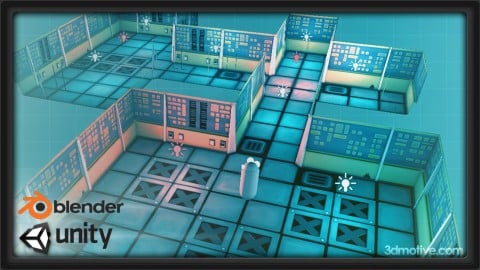
Building Modular Levels for Games with Unity and Blender (2016)
4.3 (267 Reviews)
- Provider: Udemy
- Time: 3.5h
$34.99
More Blender courses

Low Poly Landscapes: Blender Bite Sized Course (2025)
4.9 (1,704 Reviews)
- Provider: Udemy
- Time: 6.2h
$99.99

Absolute Beginners 3D character in Blender course (2022)
4.9 (1,133 Reviews)
- Provider: Udemy
- Time: 14.5h
$94.99


Complete Blender Creator: 3D Modelling (Compatible with 4.3) (2026)
4.8 (69,132 Reviews)
- Provider: Udemy
- Time: 13.8h
$199.99

The Ultimate Blender 3D Sculpting Course (2026)
4.8 (3,904 Reviews)
- Provider: Udemy
- Time: 37.2h
$119.99

Blender Total! From Basic to Advanced 3D! (2025)
4.8 (2,407 Reviews)
- Provider: Udemy
- Time: 21.3h
$109.99
 Reviews

By Komaragiri Meher Prasunamba on 11/16/2018
The course is awesome. The Instructor is having a good knowledge of the topics. He described the concepts more effectively. He used specialized teaching techniques that made me learn more in detail. The instructor, made me develop technical, quantitative, and analytical skills that can be used to analyze my thinking ability in Animation.
By Sergio Cappuccio on 5/5/2017
It is a good course only subtitles in english are missing and it would be perfect. It is a usefull working path to apply in real world tasks.
By Gary Monsey on 12/25/2016
So far, I absolutely love this course. I have watched a lot of blender tutorials and always get confused with all the hot keys. This course showed me how to change the interface to something I remember and I am comfortable with. The instructor goes at just the right pace for me to not get lost so I am not having to pause and rewind a lot. Highly recommended for beginners with Blender.
By Jeffrey Crane on 6/23/2016
This is a rehash of a lot of things you can learn for free on Youtube. NO support from the author. Animation section turned out to be worthless - the exporting FBX 6.1 - ACSII is depreciated and no longer supported. Had to redo all the animation in Unity using its dope sheet. Introduces Unity PRO only features (as he did in his own Unity course). Assumes knowledge, that without having taken another Blender course and watching youtube video, I'd have no way of following along.
By Chris VerBurg on 2/29/2016
Well-prepared course that starts at the beginning. In terms of presentation professionalism this is one of the better Udemy classes I've taken. It is very much an intro. It got me to the point where I could make my very own custom rock, but I had to google around for details on getting it to work with Unreal Engine (this class ends talking about importing into Unity). And when I did get it imported, the rock is unrealistically smooth and reflective, which is because this course stops before going into bump maps. It also doesn't cover custom collisions. But it does cover animation rather well, and glides you through and around various pitfalls you would never know about learning on your own. Overall, I wanted this course to help diminish the initial learning curve for Blender, and I think it succeeded at that brilliantly.
By Carlos M on 7/24/2015
I really find this course to be fast paced and punctual. The student learns the process of video game modeling, from the beginning of the modeling process, to the rigging and shipping of the game model to unity. The use of the Blender free 3D modeling software is a plus, as well as the walk-through of the many customization options of blender, its interfaces, and the hotkeys presets (from blender hotkeys to Maya hotkeys, ETC.) this course will fit the needs of even the professional 3D modeler transitioning from Maya to Blender! The only downside for me, is that it is hard to get certain help on specific matters. For one, I wanted to have a printable Blender Maya hotkeys sheet available to make the workflow much easier and getting in contact with the author of this course deems a task a little hard to achieve. Nevertheless, this course is a very great way to learn game modeling using a free 3D modeling software, Blender, and learning to texture, animate, rig and export (ship) the working model into the Unity software. Four Stars!
By Matthew Sutton on 5/6/2015
This course is ok for the absolute beginner, but. The instructor isn't active at all, no responses to posted questions. The instructors use of the maya preset is confusing in that it doesn't teach the flavor of the software. Sure the navigation feels more natural with mouse clicks, but a lot of functionality in editing is removed by not using the default key configurations. I am disappointed with this course. It's the first one I've had any negative feedback about.
By Paul M on 5/1/2015
This course covers quite a few challenging parts of learning blender very quickly. Handles basic box modelling, UV editing (which baffled me for a long time before this course), animating in blender, and exporting to Unity. Some off screen editing, but the coverage is well enough where you can play catch up. Does not cover organic modelling or rendering in any way, but for someone with basic knowledge of Lightwave, I made the transition into using Blender pretty quickly. One of the best parts was changing the interface from Blender default to something I'm slightly more familiar with during the first section. Made learning controls much easier. Would love to see more defined and longer tutorials as the narrator was easy to understand and explained things without speeding through basic controls. Rarely felt too repetitive when reminding you of keyboard shortcuts or menu locations for certain actions.
By Chris Lawcock on 4/15/2015
This course is a complete walk through of Blender. The instructor is consistent and thorough in his approach and does not skip around. I found this course very helpful for spinning up on Blender (I am a developer, not an artist). I was able to take this course and do a complete level design with doorways with little effort after this course. The only suggestion I have thus far is embedding key board and mouse overlays in the video. There are many times where the in Blender plugin for mouse and keyboard are unclear or inconsistent.
By MIK3K Last Name on 4/1/2015
I am taking 4 courses on Udemy currently. This one fits in nicely right in the middle with a perfect pace (one course is way too slow, another way too fast), knowledgeable instructor who doesn't sound like he is reading straight out of a book (that C++ course is going to be a grind), good information in the syllabus (currently on lecture 25). Something about these instructors with this accent are just so easy to listen to and the course is extremely interesting. A great teacher makes learning an enjoyable experience instead of an unpleasant grind. This is a great teacher that is making Blender fun to learn. Thank you for that. Edit - I would use Blender 2.70 like the instructor. I have had a problem with the knife tool snapping new vertices as I cross edges with Blender 2.73 instead of how those verts slide until you hit enter in 2.70. The knife tool is supposedly a "smart knife" now in 2.73 but cannot find documentation of how it works correctly.
 Quality Score
No CourseDuck member has rated this course yet. Taken it? Give each part a thumbs up or down.
Overall Score : 84 / 100
- Video Duration:
 5.7h
5.7h - Price: $12.99
- Provider: Udemy
- Updated:
 September 2016
 - Level:
 Beginner
 - Language:
 English
 - Certificate:
 Yes
Yes - Lectures:76 in 5 sections
- Students:1,720
- Subtitles:1 language
30-day money-back guarantee on most paid courses
Udemy Coupon Price Tracker
