
 Web Development
 Data Science
 Python
 SQL
SQL JavaScript
 Artificial Intelligence
 IT & Software
 IT Certifications
 Hacking
 AWS
AWS Arduino
 DevOps
 3D Modeling
 Graphic Design
 Photoshop
 Drawing
 Digital Painting
 UX Design
 Business
 Data Analysis
 Communication Skills
 Project Management
 Leadership & Management
 Human Resources
 Digital Marketing
 Social Media Marketing
 Marketing
 SEO
SEO Google Analytics
 Branding
 Excel
Excel Office Productivity
 SAP
SAP PowerPoint
 Microsoft Access
 SharePoint
 Finance & Accounting
 Trading & Investing
 Accounting
 Bitcoin
 Personal Finance
 Video Editing & Animation
 Photography
 Adobe Premier Pro
 Adobe Lightroom
 Personal Development
 Productivity
 Career Development
 Life Coaching
 Health & Fitness
 Meditation & Mindfulness
 Yoga
Yoga Music
Music Music Production
 Guitar
 Piano
Piano Singing
 Language Learning
 Teaching & Academics
 Engineering
 Math
Math Lifestyle
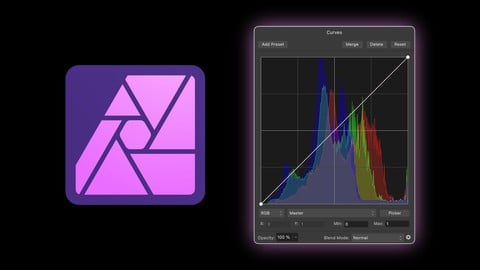
Master Adjustment Layers in Affinity Photo (Udemy.com)
Learn the strengths and weaknesses of all 23 Adjustment Layers in Affinity Photo
Created by: Affinity Revolution
Last updated October 2024
 What you will learn
- You will learn how to use all 23 of Affinity Photo's Adjustment Layers
- You will learn the strengths & weaknesses of each adjustment
- You will learn when & why you should use one adjustment over another
- You will learn practical applications for using Adjustment Layers
How it compares
Against the other 19 rated Udemy courses in Affinity Photo on CourseDuck:
- Rating4.7 out of 5higher than 78% of them
- Reviews37#13 of 20 by number of reviews
- Length3.1 hoursshorter than 68% of them
- Last updatedOctober 2024more recently than 63% of them
 Course Description
Adjustment Layers are the bread & butter of Affinity Photo. They allow you to edit the color & lighting of your images.
But with so many adjustments to choose from, it can be overwhelming to learn how they all work. So in this course, we will take a deep dive into all of Affinity Photo’s Adjustment Layers (all 23 of them!)
By the time you finish this course, you will know exactly how every adjustment works. But even more important than that, you will learn the pros & cons of each adjustment. That way, you will know exactly when & why you should use one adjustment over another.
For example, when should you use the Curves adjustment vs. the Levels adjustment? Or when should you use Color Balance vs. Selective Color? Vibrance vs. Saturation? Recolor vs. HSL? Or even Threshold vs. Posterize? These are the types of questions we will answer in the course, as we carefully review each of Affinity Photo's Adjustment Layers.
This course is easy enough for beginners to follow along, but in-depth enough that even the most experienced users will learn something new. So if you want to level up your Affinity skills, then please join me in the course! :)

 Udemy Discount
The discount is applied through our link. Open the course from here and Udemy's current promotional price is applied at checkout on most courses, no code to type.
Some courses are excluded from Udemy's promotions. If the price does not drop, clear your browser cookies and use the button again.
Instructor Details

- 4.7 Rating
 37 Reviews
Affinity Revolution
Hi there! I'm Ally Anderson, the girl behind Affinity Revolution. I've been teaching people how to use the Affinity programs since 2016. Over these years, I've made hundreds of video tutorials for Affinity Photo, Designer, and Publisher. I love the whole Affinity suite, and am excited to share what I've learned with you! :)
 More courses by Affinity Revolution
Affinity Photo for Beginners | Updated for Version 2 (2022)
4.8 (698 Reviews)
 Provider: Udemy
 Time: 6.8h
$84.99

Affinity Publisher for Beginners | Updated for Version 2 (2022)
4.8 (539 Reviews)
- Provider: Udemy
- Time: 5.2h
$84.99
Affinity Designer for Beginners | Updated for Version 2 (2022)
4.8 (478 Reviews)
- Provider: Udemy
- Time: 4.3h
$74.99



More Affinity Photo courses

Beginner to Wow - Affinity Photo Version 2 (2022)
4.9 (420 Reviews)
- Provider: Udemy
- Time: 4.8h
$69.99
Affinity Photo for Beginners | Updated for Version 2 (2022)
4.8 (698 Reviews)
- Provider: Udemy
- Time: 6.8h
$84.99

GIMP 2.10 Masterclass: From Beginner to Pro Photo Editing (2025)
4.6 (4,118 Reviews)
- Provider: Udemy
- Time: 40.8h
$15.99

Affinity Photo: Master Photo Editing in Affinity Photo 2 (2026)
4.6 (1,333 Reviews)
- Provider: Udemy
- Time: 19.3h
$84.99

 Reviews

By Neil Landeryou on 5/5/2026
The whole program was informative with a touch of humour to lighten the load of receiving so much. I am thankful that I can go back over any information I need to refresh. Thank you for a great insight to the adjustment layers of Affinity Photo. I look forward to more programs made by Ally.
By Frank Feliciano on 9/9/2025
I've really enjoyed the Affinity Revolution courses so far. Ally is such a pleasant voice to be guided by on this journey of learning this very involved piece of software. I'm sure it will take a few times through to get it all, but it won't be for want of good teaching. Ally walks you through the material with thorough and thoughtful precision, combining technical and artistic fundamentals to perfection. Looking forward to her next course.
By Raymond Den Otter on 7/31/2025
Well presented, at the right speed, in clear and understandable language. Supporting example files are fantastic - logically packaged by theme, offering a great way to follow the examples practically (which is my preferred way of learning). Great job! Thoroughly enjoying this course so far....
By Kees Siemons on 7/24/2025
Very simple, not enough depth
By Tiziano Bosaglia on 4/24/2025
E' quello che cercavo in un corso. Spiegato benissimo e con esempi efficaci.
By Marvin Zander on 2/24/2025
In diesem Kurs konnte ich sehr viel mit nehmen. Es ist sehr verständlich erklärt, nicht nur praktisch, sondern das Verständnis hinter den Funktionen wurde einem dadurch richtig bewusst und ich kann dies jetzt praktisch viel besser anwenden als vorher. Fundiertes Wissen mit einer freundlichen und netten Austrahlung, sehr kompetent wieder gegeben
By John L Smith on 2/20/2025
I have been an Affinity Photo user for a long time....and never really got to grips with the Adjustment layers - this course has very good tutorials explaining what each control does.
By Erik Jorgensen on 1/17/2025
This was great. I appreciate Ali’s insight into the mechanics of each of the adjustments and where (if at all) they are useful.
By Márcio Mendonça on 12/19/2024
I really enjoyed the course! I always take the courses delivered by Ally, and they are all excellent. The content is clear, well-structured, and very useful for my development. Well done on the great work!
By Ruth Tearle on 11/23/2024
It's great to have a simple way of knowing which adjustment works best for different purposes. Ali explains it well
 Quality Score
No CourseDuck member has rated this course yet. Taken it? Give each part a thumbs up or down.
Overall Score : 94 / 100
- Video Duration:
 3.1h
3.1h - Price: $69.99
- Provider: Udemy
- Updated:
 October 2024
 - Level:
 Beginner
 - Language:
 English
 - Certificate:
 Yes
Yes
30-day money-back guarantee on most paid courses
Udemy Coupon Price Tracker
