
 Web Development
 Data Science
 Python
 SQL
SQL JavaScript
 Artificial Intelligence
 IT & Software
 IT Certifications
 Hacking
 AWS
AWS Arduino
 DevOps
 3D Modeling
 Graphic Design
 Photoshop
 Drawing
 Digital Painting
 UX Design
 Business
 Data Analysis
 Communication Skills
 Project Management
 Leadership & Management
 Human Resources
 Digital Marketing
 Social Media Marketing
 Marketing
 SEO
SEO Google Analytics
 Branding
 Excel
Excel Office Productivity
 SAP
SAP PowerPoint
 Microsoft Access
 SharePoint
 Finance & Accounting
 Trading & Investing
 Accounting
 Bitcoin
 Personal Finance
 Video Editing & Animation
 Photography
 Adobe Premier Pro
 Adobe Lightroom
 Personal Development
 Productivity
 Career Development
 Life Coaching
 Health & Fitness
 Meditation & Mindfulness
 Yoga
Yoga Music
Music Music Production
 Guitar
 Piano
Piano Singing
 Language Learning
 Teaching & Academics
 Engineering
 Math
Math Lifestyle
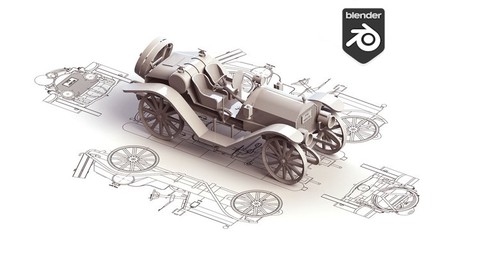
Model & Rig a Car in Blender for Beginners (Udemy.com)
Model and rig your own 3D assets in Blender 4: origins, modifiers, drivers, and controls.
Created by: Thomas McDonald
Last updated August 2026
 What you will learn
- Build 3D models with confidence and precision, no matter your starting point.
- Master time-saving shortcuts and pro-level techniques for standout designs.
- Rig your own 3D assets quickly and effectively using Blender’s robust tools.
- Avoid common pitfalls and streamline your modelling and rigging process.
- Leverage modifiers for a flexible, non-destructive workflow.
- Unlock the full potential of Blender 4x to bring your creative ideas to life.
How it compares
Against the other 100 rated Udemy courses in Blender on CourseDuck:
- Rating4.6 out of 5higher than 38% of them
- Reviews97#90 of 101 by number of reviews
- Length7 hoursshorter than 62% of them
- Last updatedAugust 2026more recently than 93% of them
 Course Description
You want a model you built, with a rig that actually moves, without buying someone else’s asset. This course is modelling and rigging in Blender 4 for beginners.
You model with modifiers so the work stays editable. The 2021 project is a vehicle-style asset: tracks on an array-and-curve, body, stabilizers, a boom armature, then a short animation. Live, that becomes a fully rigged asset with wheel drivers. Set origins so parts rotate where they should. Add controls you can actually use.
What we build
Tracks (array + curve)
Body and stabilizers
Boom armature
Wheel drivers
A short animation of the rigged asset
Who this is for Beginners, illustrators adding rigging, and game makers who want custom assets in free software.
Who this is not for Full character performance / Unreal export (those are later courses on the list). This is Blender modelling and rigging.
What you’ll learn
Model 3D assets in Blender 4 from a beginner start
Rig those assets for animation
Use modifiers in a non-destructive way
Set object origins correctly
Use drivers for wheels and simple motion
Build controls on a finished rig
Requirements
A computer that can run Blender (free)
Three-button mouse recommended
No prior Blender required
Who it’s for
Beginners starting 3D in Blender
Artists who need basic rigging
Game developers who want custom assets without a paid DCC

 Udemy Discount
The discount is applied through our link. Open the course from here and Udemy's current promotional price is applied at checkout on most courses, no code to type.
Some courses are excluded from Udemy's promotions. If the price does not drop, clear your browser cookies and use the button again.
Instructor Details

- 4.6 Rating
 97 Reviews
Thomas McDonald
Thomas is a 3D designer, Python automation specialist, and dedicated Udemy instructor based in Ireland, passionate about technology and empowering creativity. With expertise in 3D CAD, Blender, and Python scripting, he creates automation tools and leverages Blender Python to simplify complex design workflows. Through his engaging Udemy courses, Thomas teaches 3D software and techniques, guiding students to transform their creative ideas into stunning realities. With 12 years of experience in design and technology, he’s committed to sharing innovative tools and insights to inspire learners worldwide.
 More courses by Thomas McDonald

Touch Typing Mastery - Learn to type correctly (2026)
4.5 (5,144 Reviews)
 Provider: Udemy
 Time: 2.5h
$74.99

3D Printing from Zero to Hero in Blender – FDM & MSLA (2026)
4.6 (2,203 Reviews)
- Provider: Udemy
- Time: 10.3h
$149.99
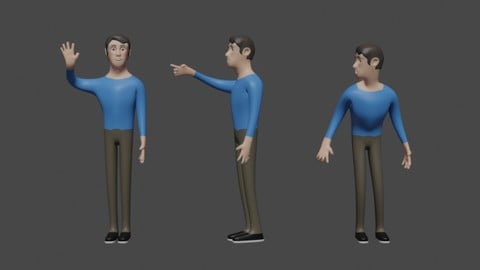

Architectural Design & Animation in Blender (2026)
4.6 (1,199 Reviews)
- Provider: Udemy
- Time: 8.2h
$19.99

Python Scripting for Blender: With Practical Projects (2026)
4.1 (774 Reviews)
- Provider: Udemy
- Time: 3.2h
$69.99

Interior 3D Modelling & Rendering - Blender 3D (2025)
4.6 (770 Reviews)
- Provider: Udemy
- Time: 13.3h
$119.99
More Blender courses

Low Poly Landscapes: Blender Bite Sized Course (2025)
4.9 (1,704 Reviews)
- Provider: Udemy
- Time: 6.2h
$99.99

Absolute Beginners 3D character in Blender course (2022)
4.9 (1,133 Reviews)
- Provider: Udemy
- Time: 14.5h
$94.99


Complete Blender Creator: 3D Modelling (Compatible with 4.3) (2026)
4.8 (69,132 Reviews)
- Provider: Udemy
- Time: 13.8h
$199.99

The Ultimate Blender 3D Sculpting Course (2026)
4.8 (3,904 Reviews)
- Provider: Udemy
- Time: 37.2h
$119.99

Blender Total! From Basic to Advanced 3D! (2025)
4.8 (2,407 Reviews)
- Provider: Udemy
- Time: 21.3h
$109.99
 Reviews

By Theodor Leyh on 5/7/2026
Hervorragender Kurs bis jetzt! Inhalt und Präsentation sind ebenso vorbildlich wie das zur Verfügung gestellte Material. Absolut empfehlungswert! Excellent course so far! The content and presentation are exemplary, as is the material provided. Highly recommended!
By Timm Schoenborn on 3/23/2026
Another excellent course from an excellent instructor. I love your teaching style, thoughtful, thorough, without any of the drawbacks that may come from being so detailed. This course was great, although I would have loved to see more detail and explanation in the last two chapers, which were where most of the rigging and animation occur. A step by step for a longer animation, as well as a more detailed explanation of the bone control system would benefit this course. I'd also like to see this updated for Blender 5, especially since they've moved on from bone layers to groups. However, that's still not enough to knock even half a star off of this perfectly taught course. Nice work again Thomas!
By Varun Rauthan on 9/4/2025
Course is so good. first section where educator give us ways to navigate and go through different setting along with test is very top notch. i have not seen any other educator covering those topics and giving time to those topic. They way he present topic is crisp and clear . i am going through course and really i want to just continue and continue his lecture. i just wish he has other courses apart from modelling ( will do other modelling course also ) . BIG YES for this course
By Steve Cormier on 8/29/2022
Yes, learning some new tools. Some manipulation of meshes I had never really thought about before. Definitely a good course for those looking for a good introduction to rigging.
By Lisandro Pastinante on 8/2/2020
There is a lot of good content but it goes through it very fast. Need to take more time and simpler examples to explain in more depth. Also in the interface explanation videos I think should be way shorter and explain later on while doing the practise instead of a long video with no hands on content. All in all I see a lot of potential, keep it up and make it better.
By Rod Hill on 6/20/2020
Got me through a pretty tricky topic quickly (and answered questions quickly). Would definitely look at his other courses.
By David Bishop on 6/15/2020
The pace is quick and the explanations solid. It has one of the best intros to Blender I've seen. Great course.
By Soumitra Wagholikar on 5/10/2020
Volume should have been more... some pronunciations are very hard to pick due to low volume. Also resolution could have been better
By Mech. Driver on 4/14/2020
Have take taken a few other courses, and it helps to have your tools uniformed with instructors layout, Thx 4 the heads up.
By Jessica Bryce on 5/4/2017
Very informative, a fantastic step by step approach with detailed instructions. Thank you!
 Quality Score
No CourseDuck member has rated this course yet. Taken it? Give each part a thumbs up or down.
Overall Score : 92 / 100
- Video Duration:
 7h
7h - Price: $64.99
- Provider: Udemy
- Updated:
 August 2026
 - Level:
 Beginner
 - Language:
 English
 - Certificate:
 Yes
Yes
30-day money-back guarantee on most paid courses
Udemy Coupon Price Tracker
