
 Web Development
 Data Science
 Python
 SQL
SQL JavaScript
 Artificial Intelligence
 IT & Software
 IT Certifications
 Hacking
 AWS
AWS Arduino
 DevOps
 3D Modeling
 Graphic Design
 Photoshop
 Drawing
 Digital Painting
 UX Design
 Business
 Data Analysis
 Communication Skills
 Project Management
 Leadership & Management
 Human Resources
 Digital Marketing
 Social Media Marketing
 Marketing
 SEO
SEO Google Analytics
 Branding
 Excel
Excel Office Productivity
 SAP
SAP PowerPoint
 Microsoft Access
 SharePoint
 Finance & Accounting
 Trading & Investing
 Accounting
 Bitcoin
 Personal Finance
 Video Editing & Animation
 Photography
 Adobe Premier Pro
 Adobe Lightroom
 Personal Development
 Productivity
 Career Development
 Life Coaching
 Health & Fitness
 Meditation & Mindfulness
 Yoga
Yoga Music
Music Music Production
 Guitar
 Piano
Piano Singing
 Language Learning
 Teaching & Academics
 Engineering
 Math
Math Lifestyle
Scene Creation with Blender and Substance Painter (Udemy.com)
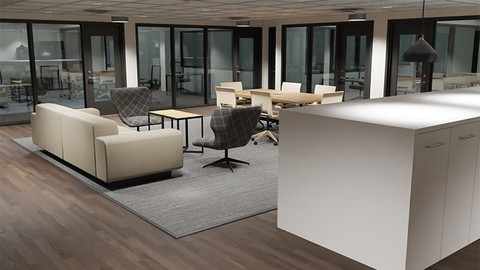
Use Blender and Substance Painter to create an interior scene for animation, games, or architectural visualization.
Created by: Darrin Lile
Last updated July 2020
 What you will learn
- Blender's modeling tools and modifiers
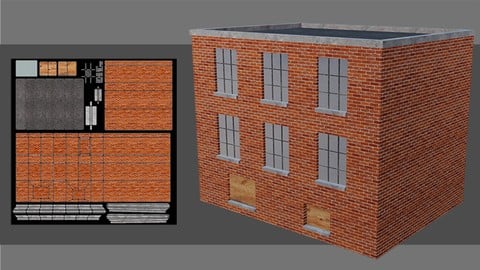
- UV map 3D objects in Blender
- Prepare 3D models for export to Substance Painter
- Create realistic PBR textures for 3D models in Substance Painter
- Create an Export Template in Substance Painter to be used for Blender
- Apply PBRtextures in Blender
- Add lights to a scene in Blender
- Render a scene using both the Cycles and Eevee render engines in Blender
How it compares
Against the other 100 rated Udemy courses in Blender on CourseDuck:
- Rating4.7 out of 5higher than 70% of them
- Reviews347#59 of 101 by number of reviews
- Length16.5 hourslonger than 73% of them
- Last updatedJuly 2020earlier than 73% of them
 Course Description
Use Blender's modeling tools and modifiersUV map 3D objects in BlenderPrepare 3D models for export to Substance PainterCreate realistic PBR textures for 3D models in Substance PainterCreate an Export Template in Substance Painter to be used for BlenderApply PBRtextures in BlenderAdd lights to a scene in BlenderRender a scene using both the Cycles and Eevee render engines in BlenderWe will go over Blenders modeling toolset and use blueprints to build up the walls, doors, and windows of the scene. We also will use reference images to help us model each piece of furniture in the various rooms.
You'll learn how to UV map 3D objects and how to prepare each one for export to Substance Painter as an FBX file. In Substance Painter well create realistic PBR textures for our models, and youll learn how best to set-up those textures for use in Blender.
After we add the textures in Blender, we will begin working on the lighting. Well add spot lights and area lights to the scene and we will render the scene out using both Blenders Cycles render engine, and the new Eevee render engine. Youll see the differences and benefits of both.
All the project files are available for download, as well as all the reference images.
Start creating your own 3D environments in Blender. Get "Scene Creation with Blender and Substance Painter" today!
Who this course is for:
Beginner 3D artists who would like to create and texture 3D environments

 Udemy Discount
The discount is applied through our link. Open the course from here and Udemy's current promotional price is applied at checkout on most courses, no code to type.
Some courses are excluded from Udemy's promotions. If the price does not drop, clear your browser cookies and use the button again.
Instructor Details

- 4.7 Rating
 347 Reviews
Darrin Lile
Darrin Lile is an animator, developer, and Blender Foundation Certified Trainer teaching courses in computer animation and game development. He received Bachelors and Masters degrees in Film and Media Studies from the University of Kansas and has worked as an animator, a producer of educational films, a sound editor for film and television, and as a computer security analyst.
 More courses by Darrin Lile




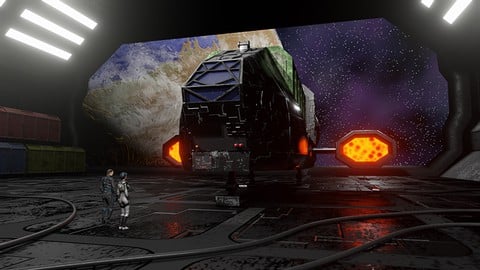
Learn Animation Production with Blender 2.9 (2021)
4.7 (517 Reviews)
 Provider: Udemy
 Time: 10.8h
$59.99
More Blender courses

Low Poly Landscapes: Blender Bite Sized Course (2025)
4.9 (1,704 Reviews)
- Provider: Udemy
- Time: 6.2h
$99.99

Absolute Beginners 3D character in Blender course (2022)
4.9 (1,133 Reviews)
- Provider: Udemy
- Time: 14.5h
$94.99


Complete Blender Creator: 3D Modelling (Compatible with 4.3) (2026)
4.8 (69,132 Reviews)
- Provider: Udemy
- Time: 13.8h
$199.99

The Ultimate Blender 3D Sculpting Course (2026)
4.8 (3,904 Reviews)
- Provider: Udemy
- Time: 37.2h
$119.99

Blender Total! From Basic to Advanced 3D! (2025)
4.8 (2,407 Reviews)
- Provider: Udemy
- Time: 21.3h
$109.99
 Reviews

By Stephen Carl Parcon on 12/13/2020
This is the perfect course to learn the basics of Blender in terms of modeling, scene creation, and architectural visualization. I had a lot of fun following along the course. The tips and tricks are really helpful. The instructor did a great job, not fast, and speaks clearly. This course deserves 5 stars!
By Jeremy Harvey on 12/13/2020
Fantastic course
By Mark Holley on 11/11/2020
I've taken several of Mr. Lile's courses in Blender and each one has been wonderfully eye-opening. His instruction style is calm, measured, efficient, and charming. This is all good because moving from beginning to intermediate understanding of Blender can be quite daunting at times. On the rare occasions that I've gotten lost, I've referred back to his excellent source files. I've found myself using the phrase, "What let's do..." in my day-to-day life.
Alex Cordebard and Darrin Lile have been pretty much my only Blender instructors and I have absolutely no regrets. Whenever either of them releases a course it's been an instant purchase for me, and this course about creating scenes with Blender and Substance Painter is an excellent choice indeed.
By Anna Lubowicka on 11/10/2020
Sehr gut erklrt, nett und mit groe Liebe zum Detail ;)
By Mike Rackwitz on 11/8/2020
Der Kurs hat mich vollends berzeugt, ich bin als eingefleischter Blendernutzer und bin immer noch berrascht was das Programm zu bieten hat. Der Autor hat den Lernstoff sehr gut vermittelt und hat mich inspiriert dem Kurs nicht nur passiv beizuwohnen , sondern selbst aktiv ein Modell zu erstellen. Der Kurs ist fr Anfnger sowie auch schon Professionelle Teilnehmer geeignet.
Gut war das der Autor auch die neuen Mglichkeiten der EEVee Rendering mit den Optionen des klassischen Cylcles Rendering angesprochen hat.
By Tilak Golari on 10/20/2020
This is a great course.
The workflow of substance and blender is very well explained.
I needed that.
recommended.
By Nipun Shastri on 10/13/2020
I am a simple Man. Whenever I see Darrin's new tutorial I just run to buy it.
By Michael Urbowicz on 10/5/2020
Great explanation. Enjoying all of your other classes on Blender too!
By Peter Bollermann on 9/26/2020
Der beste Kurs den ich bisher zum Thema Interior gesehen habe. Es wird alles im Detail erklrt. Das Wie, das Warum... einfach nur brilliant mit einer deutlichen Aussprache. Perfekt fr Anfnger.
By Luc Peeters on 9/24/2020
Great course. sometimes a little difficult to follow (especially in substance painter). But the result is great.
By Klaus Kirchner on 9/18/2020
Wnde mit ffnungen, Wandstrken, Abstnde der Wnde untereinander, Trabmessungen und viele Details alles nach Augenma - dadurch immer wieder Anpassungen notwendig . . . in der Praxis als gleiche Bauteile geplant und gebaut, man htte mehr Zeit fr das eigentliche Thema der Texturierung gehabt. Trotzdem sehr gut und es hat wie immer viel gebracht!
By Ian Roberts on 9/13/2020
Amazing course with lots of different elements that can be used on other projects. My only gripe is the use of so many Substance Source materials.
 Quality Score
No CourseDuck member has rated this course yet. Taken it? Give each part a thumbs up or down.
Overall Score : 94 / 100
- Video Duration:
 16.5h
16.5h - Price: $59.99
- Provider: Udemy
- Updated:
 July 2020
 - Level:
 Beginner
 - Language:
 English
 - Certificate:
 Yes
Yes
30-day money-back guarantee on most paid courses
Udemy Coupon Price Tracker
