
 Web Development
 Data Science
 Python
 SQL
SQL JavaScript
 Artificial Intelligence
 IT & Software
 IT Certifications
 Hacking
 AWS
AWS Arduino
 DevOps
 3D Modeling
 Graphic Design
 Photoshop
 Drawing
 Digital Painting
 UX Design
 Business
 Data Analysis
 Communication Skills
 Project Management
 Leadership & Management
 Human Resources
 Digital Marketing
 Social Media Marketing
 Marketing
 SEO
SEO Google Analytics
 Branding
 Excel
Excel Office Productivity
 SAP
SAP PowerPoint
 Microsoft Access
 SharePoint
 Finance & Accounting
 Trading & Investing
 Accounting
 Bitcoin
 Personal Finance
 Video Editing & Animation
 Photography
 Adobe Premier Pro
 Adobe Lightroom
 Personal Development
 Productivity
 Career Development
 Life Coaching
 Health & Fitness
 Meditation & Mindfulness
 Yoga
Yoga Music
Music Music Production
 Guitar
 Piano
Piano Singing
 Language Learning
 Teaching & Academics
 Engineering
 Math
Math Lifestyle
The Complete Guide to Rigid Body Simulations in Blender 3D (Udemy.com)
Learn all there is to know about the Rigid Body Simulation in Blender 3D & how to create satisfying animations!
Created by: Stephen Pearson
Last updated September 2025
 What you will learn
- At the end of this course you will know all the settings in the rigid body simulation.
- You will know how to use and create simulations using the Rigid Body in Blender.
- You will learn all about the Rigid Body Constraints and how to use them efficiently.
How it compares
Against the other 100 rated Udemy courses in Blender on CourseDuck:
- Rating4.6 out of 5higher than 38% of them
- Reviews201#74 of 101 by number of reviews
- Length2.5 hoursshorter than 92% of them
- Last updatedSeptember 2025more recently than 63% of them
 Course Description
Hello everyone and welcome to the Rigid Body Simulation Guide in Blender 3D. In this course you will learn everything there is to know about the rigid body.
We will first start out by understand what the simulation is and how to use it properly. After that we will jump into Blender and learn all about the different settings and values and how they effect the simulation. We will also learn about rigid body constraints and exactly how to use them. Other things you will learn about include rigid body world, rigid body dynamics, collision groups and more.
There are 3 different tutorials that we go through to demostrate the simulation. The first one is a the render you see on screen. We will be using an array modifier and simulating every single cube to get this effect.
The next one is an obstacle course for a sphere to go through. This section we will be using different rigid body constraints and techniques to push the sphere where we want it to go.
Finally the last section we will be exploding a wall with a monkey head. You will learn about animation and keyframes and more. Every tutorial in this course we use the Eevee to render!
If you want to learn all about the Rigid Body simulation and all its features hit that enroll button and lets get started!
Programs used in this course: Blender 3D
Outro Song provided by Tasty:
Title: VOIID - Azure
Label Channel: TastyNetwork
Thanks!
Stephen

 Udemy Discount
The discount is applied through our link. Open the course from here and Udemy's current promotional price is applied at checkout on most courses, no code to type.
Some courses are excluded from Udemy's promotions. If the price does not drop, clear your browser cookies and use the button again.
Instructor Details

- 4.6 Rating
 201 Reviews
Stephen Pearson
Hello! Thank you for stopping by and reviewing my Blender course. My goal is to help you become the graphic designer you've always dreamed of becoming AND - have a blast doing it. Working with Blender and creating amazing 3D graphics is amazing and anyone can learn it.
I really enjoy teaching others what I know. I appreciate each and every one of my students. Please let me know if I can help you perfect your Blender graphics!
 More courses by Stephen Pearson

Create & Design a Modern Architecture House in Blender 3D (2025)
4.7 (1,662 Reviews)
 Provider: Udemy
 Time: 5h
$19.99

Create & Design a Modern Interior in Blender 3D (2025)
4.6 (966 Reviews)
- Provider: Udemy
- Time: 4h
$79.99

The Complete Guide to the Fluid Simulation in Blender (2024)
4.6 (711 Reviews)
- Provider: Udemy
- Time: 3.5h
$94.99
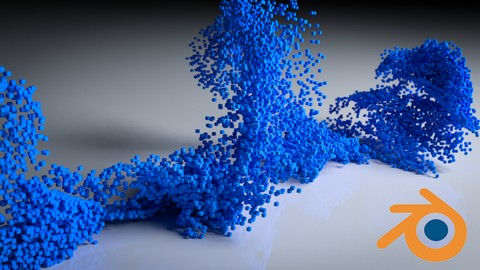
Beginners Guide to the Particle System in Blender 3D (2025)
4.7 (440 Reviews)
- Provider: Udemy
- Time: 4.8h
$74.99
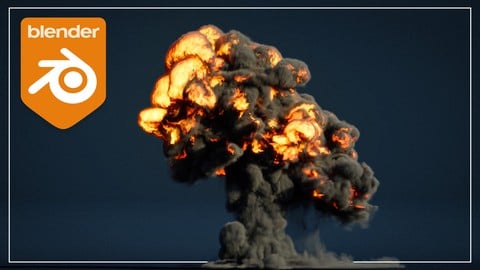
Complete Guide to the Fire & Smoke Simulation in Blender 3D (2025)
4.7 (409 Reviews)
- Provider: Udemy
- Time: 5.2h
$79.99

The Complete Guide to the Cloth Simulation in Blender 3D (2025)
4.6 (235 Reviews)
- Provider: Udemy
- Time: 1.8h
$11.99
More Blender courses

Low Poly Landscapes: Blender Bite Sized Course (2025)
4.9 (1,704 Reviews)
- Provider: Udemy
- Time: 6.2h
$99.99

Absolute Beginners 3D character in Blender course (2022)
4.9 (1,133 Reviews)
- Provider: Udemy
- Time: 14.5h
$94.99


Complete Blender Creator: 3D Modelling (Compatible with 4.3) (2026)
4.8 (69,132 Reviews)
- Provider: Udemy
- Time: 13.8h
$199.99

The Ultimate Blender 3D Sculpting Course (2026)
4.8 (3,904 Reviews)
- Provider: Udemy
- Time: 37.2h
$119.99

Blender Total! From Basic to Advanced 3D! (2025)
4.8 (2,407 Reviews)
- Provider: Udemy
- Time: 21.3h
$109.99
 Reviews

By Corey and Giselle M on 5/3/2024
Another GREAT Course! I did have issues with the motor constraint but i think i was just pushing myself too deep into the night and might have to try again in the morning. Either way i am SO GLAD i got these courses while they were on sale. Another sector of Blender has been unlocked and i am now able to teach myself how to experiment even further! The cell fracture course was my favorite. The obstacle course helped me try again and again and again until i finally knocked down all of the tower which was a good form of repetition for me.
By Rémi FAYNOT on 10/30/2021
Really Good Course to understand how the Rigid Body Simulation works in Blender ! Good explanations and cool animations to work on. Thanks a lot !
By Albert Knutsson on 6/30/2021
Fantastic course! I had a lot of fun and learned a lot. I really recommend the course. I already bought some other courses in the series from Stephen Pearson and I'm looking forward to it. I like that it is relatively short, but still covers a lot. Definitely worth the money (on Udemy discount). Also, I did it in Blender 2.9. It was no problem. Only a few things are different, which actually is good for the learning experience as you need to fill in the gaps yourself. This was my second course in Blender, the first one was an extensive complete beginners course. I would recommend that you do it in that order, so you can focus on the rigid body learning, but it is definitely not required.
By Steffen Tobias Meier on 1/8/2021
As always, a complete package. What would be great if we could have sort of masterclass or something on the topic of simulations. With very complex simulations(including particles) where we are given tasks that we have to complete but can also check for the most efficant solution.
By Stephen Dickey on 5/18/2020
Good to have a top down look of how the rigid body and collision modifiers work. I lost focus at a few places where I felt it was a bit fluffy in terms of the course content, other than that, amazing content.
By Christiano Rezende on 7/27/2019
Great course on rigid body simulation in Blender! The lessons are clear and straight to the point. Instructor moves a bit too fast at some points, but it doesn't pose a problem for someone who uses Blender from time to time. I had no problem following the course in Blender 2.8. The only part I had to get back to using Blender 2.79 was the exercise that uses the Cell Fracture modifier, which doesn't work with Blender 2.8 yet.
By Elkin Castro Gutierrez on 2/14/2019
excelente curso para principiantes y gente con poco conocimiento de blender, ejemplos muy prácticos, el instructor no se anda con rodeos y va directo a lo importante. Para mejorar, poco quizás explicar un poco mas las opciones de renderizado para los principiantes en blender, gracias
By Noelle Chisholm on 11/29/2018
I learned a few things with this course! I already had basic knowledge. While I enjoyed this course, I think the several parts where you made mistakes, or had to backtrack (perhaps helpful for complete beginners) could have been cut out to preserve some time but otherwise, you explained things simply and thoroughly!
By Robert Sharp on 9/30/2017
Blender Basics was one of the best 8 minute summaries of Blender shortcuts I've seen. Unfortunately, the first part of Rigid Body Basics felt disorganized with several "do overs" where a something was not properly set. I watched it twice and some of the terminology was still unclear. You may want to consider re-recording that one and beginning with a short demo of what the end result will be. A sixty second refresher on animation, timeline and keyframes that play into the physics simulation would also be helpful.
By Terry Davis on 6/4/2017
The explanations in this course are very concise and cover a lot of ground efficiently and thoroughly. The instructor, despite his young age, is extremely knowledgeable in Blender and able to relay that information well. I feel like I gathered quite a number of Blender skills through this course, and I am certain that I will return to some areas that personally struggled with in the future to lock them down. Terry Davis
 Quality Score
No CourseDuck member has rated this course yet. Taken it? Give each part a thumbs up or down.
Overall Score : 92 / 100

- Video Duration:
 2.5h
2.5h - Price: See price on Udemy
- Provider: Udemy
- Updated:
 September 2025
 - Level:
 All Levels
 - Language:
 English
 - Certificate:
 Yes
Yes
30-day money-back guarantee on most paid courses
Udemy Coupon Price Tracker
