
 Web Development
 Data Science
 Python
 SQL
SQL JavaScript
 Artificial Intelligence
 IT & Software
 IT Certifications
 Hacking
 AWS
AWS Arduino
 DevOps
 3D Modeling
 Graphic Design
 Photoshop
 Drawing
 Digital Painting
 UX Design
 Business
 Data Analysis
 Communication Skills
 Project Management
 Leadership & Management
 Human Resources
 Digital Marketing
 Social Media Marketing
 Marketing
 SEO
SEO Google Analytics
 Branding
 Excel
Excel Office Productivity
 SAP
SAP PowerPoint
 Microsoft Access
 SharePoint
 Finance & Accounting
 Trading & Investing
 Accounting
 Bitcoin
 Personal Finance
 Video Editing & Animation
 Photography
 Adobe Premier Pro
 Adobe Lightroom
 Personal Development
 Productivity
 Career Development
 Life Coaching
 Health & Fitness
 Meditation & Mindfulness
 Yoga
Yoga Music
Music Music Production
 Guitar
 Piano
Piano Singing
 Language Learning
 Teaching & Academics
 Engineering
 Math
Math Lifestyle
Video Editing in Blender - Beginner to Pro (Udemy.com)
Edit video in Blender’s VSE: cuts, text, audio, transitions, motion graphics, and export. No paid editor.
Created by: Thomas McDonald
Last updated August 2026
 What you will learn
- Start a project using the correct settings that match the video from your camera.
- How to add effects to the video
- How to add text to the content you are editing
- Export your content using the recommended YouTube best quality format
- How to render and save a single image from your video clip
- How to create fade in and fade out effects to your video content
- How to add animation to control text in Blender
How it compares
Against the other 100 rated Udemy courses in Blender on CourseDuck:
- Rating4.2 out of 5higher than 6% of them
- Reviews167#79 of 101 by number of reviews
- Length2.8 hoursshorter than 90% of them
- Last updatedAugust 2026more recently than 93% of them
 Course Description
Do
you want tolearnhow toedit your video contentinBlender? Do
you want to add effects and text to your creativeprojectsinside
this amazingFreesoftware?
By the end of this course you will be able to use the methods andtechniquesdemonstrated in this course to add, adjustand render your own uniquevideo content.
Learn the basic concepts, discover the amazingtools and efficientprocessesto ad extra style to your own cntentin the free software Blender.
This course is apractical approachand will allow you to developthe skills of video editing while also seeing the result of our progress in real time. Learn the process of manipulating Blender to get the results you require and solve any tasks quickly and easily. The course takes you step by step through the process of adding video, then editingand rendering the final result.
Blender is anamazingprogram that enables your creative side while constantly challenging you to improve. By simply following this course you will be learning the basics of video editing inBlender and after completing this course you willbe capable of enhancing your own video content.
The lessons are taught withpractical examplesand aimed at completing this video editing project. Learning Blender doesn't need to be difficult and you should enjoy thejourneyas you create some amazing video content.
This course will take you step by step through each critical stage and help you develop your skills along the way.
Unleash
your Creative side
Open
Blender and be amazed at the possibilities. Discover a newworld
of creativity. Blender is free, and constantly improving to
deliverindustry standard tools. Ithas a strong online
community just waiting to be discovered.
Start editing video with total control using the feature packedvideo editor in Blender thatoffers youindustry standard power.
This is Professional video editing software with no price tag!
This course is perfect for you want to practice while you learn. Thecourse is designed to guide you through setting upBlenders very powerful Video sequence Editor, takes youstep by step through the important features so you can start creating very quickly. Experience total control over the export options available in Blender andexport your video edits to YouTube or other formats with the best quality settings every time. Learn how toadd effects and export your creations quickly and easily ready for sharing. Become a greatcontent creator with this free amazing software.
Make Great Content
Practice editingwhile you learn. This course is based around practical activities so will learn by doing.
What is Video Editing in Blender all About?
This course covers all the basics to video editing to help get you started and creating awesome content for YouTube.
Setting up Blender's VSE (Video Sequence Editor)Editing your videosAdding TextAdding transitionsAdding SoundMaking Soft CutsExporting your video for high quality playback
So
jump in andstart
creatingtoday!
Who this course is for:
You are a video creator and want to edit videos with amazing and free video editing software today.
You are a complete beginner who has never opened Blender beforeContent Creators who want a free alternative for video editing

 Udemy Discount
The discount is applied through our link. Open the course from here and Udemy's current promotional price is applied at checkout on most courses, no code to type.
Some courses are excluded from Udemy's promotions. If the price does not drop, clear your browser cookies and use the button again.
Instructor Details

- 4.2 Rating
 167 Reviews
Thomas McDonald
Thomasis a designerliving in Ireland. Hehas a passion for 3D modelling and animation and using Blenders powerful software allows his imagination come to life like never before.
Over the past 12 years hes worked on various 3D Modelling programs designing for production. Having discovered Blender a number of years ago and realized its amazing potential for creating, the future has no limits.
 More courses by Thomas McDonald

Touch Typing Mastery - Learn to type correctly (2026)
4.5 (5,144 Reviews)
 Provider: Udemy
 Time: 2.5h
$74.99

3D Printing from Zero to Hero in Blender – FDM & MSLA (2026)
4.6 (2,203 Reviews)
- Provider: Udemy
- Time: 10.3h
$149.99
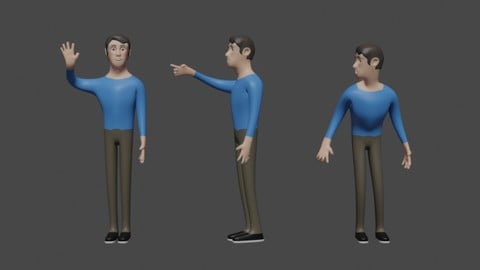

Architectural Design & Animation in Blender (2026)
4.6 (1,199 Reviews)
- Provider: Udemy
- Time: 8.2h
$19.99

Python Scripting for Blender: With Practical Projects (2026)
4.1 (774 Reviews)
- Provider: Udemy
- Time: 3.2h
$69.99
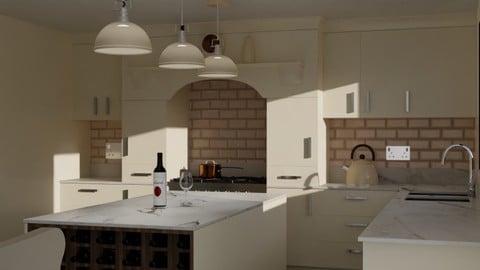
Interior 3D Modelling & Rendering - Blender 3D (2025)
4.6 (770 Reviews)
- Provider: Udemy
- Time: 13.3h
$119.99
More Blender courses

Low Poly Landscapes: Blender Bite Sized Course (2025)
4.9 (1,704 Reviews)
- Provider: Udemy
- Time: 6.2h
$99.99

Absolute Beginners 3D character in Blender course (2022)
4.9 (1,133 Reviews)
- Provider: Udemy
- Time: 14.5h
$94.99


Complete Blender Creator: 3D Modelling (Compatible with 4.3) (2026)
4.8 (69,132 Reviews)
- Provider: Udemy
- Time: 13.8h
$199.99

The Ultimate Blender 3D Sculpting Course (2026)
4.8 (3,904 Reviews)
- Provider: Udemy
- Time: 37.2h
$119.99

Blender Total! From Basic to Advanced 3D! (2025)
4.8 (2,407 Reviews)
- Provider: Udemy
- Time: 21.3h
$109.99
 Reviews

By Jordan Jegel on 10/18/2020
easily explained
By Romain Heck on 10/18/2020
Excellent course in video editing for beginners.
The instructor is clear and goes at a good pace, you'll learn all the basics.
By Armando de la Torre Mothelet on 10/17/2020
Nice short introduction into using Blender for as a video editor.
By Ronald A Williams on 10/5/2020
Easy to understand and follow the instructor.
By Juliette Reek on 9/22/2020
good course he has do the best he can.
but there is a little missing information.
it be small things I have to Google.:
how I have to set keyframe it was not clear that I have to hoover the mouse over the box that indicates the value of the thing you have to animate.
I have done most of the course, no I have only listen to do. and I have to Google second thing.
how you can set the distance for the snapping tool.
what you have no problem Google anything or have very good eyes in your head, it is a good course.
By Susan McAdam on 9/10/2020
This is a very good class. The only issue is that I'm using Blender version 2.83 and this course was designed for 2.79. Fortunately I know enough about video editing and about Blender that I had a general idea where changed commands should be. Literally, I just want a good overview of how video editing works in Blender and that's what I got. It moves along at a fast pace so if you're completely new to Blender, this may overwhelm. But over all . . . I enjoyed the course. Thanks, Thomas!
By Paul Gregson-Allcott on 7/13/2020
Was hoping it would have been updated to 2.8. Also, I am finding I have to rewind a lot as you say "do this" and the green mouse cursor is not easy to see sometimes, so I lose where it is. The download page for Blender 2.79 has also changed and will probably change again, so if you can mention the download file name, that would be useful as my Latest version of 2.79 seems to be slightly different to your Latest version.
By Chandan Roy on 6/22/2020
Very helpful tutorials for beginners working with the blender. I have now clear vision about the blender vse. Thanks.
By Kimberly Smith on 6/2/2020
short. sweet. clear. what more could anyone ask for?
By Charles Forbes on 4/14/2020
Awesome so far. If I would have know how to set blender up and change the functions of each window at will would have saved me hours of frustration. This has already been money well spent.
By James Anguret on 3/21/2020
i think so far, he is fast for the average beginner, but lets see how it goes
By Avi Rowe on 2/24/2020
the quality of the videos are a little low but the information and steps are really great !
 Quality Score
No CourseDuck member has rated this course yet. Taken it? Give each part a thumbs up or down.
Overall Score : 84 / 100

- Video Duration:
 2.8h
2.8h - Price: $49.99
- Provider: Udemy
- Updated:
 August 2026
 - Level:
 Beginner
 - Language:
 English
 - Certificate:
 Yes
Yes
30-day money-back guarantee on most paid courses
Udemy Coupon Price Tracker
