
 Web Development
 Python
 SQL
SQL Data Science
 JavaScript
 Artificial Intelligence
 IT & Software
 IT Certifications
 Hacking
 Arduino
 AWS
AWS DevOps
 3D Modeling
 Graphic Design
 Photoshop
 Drawing
 Digital Painting
 UX Design
 Business
 Data Analysis
 Communication Skills
 Leadership & Management
 Project Management
 Human Resources
 Digital Marketing
 Social Media Marketing
 Marketing
 SEO
SEO Google Analytics
 Branding
 Excel
Excel Office Productivity
 SAP
SAP PowerPoint
 Microsoft Access
 SharePoint
 Finance & Accounting
 Trading & Investing
 Accounting
 Bitcoin
 Personal Finance
 Video Editing & Animation
 Photography
 Adobe Premier Pro
 Adobe Lightroom
 Personal Development
 Productivity
 Career Development
 Life Coaching
 Health & Fitness
 Meditation & Mindfulness
 Yoga
Yoga Music
Music Music Production
 Guitar
 Piano
Piano Singing
 Language Learning
 Teaching & Academics
 Engineering
 Math
Math Lifestyle
Learn to Create & Publish Games for Mobile (Udemy.com)
Mobile development made easy. Learn C# using Unity and create & publish your own mobile game
Created by: James Doyle
Last updated September 2020
 What you will learn
- Publish a full game to the Google Play Store
- Understand how to earn revenue using advertising in their games
- Learn C#, a modern versatile programming language
- Understand the capabilities of mobile development in Unity
- Develop strong and transferrable problem solving skills
- Gain an understanding of the game development process
 Course Description
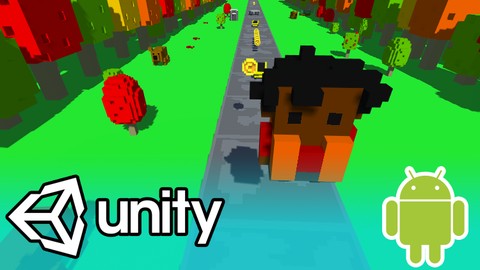
Learn how to create your very own endless runner game for mobile using Unity3D, an industry-standard program used by many large gaming studios and indie developers across the world.
In this course, you'll learn everything you need to build and release a game on the Google Play Store, from building the game all the way through to how to publish your game on the Play Store itself.
You won’t just be learning programming concepts in this course, but tying these concepts to real game development uses. You will have access to a course forum where you can discuss the topics covered in the course as well as the next steps to take once the course is complete.
This course has been designed to be easily understandable to everyone, so whether you’re a complete beginner, an artist looking to expand their game development range or a programmer interested in understanding mobile game design, this course will help you gain a greater understanding of development.
At the end of this course you will have developed the ability to create such mobile game elements as:
- Creating an endless world
- Gathering collectibles
- Using Advertisements to create revenue for your games
- Randomly generating objects in the world
- Adding dangerous elements
- User Interface with interactive menus
- Creating a character unlocking & switching system
Start learning today and let me help you become a mobile game developer!

 Udemy Discount
The discount is applied through our link. Open the course from here and Udemy's current promotional price is applied at checkout on most courses, no code to type.
Some courses are excluded from Udemy's promotions. If the price does not drop, clear your browser cookies and use the button again.
Instructor Details

- 4.4 Rating
 269 Reviews
James Doyle
Hi, I'm James. I have helped thousands of people learn how to develop their own games in Unity, and whether you're a first-time developer, or need to refresh your skills, I can help you learn to make the games you want to make.
With a bachelors degree in Computer Science and a background working in independent game development, I have been helping others to create their own games and release them on multiple platforms.
I believe in helping you learn by teaching code in context, so rather than having to memorize a bunch of stuff you've never seen before, you learn how each coding concept can be applied to real working problems in your games.
I can't wait to help you learn all about making your own games and how to make them a success.
So why not start learning to make games with me now?
See you soon!
James
 More courses by James Doyle

Learn To Code By Making a 2D Platformer in Unity (2017)
4.8 (2,597 Reviews)
 Provider: Udemy
 Time: 13.1h
$13.99
Learn To Code By Making a 2D Platformer in Unity & C# (2020)
4.5 (1,744 Reviews)
- Provider: Udemy
- Time: 14.9h
$15.99

Learn To Create A Roguelike Game In Unity (2020)
4.8 (1,234 Reviews)
- Provider: Udemy
- Time: 19.4h
$16.99

Learn To Create A Complete Menu System in Unity (2019)
4.6 (916 Reviews)
- Provider: Udemy
- Time: 2.8h
Free
Learn to Create a Metroidvania Game using Unity & C# (2023)
4.6 (912 Reviews)
- Provider: Udemy
- Time: 11.3h
$89.99
More Game Development Fundamentals courses

The Ultimate 2D Top Down Unreal Engine Course (2026)
4.9 (1,468 Reviews)
- Provider: Udemy
- Time: 17.1h
$94.99

Blender Skill Builder: Modelling Challenges (2026)
4.9 (144 Reviews)
- Provider: Udemy
- Time: 6.5h
$19.99

Jumpstart to 2D Game Development: Godot 4 for Beginners (2026)
4.8 (4,398 Reviews)
- Provider: Udemy
- Time: 67.6h
$89.99

Create a Complete 2D Survivors Style Game in Godot 4 (2023)
4.8 (3,761 Reviews)
- Provider: Udemy
- Time: 17.2h
$59.99

Master Lua Programming and Create Amazing Games with LÖVE! (2023)
4.8 (3,199 Reviews)
- Provider: Udemy
- Time: 8.5h
$13.99

Complete Godot 2D: Develop Your Own 2D Games Using Godot 4 (2025)
4.8 (1,619 Reviews)
- Provider: Udemy
- Time: 11.3h
$94.99
 Reviews

By Kelly Heath on 5/16/2021
Great course as usual for James. Only thing I would suggest is updating the end section for monetization and publishing to the play store with the current process and layout of the play store. I understand its difficult (and possibly impossible) to update the end section every time something changes, However some acknowledgement or notes even to say that it's different would help out the truly novice game makers and coders.
By Chris Hernandez on 12/14/2020
I very much enjoyed this course. The instructor is very clear and concise in his explanations of the materials. The game itself I found to be a fun little project to work through with the instructor. The only bit that was slightly outdated was the final section about inserting ads since that method seems to be slightly different now from when James originally recorded this course. Even still, the main content of this course I found to be incredibly helpful for a complete beginner to Unity game programming. I look forward to future courses with James on Udemy.com.
By Karla D McCallum on 7/10/2020
It was a good course that gave me almost exactly what I was looking for: a quick-start into getting a game launcher on the play store and integrating UnityAds. The code was very basic, which was acceptable because my goal wasn't to learn how to make a game, it was learning how to publish and monetize on the google play store. I only had two issues with the course: 1: I had a hard time following along with and figuring out the current(2020) Unity Ads method. It didn't match what was in the course(an obsolete version), and so gave me a bit of a setback. Luckily, the instructor's link still led to the Unity Docs, which were able to help with that, so it wasn't too much trouble. 2. As an object-oriented programmer of well over a decade, I did have some issues with the coding because the app is poorly coded from an object-oriented standpoint. For the most part, I was able to follow proper guidelines in my version, but it made my code substantially different from the course code. I just could not bring myself to violate the many programming best-practices and rules I code by, which took extra time figuring out how to integrate each lecture's changes into my game. However, these small complaints were not enough of a drawback to take much away from the course. I got what I needed out of it, and it was an entertaining little project. I will be taking more of James' courses in the future. I will probably be running thru his RPG course next because I enjoyed this one, and it looks like fun way to get some ideas on setting up my pet-project RPG's system.
By Michael J. Stromme on 2/8/2020
This course was a great match for me. Once one takes into account that Unity & Android are going to update the software pretty often, this course paves a great path into Unity and a bit of C#. His explanations while in scripts were perfect. Because of a few updates and obsolete lines of code, anybody taking this course will have to do a bit of research towards the end. Change is expected. It's not the instructor's fault. This course all worked when the course was first uploaded to Udemy. gg I have purchased two more of his lectures.
By Eurojee Jarina on 11/7/2019
Amazing course, I enjoyed every lecture and I definitely learned a lot, I have watched a lot of unity tutorials but it is not as structured and easy as this.
By Daniel Cupp on 11/5/2018
This course is great for learning some intermediate aspects of Unity. I have taken many tutorials and always appreciate when instructors go into more difficult subjects. In this case, learning about PlayerPrefs, Advertisements, and how the back-end of a game works on a menu-to-game systems relations was very enlightening. The only real criticism I have of this course is one of age. Toward the end of the course, there are two things that have changed quite a bit since this tutorial was made. Those two things are adding advertisements and building the APK. It was actually kind of fun to find out on my own how to get Advertisements to work, however, building the APK was a headache that never got solved. It's okay though, I still got much from this course!
By Jeff Lawton on 10/16/2018
The course is a great place for beginners. I found the course to be pretty good overall, but there are several things that are lacking in the course to make it a solid 5. Things that are missing are, UI is not explained very well. For example how to detect a touch in the UI vs in the game world. When you touch "Pause" the character jumps in game. Certainly not a desired behavior. I did post a correction in the the Q&A for the course. Some things missing with the main character selection screen, as well as performance issues that are never covered. The one thing that really brings down the rating in the course is the non-present instructor. Basically you are abandoned after the course to post in the hopes that someone else posts a solution. The instructor leaves you to your own devices at the end of the course. If you feel you can progress beyond, without any help from an instructor, this is a decent course to get you started.
By Dave J on 8/21/2018
A good course that takes you from start to finish with creating a game. Would be a little nicer if we created our own assets, but that would have made the course much longer. Good detail on how to get set up to publish a game in the Google Play store. Would be nice to have learned how to do the Internal Test option - so that you can check things out on your own before it's made available to the world.... But I can research that on my own. I liked the pacing. Short lectures that accomplish a little at a time. Great to be able to watch the video for 5-10 min. here or there.
By Ruben Samuelsen on 7/20/2018
This tutorial is great for teaching you what you need to know to make an android game and releasing it. Especially if you are a beginner. However, there are some things that could be improven on, which is why I chose not to give it 5 stars. First of all, the code is at times clunky, and hacky. Such as using gameObject.transform.position += new Vector3(float,float,float); for moving an object. When unity has build in methods for this such as gameObject.transform.position.Translate(float,float,float);. Which just looks way better. However, I can understand this since this is clearly a beginner course, that teaches you the basics of the engine and such. Perhaps taking the time to explain the more abstract method and what it does felt confusing. However, what really makes me subtract a star is the teaching of poor practices. Such as the fact that you make a lot of parameters public, that could have been [serializable] instead. It is generally poor practice to make parameters public when they don't have to be. This is a problem because when people learn how to code from watching you early on in their gamedev career, it sticks with them for a long time. Most people will probably not realise the poor coding practices they are doing before years have passed. It is worth it to take the extra time to avoid teaching poor practices, and explaining the best code practices. It also felt a bit lackluster, as a lot of what goes into making a game, is making the assets, and this is completly skipped over. However, if what you are looking for is something short and sweet, to get your toes in the water, or just learn how to publish on android, it is a good course.
By Utzsar on 4/9/2018
This is a FANTASTIC course! James is very knowledgeable and goes in depth about the codes he's using and what they do, so even if you aren't out to make an endless runner game specifically, you are sure to learn a lot that you can apply to creating anything in unity. It's a very beginner friendly tutorial and I love that he shows you multiple ways to do things so you end up with more tools at your disposal & can decide on what's best for your uses. PLUS he's got a nice soothing speaking voice. A+ all around.
 Quality Score
No CourseDuck member has rated this course yet. Taken it? Give each part a thumbs up or down.
Overall Score : 88 / 100
- Video Duration:
 11.6h
11.6h - Price: $64.99
- Provider: Udemy
- Updated:
 September 2020
 - Level:
 Beginner
 - Language:
 English
 - Certificate:
 Yes
Yes
30-day money-back guarantee on most paid courses
Udemy Coupon Price Tracker
