
 Web Development
 Data Science
 Python
 SQL
SQL JavaScript
 Artificial Intelligence
 IT & Software
 IT Certifications
 Hacking
 AWS
AWS Arduino
 DevOps
 3D Modeling
 Graphic Design
 Photoshop
 Drawing
 Digital Painting
 UX Design
 Business
 Data Analysis
 Communication Skills
 Project Management
 Leadership & Management
 Human Resources
 Digital Marketing
 Social Media Marketing
 Marketing
 SEO
SEO Google Analytics
 Branding
 Excel
Excel Office Productivity
 SAP
SAP PowerPoint
 Microsoft Access
 SharePoint
 Finance & Accounting
 Trading & Investing
 Accounting
 Bitcoin
 Personal Finance
 Video Editing & Animation
 Photography
 Adobe Premier Pro
 Adobe Lightroom
 Personal Development
 Productivity
 Career Development
 Life Coaching
 Health & Fitness
 Meditation & Mindfulness
 Yoga
Yoga Music
Music Music Production
 Guitar
 Piano
Piano Singing
 Language Learning
 Teaching & Academics
 Engineering
 Math
Math Lifestyle
70 Best + Free Figma Courses & Certificates [2026]
Ranked by Michael Kuhlman, CourseDuck's founder, from student reviews across every provider. How we rank
Our guide: The Best Graphic Design Courses on Udemy in 2026: Photoshop, Illustrator, InDesign, Canva and Figma
Our top picks
- Figma UI UX Design Essentials [Udemy]
- Complete Web & Mobile Designer: UI/UX, Figma, +more [Udemy]
- Complete Web Design: from Figma to Webflow to Freelancing [Udemy]
- Learn Figma - UI/UX Design Essential Training [Udemy]Best Paid Course
- Learn Figma for UI UX Design (with a Design Project) [Udemy]
- Figma UI UX Design Advanced [Udemy]
- Complete Figma Megacourse: UI/UX Design Beginner to Expert [Udemy]
- Motion Design with Figma: Animations, Motion Graphics, UX/UI [Udemy]
- Complete Figma Course: Web & Mobile Projects from Scratch [Udemy]
- UI/UX Design With Figma : 5+ Real World Projects [Udemy]
About the best Figma courses
Frequently asked questions
The most-reviewed Figma course in this category is Figma UI UX Design Essentials by Daniel Walter Scott, with about 48,400 reviews at 4.7 as of October 2026.
Figma is a design tool that runs in the browser and as a desktop app, used to design user interfaces, build clickable prototypes and work on designs with teammates in real time. Courses here cover Figma UI/UX design for web and mobile apps, prototyping, design systems and responsive design.
- Average
- $51,826 a year
- Middle half earn
- $29,500 to $61,000 25th to 75th percentile
- Full range
- $17,500 to $122,000
Share of US job postings in each pay band; the dark bar holds the average, the striped bars the 25th and 75th percentiles. Source: ZipRecruiter salary data collected in 2020-21, when this FAQ was first written; pay has moved since, so treat it as a rough guide.
Paid Udemy video courses include a certificate of completion when you finish; free courses and practice-test-only courses do not. It shows you did the work, but it is not an accredited qualification. Coursera usually charges for a certificate, issued with the university or company that made the course.


1
Figma UI UX Design Essentials (2026)
A 9.5 hour, project-driven walk from wireframe to interactive prototype in Figma, taught by Dan Scott, last refreshed in May 2026 and including a look at Figma Sites.
Best for: Complete beginners, or Photoshop-era designers, who want to learn Figma by building one app design start to finish.


-
- One project from brief and persona to clickable prototype and developer handoff
- 19 homework assignments that a reviewer says made the material stick
- Last updated May 2026, with a section on Figma Sites
- Experienced Figma users still report picking up shortcuts and tips they didn't know
-
- Essentials only: components, variants and auto layout each get a short section
- The instructor sometimes works through Figma quirks live rather than editing them out
- No quizzes, and UX theory is light next to the Figma tooling



2
Complete Web & Mobile Designer: UI/UX, Figma, +more (2026)
A 26-hour Figma-first design bootcamp that runs from sketching to design systems, then adds HTML and CSS so the finished mockup becomes a live landing page.
Best for: Complete beginners who want one long, structured path through UI design in Figma plus a portfolio site at the end.
-
- Step by step structure that beginners repeatedly call easy to follow
- Covers typography, color, spacing, motion and design systems, not just Figma buttons
- HTML, CSS and CSS Grid sections turn the Figma design into a working landing page
- 100+ assets and templates included, and the course was refreshed in February 2026
-
- Little real UX: low-star reviews report no user research, personas or usability principles
- Lessons lean on pre-made assets, show what Figma does more than why, and the interface has drifted from the videos
- Around 26 hours long; some students found it repetitive and the delivery flat

3
Complete Web Design: from Figma to Webflow to Freelancing (2026)
A three-in-one path from design theory through Figma and Webflow to landing freelance clients, praised for its teaching and for the practical assignments in each segment.
Best for: Career changers with zero design background who want to sell finished websites, not just mockups.
-
- Design theory chapters teach layout, typography and color rules even working designers say they never learned
- 19 assignments spread through the course, and one reviewer confirms the instructor responds to them
- Takes a client project from brief and mood board to a live Webflow site with a CMS blog
- Updated September 2026 and rated 4.7 across roughly 22,600 reviews
-
- Webflow section overwhelms some beginners; one reviewer doubted she would finish it
- Skips newer Webflow habits like clamp sizing and GSAP animations, per an advanced reviewer
- Freelancing part is a starting point, not a guarantee of clients

4
Learn Figma - UI/UX Design Essential Training (2023)
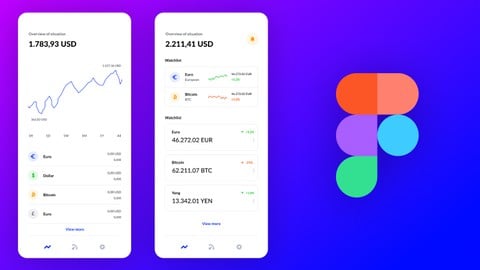
A 3.7 hour Figma primer that builds one recipe app from a blank frame to a clickable prototype, praised for clear teaching but showing its age.
Best for: Complete beginners or Sketch and XD switchers who want one small mobile app built end to end in an afternoon.
-
- One project carried start to finish: icons, images, text, components, then a working prototype
- Clear, easy to follow explanations that reviewers say suit total beginners
- Only 3.7 hours across 48 lectures, so it fits comfortably in a weekend
- Covers constraints and components early so design elements stay reusable
-
- Recorded on an older Figma UI; students say features have been renamed or moved since
- Taught on a Mac with no Windows shortcut equivalents
- Auto Layout barely covered, and some reviewers call it a crash course rather than a full one

5
Learn Figma for UI UX Design (with a Design Project) (2021)
A free half-hour walkthrough where Pierluigi Giglio builds two iOS screens in Figma, useful as a first taste of the tool but not a full tutorial.
Best for: Total Figma newcomers who want to watch two mobile screens get built before committing to a longer paid course.
-
- Free and only 32 minutes, so it costs nothing to find out whether Figma clicks for you
- Calm step-by-step narration that beginners say is easy to follow
- Builds two real iOS screens rather than just touring menus
- Points beginners at icon libraries like Nucleo they can reuse in their own work
-
- Shows tools in use without explaining what they are or where to find them
- Skips grids, prototyping, shortcuts, and anything after the mockup is done
- Last updated in 2021, and some reviewers found the audio quiet and hard to follow

6
Figma UI UX Design Advanced (2025)
A Figma follow-up from Dan Scott that skips the basics and goes straight to variables, light and dark modes, Auto Layout and animation in under nine hours.
Best for: Figma users who know the basics and want variables, variants, dark mode and advanced prototyping in one tight run.
-
- Instructor is described as well planned and clear, not clicking around while you rewatch
- Covers variables, design tokens, light and dark modes and compact layouts in one course
- 22 assignments and 107 short lectures keep it practical, about 8.8 hours in total
- Rated 4.7 from 9,956 reviews, with only 140 one and two star ratings
-
- A reviewer says a few things in Figma have changed since recording and were not updated
- Some lessons need a paid Figma plan, so free users can only watch those
- Teaches software skills, not UX process or design thinking, as one reviewer wanted

7
Complete Figma Megacourse: UI/UX Design Beginner to Expert (2026)
 What You'll Learn
- The principles of User Interface Design and Prototyping
- The basics of Human-Computer Interaction
- How to read a User Flow Diagram
- How to use Figma and its given tools
- How to design within Figma
- Wireframing in order to produce a functional prototype
- How to use the collaborative feature
- How to give and receive feedback on prototypes
- The principles of UX design
- The importance of color theory
- What are the most common beginner mistakes and how to avoid them
- The principles of forms, buttons, and plugins
- How to create an app
- How to make a website
- All about content creation
- How to animate in Figma
- How to create interactive calendars
- To make a Netflix prototype
- Advanced prototyping
- Advanced design systems
- How to apply the theory on real-life scenarios
8
Motion Design with Figma: Animations, Motion Graphics, UX/UI (2024)
What You'll Learn
- Use Figma like a pro and get a job in User Interface Design, User Experience Design (UX/UI), Web Design or Mobile App Design
- Learn to build Motion Design Prototypes with Figma and add Animations and Motion Graphics to your projects
- Have an amazing design portfolio customized and professionally completed by the end of the course (we provide it for you!)
- Build these projects: Photo Inspiration App, Nat Geo Carousel, Smart Home Mobile App, Home Reno Web Landing Page and Form + more!
- Learn to use Smart Animate in Figma
- Learn UI/UX best practices using the latest trends in the industry
- Learn the principles of Motion Design, the motion design process, best practices, and prototyping your projects for your customers and clients

9
Complete Figma Course: Web & Mobile Projects from Scratch (2026)
What You'll Learn
- How to use Figma to assist on your projects
- How websites are structured and how you can learn from it
- How to automate your workflow
- How to make responsive Web and Mobile view
- How to create a working design system that helps you finish your project easily
- How to create wireframes and import them in Figma
- Proper structure for the projects
- Follow up with new trends in the industry
- Knowledge to complete a clients project
- How optimize your portfolio and start getting clients
10
UI/UX Design With Figma : 5+ Real World Projects (2025)
What You'll Learn
- Learn to design for all types of devices using Figma and other tools used by some of the top designers in the world
- Master both Web and Mobile design principles and how to go from sketching to fully fledged high fidelity designs that will wow customers
- Learn to be a designer as well as a web developer at the same time (a rare combination of skills that is in high demand)!
- Learn UI/UX best practices using the latest trends in the industry
- You'll be able to send your finished work to other professionals in the correct formats.
- You will be able to start earning money from your UI/UX Skills.
- Learn to design websites & mobile phone apps.
- You will learn how to reuse design elements for future projects
- Wireframing in order to produce a functional prototype
- The principles of User Interface Design and Prototyping
- Working with your clients/team right within Figma
- Building interactive prototy
11
The Complete Figma Course Designing Mobile & Web App UI/UX (2026)
What You'll Learn
- How to use Figma on web & desktop
- Designing full mobile & web mockups (UI Design)
- Creating great experiences with applications of UX Design
- Building interactive prototypes to share with co-workers and clients
- Seeing your prototypes live on your own mobile phone
- Creating easy-to-tweak designs using re-usable components & styles
- How to pick colour schemes and unique typography for your designs
- Working with your clients/team right within Figma
Show All
All 70 Figma courses
- Figma UI UX Design Essentials
- Complete Web & Mobile Designer: UI/UX, Figma, +more
- Complete Web Design: from Figma to Webflow to Freelancing
- Learn Figma - UI/UX Design Essential Training
- Figma UI UX Design Advanced
- Complete Figma Megacourse: UI/UX Design Beginner to Expert
- Motion Design with Figma: Animations, Motion Graphics, UX/UI
- Learn Figma for UI UX Design (with a Design Project)
- Complete Figma Course: Web & Mobile Projects from Scratch
- UI/UX Design With Figma : 5+ Real World Projects
- The Complete Figma Course – Designing Mobile & Web App UI/UX
- Master Figma: Getting started the Beginner to Pro Class
- Complete UI/UX Design Course 2026: Figma + AI + Real Project
- Learn Figma: User Interface Design Essentials - UI/UX Design
- Design & Prototype a Mobile UI/UX Experience - Learn Figma
- UX/UI Design Principles Compact (Theory + Figma Exercise)
- UIUX with Figma and Adobe XD
- Figma Essential for User Interface and User Experience UI UX
- Figma UI/UX Design: Web and App Design with Projects
- Building Design System in Figma from Scratch - UI UX Mastery
- Master Figma for Web Design & Freelancing: Learn UI/UX
- Learn Figma 2025: From Basics to Your First Design Project
- Mobile App Design in Figma: From Concept to Prototype
- Responsive UX/UI Design in Figma 1.5h deep dive 2024 UPDATE!
- Figma for User Interface and User Experience UIUX Design
- Learn How to Design a Website in Figma
- Learn Figma in 14 Days - Master UI Design and Prototyping
- User Experience Design - Learn UI UX App Design with Figma
- UI/UX Web Design in Figma 2026 | AI & Big Projects
- Figma AI Workflow: From Vision to Version
- Figma Prototyping: A deep dive for UX/UI Designer
- Learn Figma Essentials for UI/UX Design
- Figma for Mobile App Design: Ultimate Edition
- Figma UI/UX Project Course: Design 6 Apps and Get Job Ready
- Mastering Figma: Beginner to Expert [2024]
- Mastering Figma from 0 to 100 (UI/UX Mastery Course)
- Figma for Beginners: Learning by Doing approach
- Complete Webflow Bootcamp: From Figma Design to Development
- Master Figma in 2026: Web & Mobile App Design from Scratch
- Megacurso de Figma: Diseño UI/UX de principiante a experto
- Design Like a Pro: Figma Tokens for Effective Design Systems
- Figma for Learners: Design Stunning UI/UX Projects
- UX / UI Web Design in Figma | Advanced Level | Eng
- The Complete Figma UX/UI App Design Course For Beginners
- Level Up Your UI/UX: Interactive Design & Prototyping Figma
- Figma Pro: Advanced Prototyping and Animation Mastery Course
- Become Web Design PRO with Figma in 2026
- User Experience Design Essentials - Adobe XD & Figma - UI UX
- Ultimate Figma BootCamp UI/UX by Building 20+ Live Projects
- Figma for Busy People: Mastering Auto Layout
- Figma for UI Designers
- Figma UIUX Projects
- Figma Fundamentals: Use Figma Like a Pro
- Figma 2025 - UX/UI Design Bootcamp
- Figma for Everyone: Design Beautiful Apps & Websites fast
- Definitive UI UX Design Course with Figma
- Claude AI UI/UX: Complete Workflow from Brief to Figma
- Figma Mega Course - Design 6 Complete Web App UI/UX Project
- LinkedIn & Amazon Web App Design with Figma (2022)
- Figma UI/UX Design & Freelancing: Create, Build, and Succeed
- Figma 101 - Learning the basics quickly
- One & Only Mobile App UI/UX Design Masterclass with Figma
- Learn Figma For Absolute Beginners 2021
- Figma Animation for Web Designers: Create Wow Prototypes
- Convert Your Figma Designs Into Native iOS & Android Apps
- Ultimate Figma Megacourse: UI/UX Design Beginner To Expert
- Figma: Prototype & Animation Techniques For UX/UI
- Beginner's guide to figma
- Build an E-commerce Dashboard with Figma
- Figma Tutorial - A Free UI Design/Prototyping Tool. It's awesome.